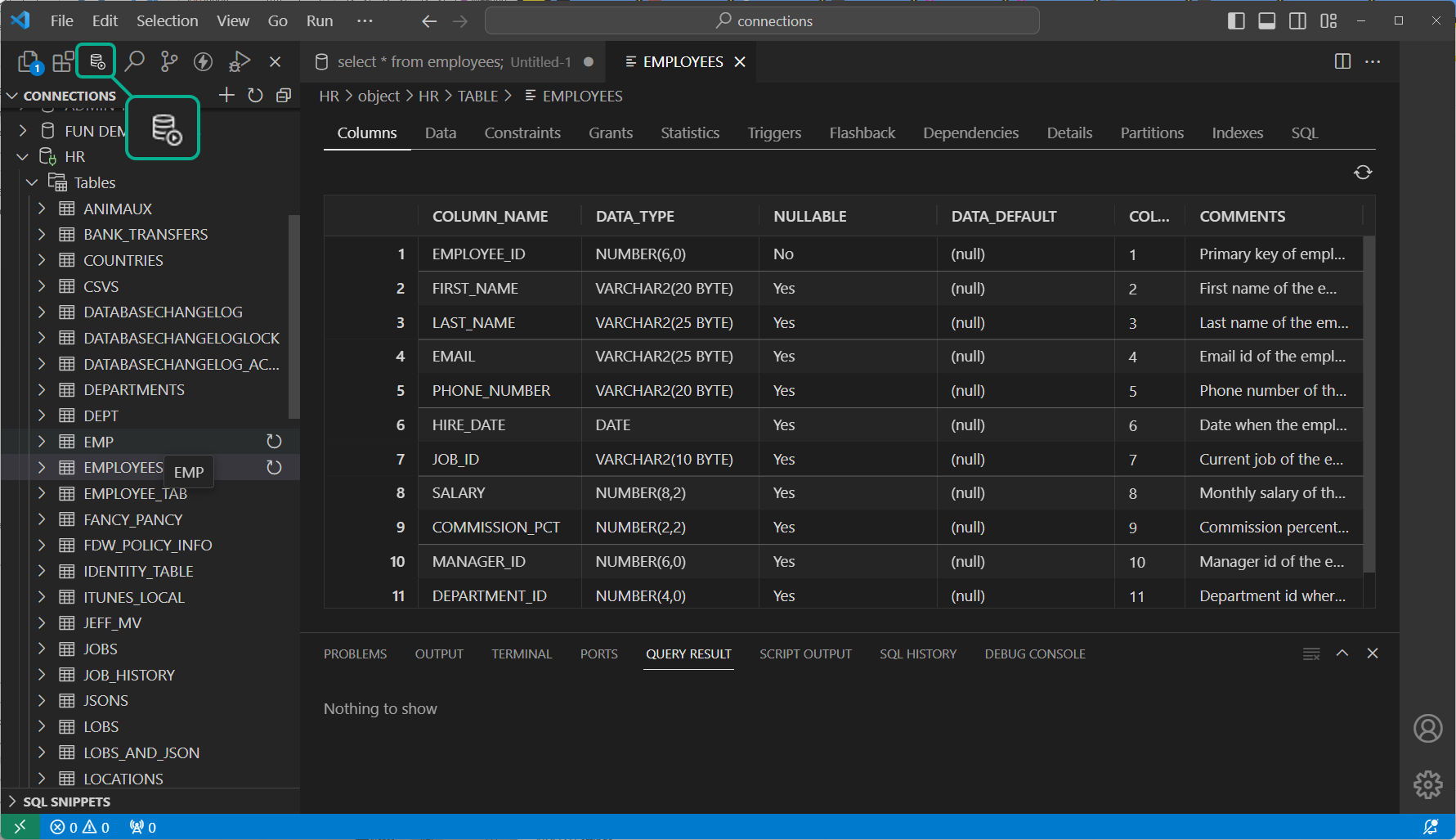
Welcome to my resource page for Oracle SQL Developer. Instead of asking you to dig through 100+ archive posts, I have put together a small collection of my most popular posts here. SQL Developer is the IDE for the Oracle database. Here’s what you need to know to do more work in less time with fewer clicks!
P.S. If you’re not finding what you’re looking for here, don’t be afraid to use that ‘Search’ thingy over to the right. It’s powered by the folks over at Google and I think they do a decent job. I use it to find posts too
Getting Started with SQL Developer
These posts are geared for the beginner and focus on how-to topics and will greatly shorten the learning curve. But don’t let the title scare you away! Would you be surprised to hear that most software users only take advantage of about 10% of a program’s capabilities? Make sure you know these ‘tricks’ before you move on to the ‘black diamond’ topics!- Video: How to Install SQL Developer in less than 5 minutes
- How to Install SQL Developer on OS X Mountain Lion
- Video: A quick walk-through of SQL Developer’s major features
- Don’t like the tree navigational interface? Try drop down controls instead with the Schema Browser
- Simple mode – how to turn off the features you’ll probably never use
- Customizing the look-and-feel for SQL Developer
- Full Screen code editing
- Enabling line numbers in the editor
- Top 10 preferences and options to tweak before getting started
- How to extend SQL Developer’s functionality
It’s All About the Data, Silly!
You’re in the database for a reason, and odds are you’re trying to answer a question. The answer lies somewhere in the data. Don’t drive yourself nuts looking for the needle in the haystack when SQL Developer can point you in the right direction! These posts are all about making the data work for you!
- How to Import from Excel to Oracle
- Query your data, get the results pre-formatted to CSV, INSERTs, XML, & HTML
- Go from CSV to SQL*Loader Using the Import Data Feature
- How to copy data out of the grids WITH the column headers
- Working with BLOBs
- How to visualize Oracle Spatial data
- Pretty up the data grids
- Run Multiple Queries and Get Multiple Data Grids
- How to filter data in the grids
- Know NULLs when you see them
Hackers unite!
If you are all about the SQL or PLSQL, then these posts will turbo-charge your coding to new levels! Keyboard shortcuts, debugging, code re-use, and all the other stuff you expect to find in your IDE.- Let the tool write your JOINs for you OR how to draw your queries
- Long running query and don’t want to wait? Spawn a new Worksheet!
- Accessing your previous SQL statements with the keyboard
- Why you should care about debuggers
- How to use SQL Developer’s debugger
- Code insight, completion, popups – how to use it and how to turn it off
- Side-by-side code editors
- Viewing PLSQL output and REF CURSORS
- Viewing Compilation Errors
- Working with XML
- How to add your own object funtionality and detail pages using only SQL and XML
- The worksheet vs the PLSQL editor and why you can’t see your code errors
- Code slow? How to compare explain plans
- Code still slow? See the plan as your query is running with Real Time SQL Monitoring
Reporting, or Using Pretty Pictures to Convince Your Boss That You Know What You’re Doing
Reporting is a huge component of SQL Developer’s feature set. The product ships with many pre-canned reports, but did you know you can create your own? These posts will show you how to add charts, interactive master-detail reports, and make your work product stand head and shoulders above the rest!


Twitter
RSS
GooglePlus
Facebook
Jun 18, 2012 @ 02:51:16
Hi Jeff,
Do you use SQL Developer on the Linux platform? I’m experiencing a major (for me) annoyance with the linux version compared to windows. I always set NumLock off so I could use the directional keys on the numeric keypad to control the cursor. However, in Linux, this doesn’t work. They directional keys scroll the window, rather than the cursor. I’ve tried using keyboard short cuts to change this behavior and am able to do so; however, whenever I restart SQL Developer, the directional keys go back to scrolling the window again, and so I have to use keyboard short cuts to again remap the numeric pad directional keys! (This doesn’t happen in Windows)
Just wondering if you just happen to use SQL Developer on Linux, and have figured a way to fix this.
Thanks!
Jun 18, 2012 @ 08:30:57
I use both windows and OEL. On the Linxux install, I also run NumLock off by default. I’m able to jump around the worksheet with the arrow keys sans problems.
As a test, can you change another SQL Developer preference, restart and see if it persists? If not, perhaps there’s a permissions issue with SQL Developer not being able to save the XML file that stores the options.
Exactly what flavor/dist of Linux are you running?
Jun 19, 2012 @ 04:25:52
I’m running on Ubuntu, but I also tried it on OEL 5 and experienced the same issue. Other preferences are being saved, but for some reason, this one is always reset.
So I change the Shortcuts using the Preferences and set:
Move Up -> Up
Move Down -> Down
Move Backward -> Left
Move Forward -> Right
At this point, my arrow keys in the numeric keypad work like I want it to. I then opened up the ~/.sqldeveloper/system3.1.07.42/o.ide.11.1.1.4.37.59.48/settings.xml file, and saw the following changed entry:
caret-down
DOWN
caret-down
DOWN
Notice the duplicate setting for caret-down? It’s the same for the other preferences. SQL Developer added that after I made the changes in the Preference Shortcuts. After restarting SQL*Developer, my numeric pad arrow keys no longer work, and I notice in the same file that the duplicate setting is no longer there. Perhaps it’s part of SQL Developer’s cleanup routine which makes sense, but the result is that I lose my desired config.
Jun 19, 2012 @ 04:27:37
Sorry, the XML tags didn’t come out properly in my last post. Let’s try this one:
<Item class=”oracle.javatools.util.Pair”>
<first class=”java.lang.String”>caret-down</first>
<second class=”oracle.ide.keyboard.KeyStrokes”>
<data>
<Item class=”javax.swing.KeyStroke”>DOWN</Item>
</data>
</second>
</Item>
<Item class=”oracle.javatools.util.Pair”>
<first class=”java.lang.String”>caret-down</first>
<second class=”oracle.ide.keyboard.KeyStrokes”>
<data>
<Item class=”javax.swing.KeyStroke”>DOWN</Item>
</data>
</second>
</Item>
<Item class=”oracle.javatools.util.Pair”>
Jun 19, 2012 @ 04:28:37
Doh! Lower case…
<Item class=”oracle.javatools.util.Pair”>
<first class=”java.lang.String”>caret-down</first>
<second class=”oracle.ide.keyboard.KeyStrokes”>
<data>
<Item class=”javax.swing.KeyStroke”>DOWN</Item>
</data>
</second>
</Item>
<Item class=”oracle.javatools.util.Pair”>
<first class=”java.lang.String”>caret-down</first>
<second class=”oracle.ide.keyboard.KeyStrokes”>
<data>
<Item class=”javax.swing.KeyStroke”>DOWN</Item>
</data>
</second>
</Item>
<Item class=”oracle.javatools.util.Pair”>
Jun 19, 2012 @ 04:29:33
This is not working…
Sorry, but hope you get the idea.
Aug 17, 2012 @ 20:37:43
Hi Jeff,
I’m sure you’re a busy man but I’ve got a problem with Oracle SQL Developer running on Windoze XP that you may be able to solve fairly quickly: As of last night, SQL Developer just freezes after bringing it up and a “tip” is displayed. I can’t X out of the tip but I can escape out. However, that’s it, I can’t use any of the menus (although they are selectable, they won’t drop down). Can’t execute SQL either… It seems that the XP window manager may also be also affected since I remember having trouble selecting other windows after SQL Developer freezes. Have to use task manager to kill SQL Developer just to regain control of the machine…
I actually got past this earlier this afternoon but can’t seem to reproduce my steps tonight. I can’t furnish version info easily (I’m at home this weekend logged in to my work PC using “Team Viewer” and I did eliminate Team Viewer as the culprit since I saw the same freeze behavior at work today). I performed a lot of searches and I know this problem has been around for quite a while. My version has worked for at least a year with no hiccups.
I would greatly appreciate your advice, even a link would be fantastic!
Thanks very much for your time,
Rob McFarland
TxDOT, NASA, Linux/C etc…
Aug 17, 2012 @ 20:50:59
First thought that comes to mind is that there’s some sort of dialog behind the main window. Can you try hovering over your taskbar icon and seeing what pops up (can you do that on XP?!?) Or do a minimize/maximize to see if you can’t shake loose whatever’s stuck back there?
The other thing you could try is install a 2nd copy of sqldev and start it, and see if it behaves any better.
Although it probably doesn’t matter, what version of SQL Dev are you running and what JDK?
Aug 17, 2012 @ 21:14:55
Thanks for the quick reply, Jeff!
I am able to minimize all windows and there isn’t a dialog box hidden unless it’s behind the frozen SQL Developer. Yeah, hovering over the taskbar in XP doesn’t do the cool Win 7 selections (which I’m running at home!)… ;^)
I have closed everything EXCEPT SQL Developer on my work machine and restarted the app several times, same freeze. I did install a newer version earlier today (and rebooted the machine several times) but it showed the same freeze behavior, let me keep plowing through this tonight and hopefully we can post a “FIX”!
Thanks Again,
Rob
Aug 17, 2012 @ 21:21:01
I’d have to say I’m stumped.
Can you try the steps listed here, and see what comes up in the stack dump?
http://www.thatjeffsmith.com/archive/2012/06/how-to-collect-debug-info-for-oracle-sql-developer/
Aug 17, 2012 @ 21:26:31
OK, will do later but I’ve got more virtual fish to fry tonight! ;^)
Thanks Jeff, I’ll send the stack dump ASAP!
Aug 20, 2012 @ 09:56:17
Jeff, I have the stack dump, send me an email and I’ll reply. Can’t find your email address here on your site…
Thanks,
Rob
Aug 20, 2012 @ 09:58:48
jeff.d.smith@oracle.com
No promises, but this will hopefully clear things up a bit!
Sep 13, 2012 @ 10:40:36
Using SQL Developer 3.2.09. A couple quesitons:
1. How do you reconnect a lost connection for the sql worksheets that are on a sepparate connection?
2. How do you fully reconnect a session? What I mean is that when you reconnect a session only the worksheets (and any open editor in that session) are reconnected, but clicking on the anything in the tree (views, tables, packages…) does not get reconnected.
3. How do you get query builder to work with functions in the select list? It gets a parse error if functions are used.
Thank you. Great blog.
Sep 13, 2012 @ 15:07:34
Questions 1 and 2 – reconnect from the connection tree. That should re-adopt all the orphan editors, windows, etc.
3 – You want to do something like an UPPER() on a varchar2?
Sep 14, 2012 @ 09:53:50
1. How does one reconnect an unshared worksheet? Reconnecting from the connection tree does not work for unshared worksheets. You get the “IO Error: Connection reset by peer: socket write error”.
3. There is a bug when the function is called using named parameters instead of positional. The query builder parser chokes on the ‘=>’.
Apr 10, 2013 @ 07:56:25
Hi Jeff,
Is there any workaround for the reconnect on unshared worksheets?
How can we ask for this feauture to be impleted in the next release?
Regards
Sep 25, 2012 @ 03:30:18
Hi Jeff,
Is there any way to make SQL-Developer truly portable like a PortableApps application? That is, for example, where it saves all its stuff on where you start SQL-Developer instead of in Windows Profile Path.
Sep 25, 2012 @ 10:14:15
You’re in luck! @krisrice talks here about how to setup SQL Developer to run via DropBox It should apply to your situation too.
Sep 26, 2012 @ 09:16:26
i like Sql Developer and i wish if i can use it with reliability ! my problem with it is simply
its a big memory eater..! many times while enjoy working on it “ok about 5 worksheet opened and extensive use and time” its become very very slow,hangs, then close it self !
i checked memory usage it was about 700MB taken by the sqldeveloper process .. what to do to fix this? i like it and dont want to use other apps like toad “forget its not free”
thank you..
Sep 26, 2012 @ 11:32:02
First, if Windows is telling you that SQLDeveloper is consuming 700MB of memory, it’s probably actually closer to 300 MB – arguably still a lot. The Java Virtual Machine (JVM) ‘lies’ to the OS about how much memory is being consumed by it’s running applications, in this case SQL Developer.
You say you have 5 worksheets opened and extensive use and time – this will consume resources. For example, I have Google Chrome Browser open now with 11 tabs and it’s consuming nearly 400MB in memory – but it’s running OK. And that’s what I want to concentrate on your issues with SQL Developer not performing well. If it becomes slow or hangs – that’s bad, regardless of you having used 5 or 500 MB of memory.
So some quick advice:
Try this for a few days and report back to me how it’s going for you. You should notice an immediate difference after you’ve disabled all of the Migration extensions. Startup time of the application should go WAY down (get faster).
Oct 05, 2012 @ 13:42:07
Briefly: Just changed jobs, from a heavy Oracle shop using Toad with no version control system in place, to one that is installing an Oracle-based vendor app, so they are just starting in Oracle. They are using (experimenting) both SQL Developer and PL/SQL Developer (I think they bought licenses for the latter) and would like to use their existing Subversion 1.7 environment (which they use for the current Microsoft-based work) for their new Oracle development. Is there any way to get SQL Developer to work with Subversion 1.7? So far I haven’t been successful getting it to work with either Oracle tool (and since Toad is so expensive, I think that’s out of the question). Help!
Oct 05, 2012 @ 14:11:14
Short answer, waiting for an update to support 1.7
Long answer, https://forums.oracle.com/forums/thread.jspa?threadID=2306322&tstart=15
Oct 05, 2012 @ 15:03:27
Unless you have an idea of when 1.7 will be supported, I’ll need to pick up my work to get a plugin to work with PL/SQL Developer so it’ll play nice with our Subversion 1.7 and drop SQL Developer.
Oct 08, 2012 @ 13:50:02
Update: you can self-update the Subversion in SQL Developer from 1.6 to 1.7.
Get the new version from svnkit.com/download.php and suck in the new svnkit.jar to the \sqldeveloper\jdev\extensions folder
Oct 08, 2012 @ 14:09:05
I apologize for being such a dolt/newbie, but could you explain your instructions “suck in the new svnkit.jar” in a bit more detail. I’ve just diddled for a half hour and gotten nowhere. I’d *really* like to get Subversion 1.7 to work with SQL Developer.
Oct 08, 2012 @ 14:31:54
Dan – not a n00b, I’m figuring this out as I go too
Jan 24, 2013 @ 11:36:48
Finally getting back to this (even though it looks like our shop may end up using PL/SQL Developer instead…). Just installed the latest SQL Developer (3.2.20.09), got svnkit-1.7.5-v1.jar, renamed it to svnkit.jar, moved to …sqldeveloper\jdev\extensions\oracle.jdeveloper.subversion, and I get the message “No Subversion client could be found. Check system paths for libsvnjavahl-1.dll or install SVNKit.” I just downloaded the latest “SVNKit” – but what do I do with it? Is there some installation procedure? Where do I put these files/folders? Please keep in mind with your response that I really have no idea what I’m doing (if that isn’t already very obvious!) – never used Subversion or version control, or SQL Developer. All I know is that we have a Subversion server that I have permission to, but no one is using (yet). Don’t leave out the smallest details!
Jan 24, 2013 @ 11:39:12
So if you have SVN and no one is using it, the easiest solution is to:
A)Install SVN 1.6 instead and SQL Developer will work as advertised
B)Wait for next version of SQL Developer which will work with 1.7
Jan 24, 2013 @ 11:41:49
A) I should have said “almost” no one is using it. Besides, I’m a programmer-guy, not a server-admin-guy. So reinstalling/recreating our Subversion server is not an option.
B) When will that be?
Jan 24, 2013 @ 11:56:49
A) Duly noted
You could always ask for a new one. With subversion it’s trivial.
B) Soon. We don’t comment on release dates for legal reasons.
Feb 01, 2013 @ 09:11:19
For svn 1.7.x, it seems that a second jar file is required from svnkit. I’ve added a few steps. Versioning functions now load see –> Tools | Preferences | Versioning <–
Unfortunately it still doesn't work (for me at least) but is getting closer
Close SQL Developer
Download the standalone svnkit
Extract the svnkit-1.7.5-v1.jar
Rename it to svnkit.jar
Replace the file in your sqldeveloper install folder with this one
* Extract the svnkit-javahl16-1.7.x.jar
* Rename it to javahl.jar
* Replace the file in your sqldeveloper install folder with this one
Start SQL Developer
Oct 15, 2012 @ 00:54:07
Hello Jeff,
I just updated yesterday to version 3.2.10.09 from 3.1 something.
One thing I noticed is that I no longer can put ‘@’ on connection name. I usually name my connection using pattern schema_name@database_name.
I wonder what is the reasoning behind this decision? Is there technical issue with this? I know up until 3.1 this is still possible.
Thank you.
Oct 15, 2012 @ 07:10:53
A bug fix required the change. We’re looking to get the names less restrictive again. You can change the name manually in the connection xml file as a workaround until then.
Nov 02, 2012 @ 23:49:05
I only just found out that SQL Developer 3.2 has schema diff without needing the Oracle Change Management Pack license. Hooray! I’ve been with 3.0 because there were a bunch of menu items missing from the 3.1 release that I had downloaded. earlier this year.
A couple issues I’m having with the schema diff:
1. Slow. Maybe that’s because of the number of programs I have running right now, but it seems like the 3rd party utility I’m trialing is faster.
2. I can select to show equal objects or new/changed objects, but not missing objects – objects that are in the target but not the source. So, no generation of drop statements, I presume, and no red X’s to alert me to that difference.
3. No way that I can see to sort the differences by new vs changed (vs missing, if that were reported at all)
4. The format of the output in the DDL compare windows is such that sequence DDL and comment DDL make really long lines. This pushes the target DDL code off the screen to where I can’t see it at the same time as the source DDL code.
5. Most 3rd party tools have the ability to take a snapshot and save it as an XML file, and the ability to compare XML files (to each other or to a database) – so that you can check the snapshot file into your preferred revision control system. Yeah, that would not be Oracle’s revision control system, at least not for us.
Anyway, I like your web site and it’s nice to be able to communicate with one of the developers at a huge company like Oracle.
Rebeccah
Nov 03, 2012 @ 08:49:41
Hey Rebeccah!
Thanks for taking the time to share your feedback. I’ll look into the formatting and missing object issues on Monday, but super-quick just wanted to make sure everyone knows that, YES – Database DIFF no longer requires the Change Management Pack as of release version 3.1.
The database is doing the compare via DBMS_METADATA package calls. Most 3rd party diff tools generate the DDL and then do the compares client side. The wait time you’re experiencing in SQL Developer is most likely in the database. I can look into getting some tuning advice put together specifically for database compares.
Your last point about the snapshots – you can get a similar behavior today. You would import your data dictionary as a model. You can then compare that versioned snapshot of the database against a live database or against another ‘snapshot’ (version of your data model.) You can do this in Oracle SQL Developer or in Oracle SQL Developer Data Modeler. Both tools can generate alter scripts as well as the DIFF reports.
Have a great weekend!
Nov 05, 2012 @ 15:44:47
Hi, Jeff.
Thanks for the quick reply!
After posting, I went back to see whether or not it was my imagination that the 3rd party tool was much faster. It was not my imagination, it was an order of magnitude of speed difference (7 minutes for SQL Developer, vs well under a minute for the third party tool).
Regarding importing the data dictionary as a model – dumb question, perhaps, but how would I do that? And how would I save it? Is it saved as XML, some other text format, or binary?
Thanks,
Rebeccah
Nov 05, 2012 @ 16:00:31
I don’t doubt that it’s faster, but ours is free. 7 minutes sounds bad, but how often are you you running compares?
Once you have a model opened, you can use the File > Data Modeler > Import feature, and use the Data Dictionary method. Here’s a quick writeup I did that might help
http://www.thatjeffsmith.com/archive/2012/10/importing-multiple-schemas-to-a-model-in-oracle-sql-developer-data-modeler/
You save the model, which is a collection of XML files, which can then be used to generate reports, DDL scripts, or used for compares.
Dec 10, 2012 @ 19:55:00
Hi Jeff,
I’m new to the SQL Developer Data Modeler software(version 3.1.4.710), I’ve mostly been using Oracle Designer but I’m always interested in learning new tools.
I’ve managed to import from Oracle Designer with no issues. What I’d like to do is generate DDL but when I try to do that I get an error message stating to look at the Design Rules.
Is there a way to by pass the Design Rules when generating DDL?
Dec 12, 2012 @ 17:01:12
The following situation is killing my productivity and making me crazy: after I cancel a long-running query, I am unable to run a new query against the same database, nor am I able to close the SQL*Developer window. The only action available to me is to cancel SQL*Developer by using the Windows Task Manager, and then restart it — that takes “forever” arghhh! Only about 30 seconds of each 5 minutes is productive
Attempting to disconnect the connection only results in a message that the connection is busy (from which you can retry repeatedly without any effect).
My environment is Windows 7 Pro SP1, SQL*Developer 3.1.07, Oracle, 10.1.0.2.0.
I have searched the web and read a lot about this on OTN and elsewhere, but cannot find a means of cancelling the query and continuing to work in SQL*Developer. Based on that reading, this seems to be a long-standing problem. I would expect that it has been addressed by now. Can you help find a workaround or a bug fix for this?
Dec 12, 2012 @ 20:39:56
Are you trying to cancel a long running query, just a ‘simple’ SELECT?
In the meantime, while we’re trying to diagnose your ‘cancel’ issue, when you get tired of waiting on your query to come back, open a new unshared worksheet. Ctrl+Shift+N is the keyboard shortcut. Or you can use the worksheet button in the worksheet toolbar. This will open a new worksheet to the same database using a new connection. This will allow you to run other queries, etc. while you wait for your other query to finish or be cancelled.
Back to the cancel issue:
After hitting execute, how long are you waiting to cancel? Once you hit cancel, how long do you wait before you resort to going to Task Manager? Not saying you’re doing anything wrong, just trying to collect some numbers to compare with other folks’ experiences.
We can try upgrading two pieces, SQL Developer and your client.
Version 3.2 is now available – although I don’t believe there’s anything in there that will affect the behavior you’re trying. It does have more than 500 bug fixes over 3.1, so it’s not a bad idea. You can also try upgrading your 10g client to match your 11g database.
Once you have a 11gR2 client, you can try what we call an ‘OCI/Thick’ connection. This forces SQL Dev to use the oci.DLL to connect vs doing a ‘thin’ JDBC driver connection. Apparently there are more ‘cancel query’ hooks in the database for these types of connections, so the odds of your cancel requests becoming more responsive goes up a bit.
One last thing, what version of the JDK do you have installed? If you’re using a 1.6 or Java6 JDK, upgrading to 1.7/7 might help. I’m running this configuration and have no problems whatsoever canceling queries.
Once we ask to cancel a query, it’s basically up to the database to honor that request. Until it comes back, we’re held hostage.
Dec 12, 2012 @ 17:05:25
Note: version 10.1.0.2.0 is reported by TNSping; SQLplus reports Release “11.2.0.2.0 Production on Wed Dec 12 14:02:55 2012″
Jan 07, 2013 @ 23:57:07
Hi Jeff,
I have sql developer 3.2 and I am trying to run the Database Diff tool against a similar but not the same list of tables in the same schema name in 2 different databases. The job starts and slowly iterates thru the list of tables (apparently) the full list. But then I never get a Diff window result – the processing dialog just closes and nothing further happens. I’ve tried lots of combinations of parameters but I never get a result. Any ideas?
I have consolidate checked and I have even tried unticking the Ignore segment attributes to try and force a result. All the steps seem to work okay and I choose tables only and then use the selector to choose a list of tables or even a single one that I know is different, but there is never a result window.
Jan 08, 2013 @ 18:52:30
Sounds like something is hanging, interesting to see it happening on a single table vs many. Can you try running SQL Dev and capturing the log when it hangs? Here’s how to collect that.
Jan 15, 2013 @ 23:04:01
Database Copy feature
Hi Jeff,
I have been using sql developer to “clone” my application datamart without having to go through the IT dbas. It’s been great liberation using the tool. That said I would be most grateful if you could shine some light on a few hurdles/confusion that I have.
My goal is to make a copy of all objects from my PROD schema to TST schema
I Select Object Copy->Copy DDL(Replace)->Copy Data->Truncate
When I run this I get a few errors. The first is with the DDL for a handful of my Views. The reason is because some views depend on other views that have not yet been defined because they appear later in the script.
Is there any way around this short of isolating the failed views and rerunning the DDL for these views in a second pass once the rest of the dependent views are defined? I imagine this could happen in various places. Perhaps there is an option to have the DB not check until the end?
Second problem I am facing is duplication of data when you bring over a table but also a view from that same table with “Copy Data” selected. Snippet of what is generated.
Moving Data for object CUST_FIELD_DEFN_L
Insert 320 rows into CUST_FIELD_DEFN_L in 62 milliseconds
Moving Data for object CUST_FIELD_DEFN_EX (This is a view from CUST_FIELD_DEFN_L above)
Insert 320 rows into CUST_FIELD_DEFN_EX in 546 milliseconds
The only way I was able to get around this what to filter out View objects in a first pass. Then in a second pass only select Views but deselect “Copy Data”
Again just a newbie, sorry if these are novice questions. Overall able to get the task done with multiple passes so I am happy but would be great if it can be done in one pass.
Last point just for knowledge’s sake: why do the tables need to be Truncated when they have already been dropped and re created new? With the options above the flow looks something like this:
DROP TABLE “ACCOUNTING_BOOK” cascade constraints; table “ACCOUNTING_BOOK” dropped.
CREATE TABLE “ACCOUNTING_BOOK table “ACCOUNTING_BOOK” created
TRUNCATE TABLE “ACCOUNTING_BOOK”; table “ACCOUNTING_BOOK” truncated.
Surely does not hurt but was curious. Sorry for the long post.
Feb 08, 2013 @ 14:18:47
i am new with DATABASE . i instal oracle 11g and have SQL* plus is working fine .
Oracle SQL developer seems working fine . i can get connect as hr and scott.
how do i get connected as SYS in SQL develpor. ……… thanks
Feb 08, 2013 @ 15:12:43
Ton connect as SYS, you’ll need to set the Connection Role to ‘SYSDBA.’
Feb 08, 2013 @ 20:47:43
connection name: SYS
username : SYSDBA
Password: password
Hostname : localhost
port: 1521
SID : hassam (this is the name of my database as i get connect as hr or scott. but for some reason i can not get connect as SYS in SQL develpoer but i get connect as SYS is SQL.
appreciate all the help i can get.
Feb 08, 2013 @ 20:51:55
also
connection Type : Basic Role: SYSDBA
i keep getting Status: Failure
Feb 09, 2013 @ 16:25:56
Hello mate. I’m sorry to bother you with what might be a really stupid problem. I have apex installed on 192.168.1.1. There i have 2 workspaces: ‘workspace1′ with schema ‘workspace1′ and ‘workspace2′ with schema ‘workspace2′. Not long ago, i’ve installed Oracle Sql Developer on my computer (192.168.1.2). When i try to connect to the workspace2, all i get is user/pass incorrect. if i try to connect to ‘workspace1′, I have no problem. can you tell me what i’m ding wrong, please? Thank you.
Feb 09, 2013 @ 16:36:01
Apex users and workspaces are independent from database users and schemas.you want a user name and password to connect to your database, not apex.
Feb 09, 2013 @ 16:40:50
Ok. Everyone seems to be cryptic these days
. I just got into Apex. Something escapes my sense of direction. I have apex installed, workspace created, schemas (one for each workspace), users (two for each workspace – admin and user that is). what escapes me?
Feb 10, 2013 @ 10:48:28
Not to worry
. What WAS escaping me is this: to connect with SQL Developer to a Apex DB, one must realize or must be told that APEX SCHEMA is the user for SQL Dev and you also need SCHEMA password that one’s creating when you first create schema. I had also a problem when i realise that i no longer remember schema password, but I managed to changed from sql*plus, logged as sysdba, with the command for changing user (schema) password. And I’ve wrote this comment for those who maybe are as noobs as me and get into the same problem.
Mar 21, 2013 @ 17:09:51
Hi. I’m interested in managing sql scripts generated by sql developer. Do you know if this is possible directly or by any tricks or add-ons to include only tablespace in scripts (without all these pctfree etc.) and decide if you want informations about partitions or not?
Mar 21, 2013 @ 20:21:30
Your options for object scripts are here:
Tools > Preferences > Database > Utilities > Export
Mar 22, 2013 @ 04:16:32
I think that’s not what I mean. Here is create table from sql-developer:
CREATE TABLE “EAI”.”TEST”
( “C1″ NUMBER, “C2″ VARCHAR2(32 BYTE) )
SEGMENT CREATION DEFERRED
PCTFREE 10 PCTUSED 40 INITRANS 1 MAXTRANS 255
NOCOMPRESS LOGGING
TABLESPACE “USERS” ;
I’m searching for possibility to decide to remove e.g.
PCTFREE 10 PCTUSED 40 INITRANS 1 MAXTRANS 255 or information about logging, compression, parallel etc. Some of this options can be set in dbms_metadata package so maybe it is in sql developer as well?
Regards,
Mar 22, 2013 @ 15:54:42
Those options are all that we surface now. We could theoretically add anything that DMBS_METADATA supports. Can you add a request to our Exchange?
Mar 23, 2013 @ 01:50:47
sure, done! thanks for help!
Mar 28, 2013 @ 17:05:22
Hello again!
I have one more doubt, it is possible to know the field type(varchar, int, etc) in the query result table?
http://img268.imageshack.us/img268/598/exampleqb.png
Mar 28, 2013 @ 20:20:57
Easiest way to determine that would be to do a Describe (SHIFT+F4) on the object(s) in the FROM clause of your query for that grid.
Apr 03, 2013 @ 15:39:16
Hello Jeff,
And i´m sorry for being so annoying, i have one more doubt.
How can i execute one function of a package? there is some test mode?
TY,
Carlos Pinho
Apr 03, 2013 @ 15:42:33
Open the package using the connection tree. Click the Execute button, looks like a Green ‘play’ button, then in the ‘RUN PL/SQL’ dialog, select the function you want to execute in the ‘Target’ panel.
PS You’re not being annoying
Apr 04, 2013 @ 10:47:51
I am having an issue with exporting to loader as a single file in 3.2. Is there a way to do this? I know these options were different in 2.0 and I was able to export to loader and saving as 1 filename, however, now I am receiving “Saving as Single file is not supported for exporting data that is formatted as loader with Generate Separate Data File”. Thanks for any help you can provide!
Apr 04, 2013 @ 11:27:19
To be a bit more specific…in 2.0 I was able to export to loader and the file would show all of the fields prior to the date. Now I am only showing the data (This is obtained in 3.2 by choosing platform default as the line terminator, and saving the file as Type files. Any way to get those field names at the top? Example of what the file is now missing below:
“LOAD DATA
INFILE *
CONTINUEIF NEXT(1:1) = ‘#’
INTO TABLE “EXPORT_TABLE”
FIELDS TERMINATED BY’|’
OPTIONALLY ENCLOSED BY ‘”‘ AND ‘”‘
TRAILING NULLCOLS (
“TEXT1″ ,
“TEXT2″ ,
“TEXT3″ ,
“DATE1″ DATE “DD-MON-RR” ,
“DATE2″ DATE “DD-MON-RR” )
begindata
Apr 06, 2013 @ 11:01:32
Hey Frank, I’m going to be travelling all next week – could you do me a favor and post your question to our OTN Forums? I’ll make sure your question gets answered one way or another!
Apr 09, 2013 @ 13:49:25
Hi Jeff,
Could you please help me in following :-
1. I have to execute multiple update statements… like 9000 statements. Suppose any how I was able to execute all those statements. After this, Is there any functionality in SQL Developer by which I can have output of above update process spooled to a file. File should indicate what occurred…which query executed or failed.
2. Do SQL Developer has any limitation on executing multiple update statements. Like in my case is it possible to execute 9000+ statements in one go.
Thanks,
VIP
Apr 09, 2013 @ 13:58:40
1. Yes.
2. The limitation would be on your machine resources, not SQL Developer or the database.
Here’s what I recommend.
Take your 9k statement script, and save it to a .sql file. Then in SQL Developer, open a worksheet. type
@your_script.sql
And execute with F5. The script output will go to the output panel below. If you want the output logged, just use this in your script at the top, or add it to the worksheet right before your @ command.
SPOOL C:\my_log_file.log
Apr 19, 2013 @ 08:50:50
Hello Jeff,
Your blog is great. I’m working with SQL Developer for few years, and now our whole team is switching to SQL Developer according to new company politics.
Many people in my team was working with differen software before and now, they are sometimes unhappy because they miss some functionality. We have also few ideas how SQL Developer could work better.
Do you know, is there a way, how such ideas could be sent to “SQL Developer” Team?
Many thanks
Regards
Apr 19, 2013 @ 09:15:55
Thanks Maciej!
You have 2 official ways to communicate directly with our R&D team. The Forums on OTN and the Exchange. Your 3rd unofficial way is to interact with those of us online that like to bother customers, including me. I take many of the ideas and suggestions from here, Twitter, Facebook, etc and work them into our roadmaps and discuss the challenges our customers face in our weekly team meetings.
I’ve seen and used most of the database tools out there – if your team has a laundry list of things they’d like to see addressed in SQL Developer, feel free to email me at jeff.d.smith@oracle.com or even post them here as a comment. I’m betting a good bit of those items are already in the tool and just require a slightly different workflow…
May 03, 2013 @ 00:41:41
Hi Jeff,
Thanks for your blog.
Couple of q’s…
Just wondering if you can (or ever will be able to) send queries to more that one connection from the same SQL Worksheet simultaneously (we are not allowed to use database links).
I observed some interesting behaviour where on some people’s copies of SQL D when they pasted a query that I send around into their worksheet, the > and < symbolics were converted to their > and < symbols respectively – is this normal behaviour? If you code it in the worksheet as > and < it did not convert them.
Cheers,
Jonathan
May 03, 2013 @ 09:55:59
You’re welcome! It helps keep me sane
1)No and probably not. If you mean a single query, grab data from multiple sources, that’s precisely what a DB_LINK is for. I understand you’re ‘not allowed,’ but I’m the sort that would ask ‘why’ and then probably get myself in trouble with follow-up questions.
2)So you’re copy the html escape codes or you’re copying the actual lesser/greater than symbols? I’ve not noticed this before, but that doesn’t mean anything
May 05, 2013 @ 17:37:09
Our DBA says DB links have caused problems for them in the past and so won’t support them. I have already asked
As for the other question I am pasting the characters & g t ; and & l t ; (with no spaces so they look like substitution variables). When pasted into SQL Developer they appear as the symbols > and < respectively.
I can type the strings in and they remain as is with no problem.
May 05, 2013 @ 21:50:32
I’ve come across that before. “No DB links allowed because we had a problem caused by them.” When asked, discovered it was because years ago they’d used public db links everywhere, which were connecting as the schema owner (thus had very high privileges) which were being misused by devs and BA’s all over the place and made impact analysis very difficult or near impossible.
It took a bit of pushing but we eventually salvaged the situation, demonstrating how used wisely, *private* db links connecting to low-privileged accounts created specifically for this purpose are acceptable.
May 07, 2013 @ 02:27:06
Thanks Jeff. I may keep pushing them and see how I go
May 03, 2013 @ 00:42:57
Huh…even your blog does it :-O & g t ; and & l t ; with no spaces