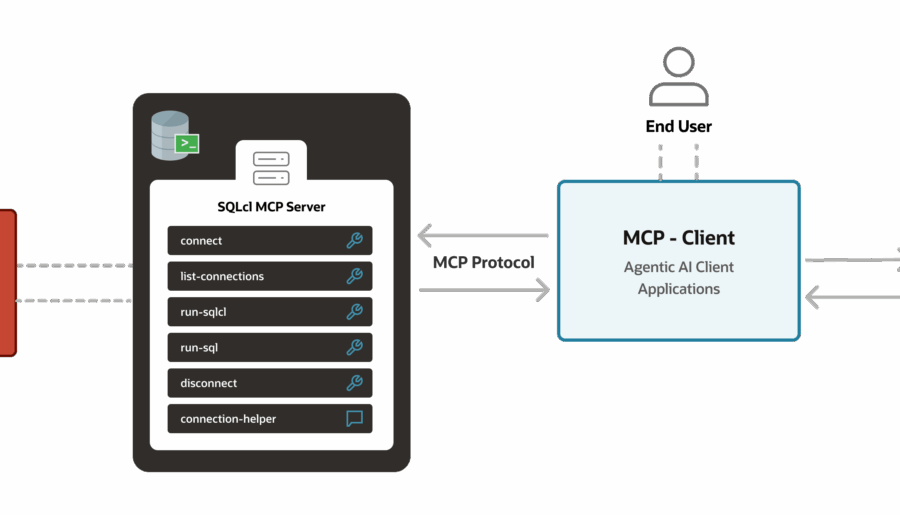
Getting Started with our MCP Server for Oracle Database
SQL Developer

Getting Started with our MCP Server for Oracle Database

Gettings started and deep dive tour of our new MCP Server with Oracle Database! VS Code and Copilot, connect to our db, and run some queries…and more!

Read More
I’m new to Oracle, and I need a database…help!
Database Stuff

I’m new to Oracle, and I need a database…help!

Taking an Oracle Database class or course? Need to get up and going on Oracle Database really fast, and really easily? Here’s my advice!

Read More
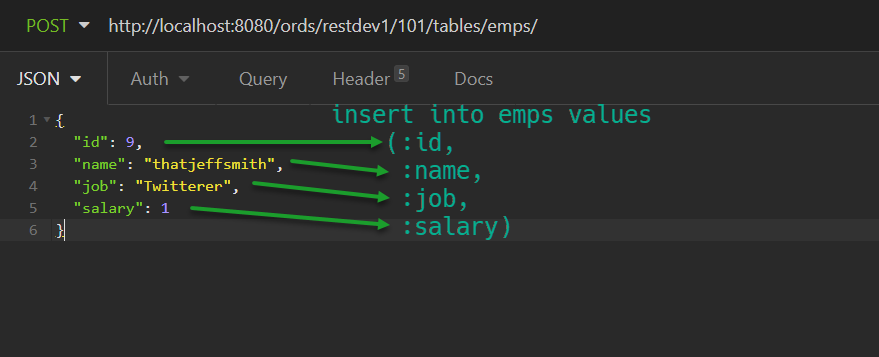
REST APIs and TABLE INSERTs: the Definitive Guide for Oracle
ORDS

REST APIs and TABLE INSERTs: the Definitive Guide for Oracle

REST APIs and TABLE INSERTs, everything you need. Bonus: we’ll build a REST API to GET the data, with support for CLOB/JSON, links, and exception handling!

Read More
SQL Developer

Someone asked, I have this cool report, how do I get the chart out of it? For now I’ve been taking screenshots. So let’s look at how you can get your Report out to HTML (and a PNG.) When I say HTML, I mean you have a SQL Dev report that’s generated by SQL Developer itself. I am NOT talking about DBMS_OUTPUT reports that you can use to physically print HTML3 code and have it…

SQL Developer

Your relational models can get big. Bigger than the human mind can easily consume. So instead of generating a report of 2,500 objects, you might want to break down your model to smaller chunks, AKA SubViews. So let’s open the reports, which you’ll find on the main File menu. First, we don’t want the main diagram in the report, that’ll give us EVERYTHING. I just want the subview diagram. So after un-checking ‘include main diagram,’…

SQL Developer

“I do not want a line break after the and statement.” I’ve seen this come up a few times, so let’s answer that right now. 137890558269a1110e77ae3_000001 Default formatting changes that to 137890558269a1110e77ae3_000002 This is NOT what the person asking for help wants. To the Preferences! So let’s change that and see what happens. Or… Speaking of OR

SQL Developer

Code searching isn’t new for version 4.2. It’s not even new for version 4.1, or v4.0…but what IS new, is that some folks consider the SQL behind their VIEW objects to be ‘code.’ So, for version 4.2, you can say, search my PL/SQL source AND search the SQL behind my views. You’ll notice there’s an option to add wildcards around your search term for the ‘Code’ category – that’s useful when searching object names in…

SQL Developer

Today is the day! We have new releases of both SQL Developer and SQL Developer Data Modeler. I’ve been talking about v4.2 tweaks and enhancements for awhile now, and here’s the full list if you want to go back and review. I’d like to share a few highlights though. But first, FULL STOP. Go click that big button to the top and left. Ok, let’s continue. Formatter I’d like to thanks the entire community for…

ORDS

Can you? YES. Absolutely, even. Go from your app to your Oracle Database resources via REST (GET|POST|PUT|DELETE), and your responses come back via JSON. No APEX required. And even better, you can have ORDS up and running in less than 5 minutes. Ok, but what about ORDS & APEX? If you want to provide a RESTful API for your Oracle Database, then ORDS is for you. But, when I do talks on ORDS, I ask…

ORDS

In the current issue of Oracle Magazine, you can read all about how to get started with the Auto REST feature of Oracle REST Data Services…or in other words, how to automatically make Tables and Views available via REST APIs. A table or view is very easy to consider as a resource in the REST model. What ORDS does is allows you to interact with them via GET, PUT, POST, and DELETE – without writing…