
In a previous post I showed how to setup ORDS MCP with a Auth0 identity management store, and debug everything via MCPJam. Today I want to do a similar post, but with Keycloak and a a popular agent, Claude Code.
To follow along, you need an Oracle Database, and at least Oracle REST Data Services version 26.2.
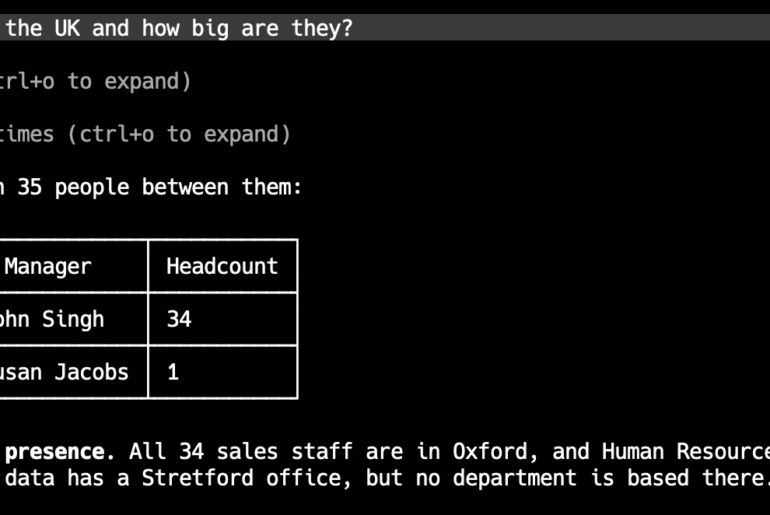
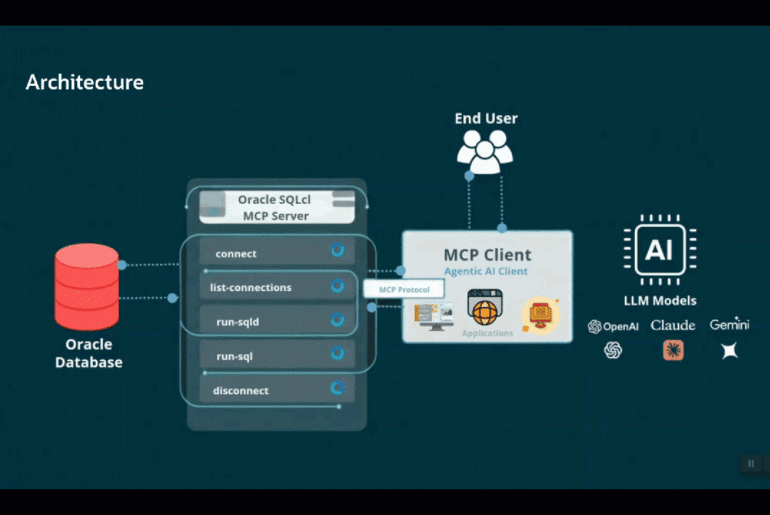
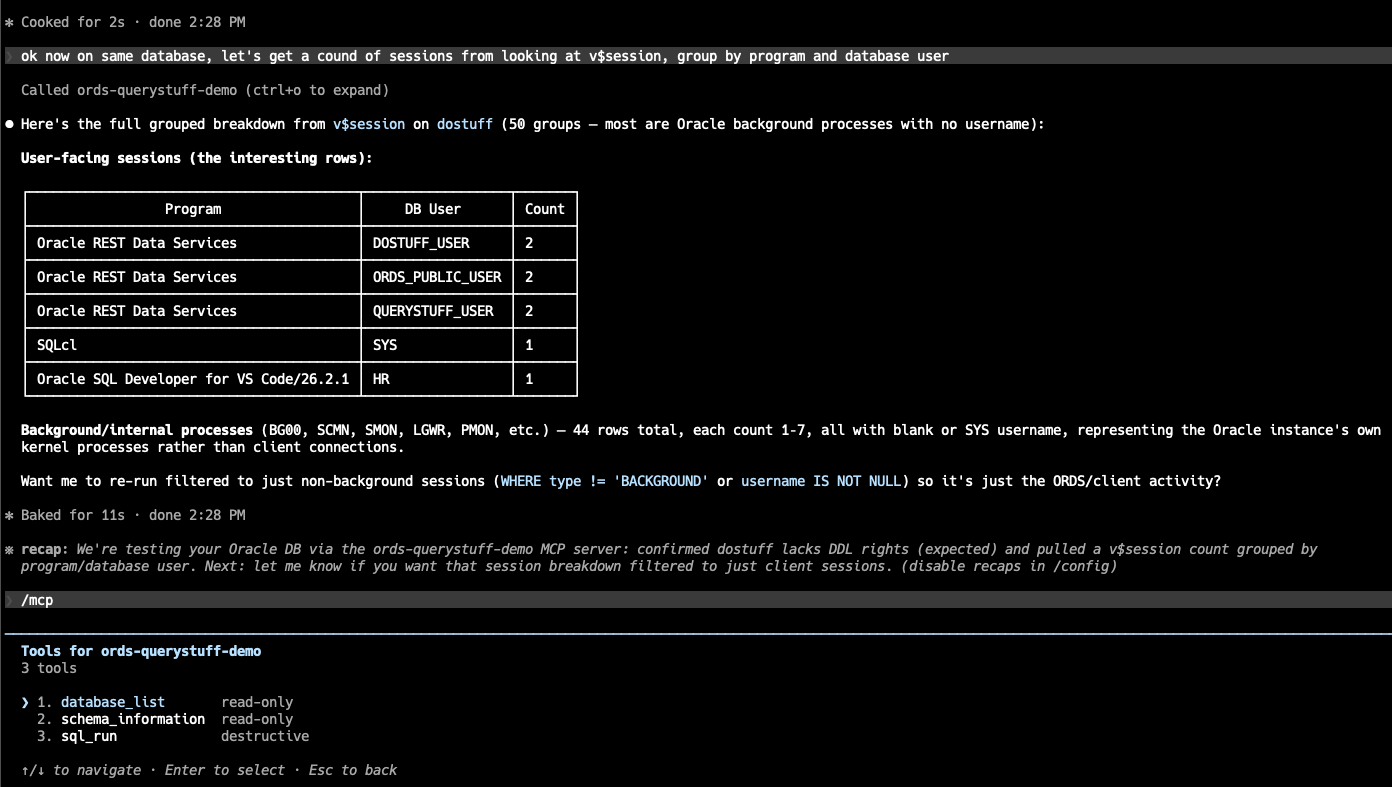
This is what it looks like when we’re all done – I’m able to chat with my database(s) via my Agent (Claude Code), and my MCP Server for my Oracle databases (ORDS).
I don’t have local database connections defined with SQLcl and I don’t have database credentials – I’m doing everything via my Keycloak managed Identity. If my user has the right roles, then ORDS lets me in to do work.
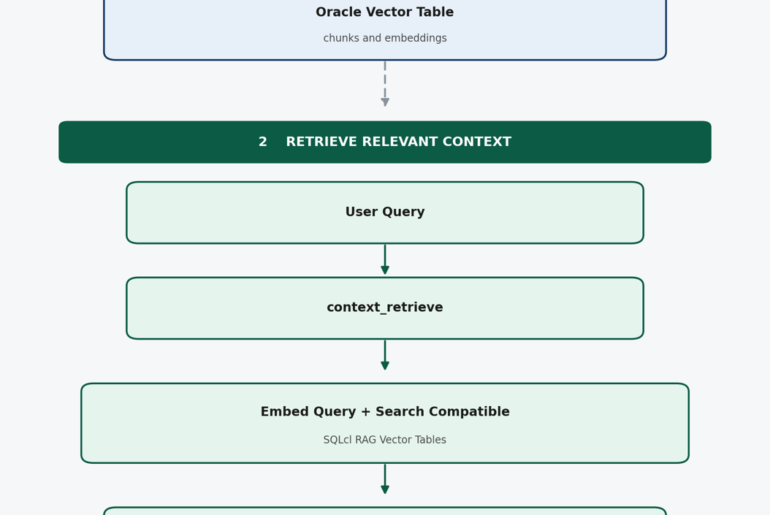
Architecture and Naming Conventions
Claude Desktop/Code (MCP client)
│ OAuth2 Authorization Code + PKCE
▼
Keycloak (realm: ords-mcp-demo)
issues JWT containing:
– roles claim → [“QueryStuff”,”DoStuff”] for Jeff, [“QueryStuff”] for JeffJr
– scope claim → includes urn:oracle:dbtools:ords:mcpserver:all
▼
ORDS /mcp endpoint (validates JWT against Keycloak issuer/JWKS)
▼
Two direct-connect DB pools:
QueryStuff (mcp.role=QueryStuff) → read-only DB user
DoStuff (mcp.role=DoStuff) → Jr-DBA-level DB user
▼
Local Oracle 26ai Database
- Keycloak realm:
ords-mcp-demo - Keycloak client (real OAuth flow, used by Claude Desktop/Code):
mcp-client - Keycloak client (confidential, direct-grant, for quick curl token tests while debugging):
mcp-test-client - Keycloak realm roles:
QueryStuff,DoStuff - Keycloak users:
Jeff(both roles),JeffJr(QueryStuff only) - ORDS pool names /
mcp.rolevalues:QueryStuff,DoStuff– I kept them in synch, this is NOT required - DB users behind the pools:
querystuff_user,dostuff_user
QUERYSTUFF_USER only has READ privs on the demo HR tables.
DOSTUFF_USER has limited DBA privs.
Phase 1 — Install & Configure Keycloak
Current stable release as of this writing is Keycloak 26.7.2, which requires Java 25. Thankfully latest ORDS also supports Java 25.
Why am I installing Keycloak? It’s very popular, and very easy to work with. You can get the entire ‘rig’ – database, MCP, and IAM all working on one machine.
You can put this on a container (Rancher, Podman, Docker), but I chose to just run it natively on my machine.
- Admin console:
http://localhost:8080/admin - Realm issuer base you’ll reference from ORDS later:
http://localhost:8080/realms/ords-mcp-demo - JWKS endpoint:
http://localhost:8080/realms/ords-mcp-demo/protocol/openid-connect/certs
Phase 2 – Keycloak realm, roles, users, clients, mappers
This is admittedly the ‘tricky’ part, and that comes from someone who is used to dealing with databases and SQL, not so much with domains, JWTs, scopes, claims, etc.
- Create two realm roles
- QueryStuff
- DoStuff
- Create two users
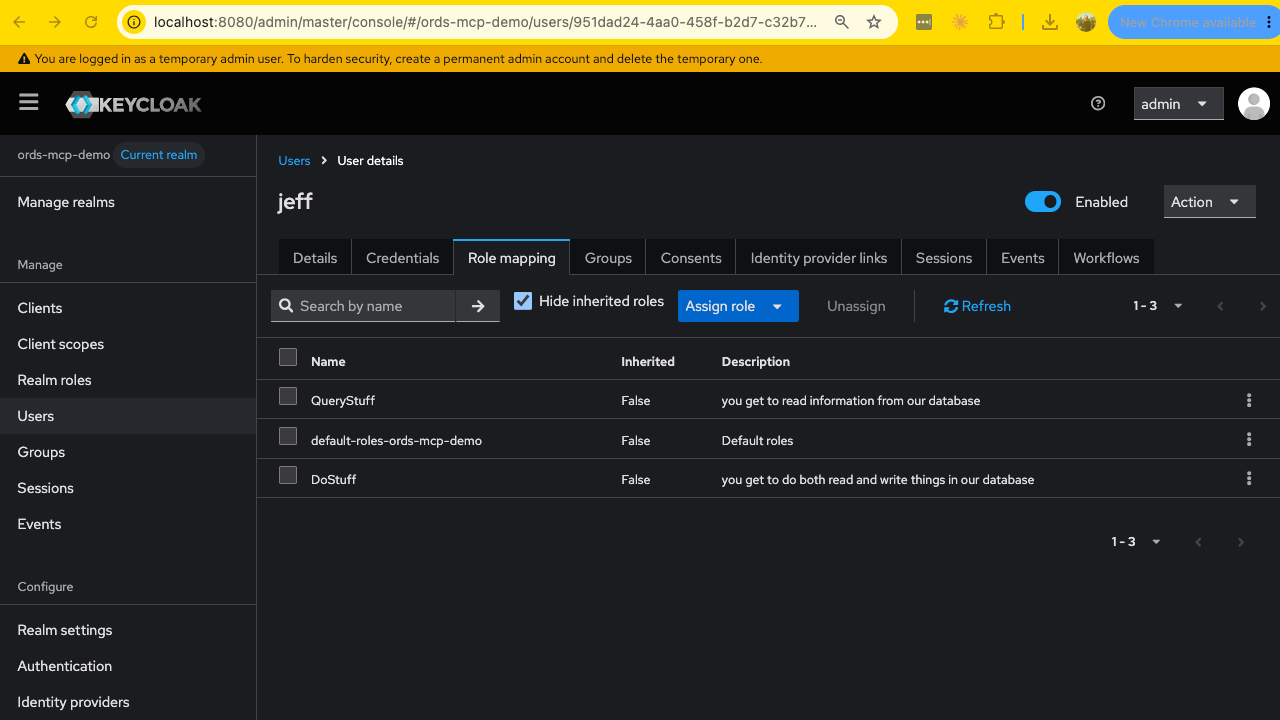
- Jeff (QueryStuff, DoStuff)
- JeffJr (QueryStuff)
- Create client scope, required for ORDS MCP Scope+Audience
- required by ORDS for every MCP request token
- scope urn:oracle:dbtools:ords:mcpserver:all
- Audience claim (aud) http://localhost:9090/mcp
- I made the client Scope ‘default’ so it’s included on every client
- protocol is openid-connect
- required by ORDS for every MCP request token
Scope Mappers
I forgot this, and as a result my JWT was missing the information required by ORDS to get any further than Authentication. Yes, ORDS knew I was ‘Jeff,’ but I wasn’t allowed to use the MCP Server tools.
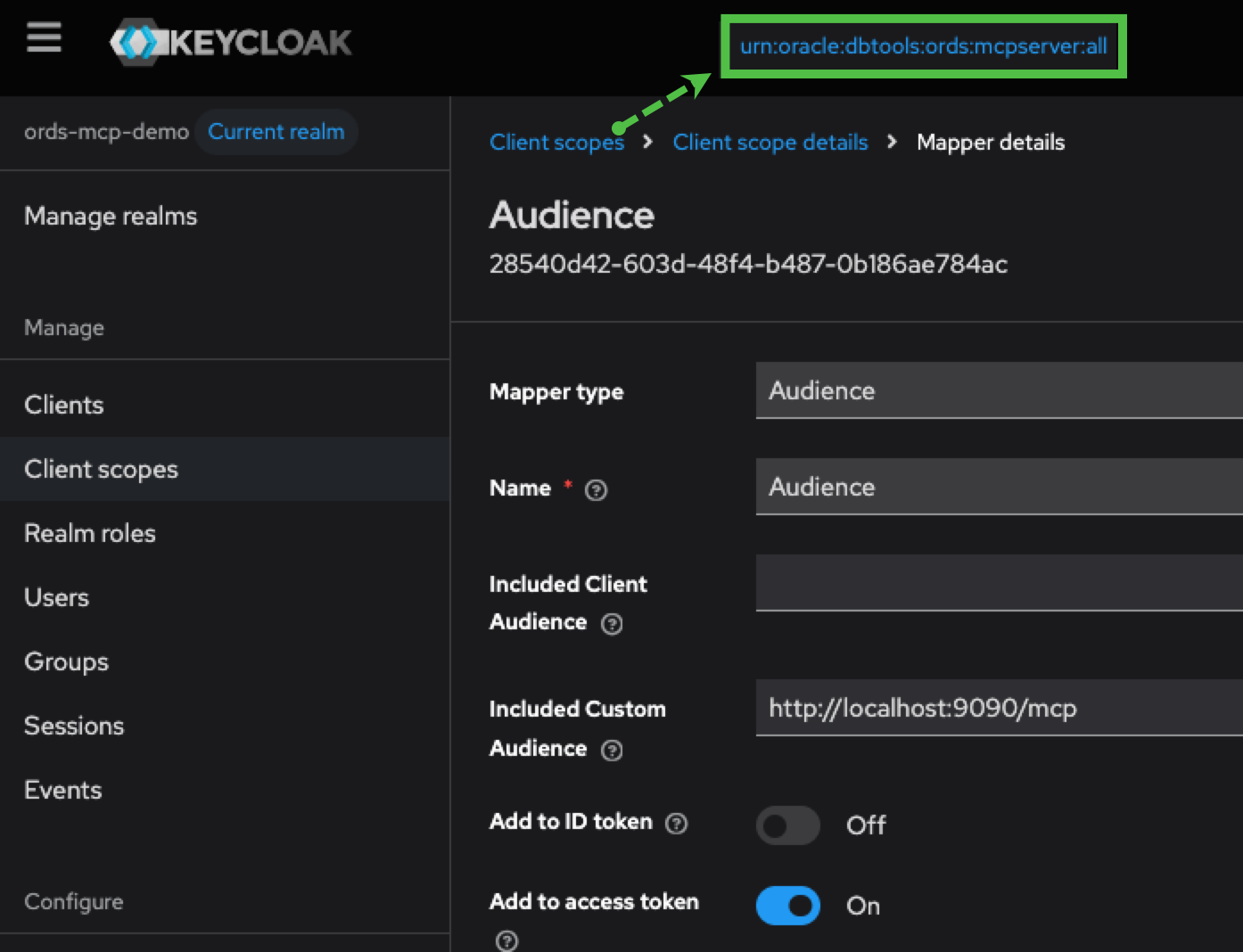
Once you do this, I should be able to get a JWT from Keycloak from an auth user request. Here’s what that looks like using the ‘Jeff’ user.
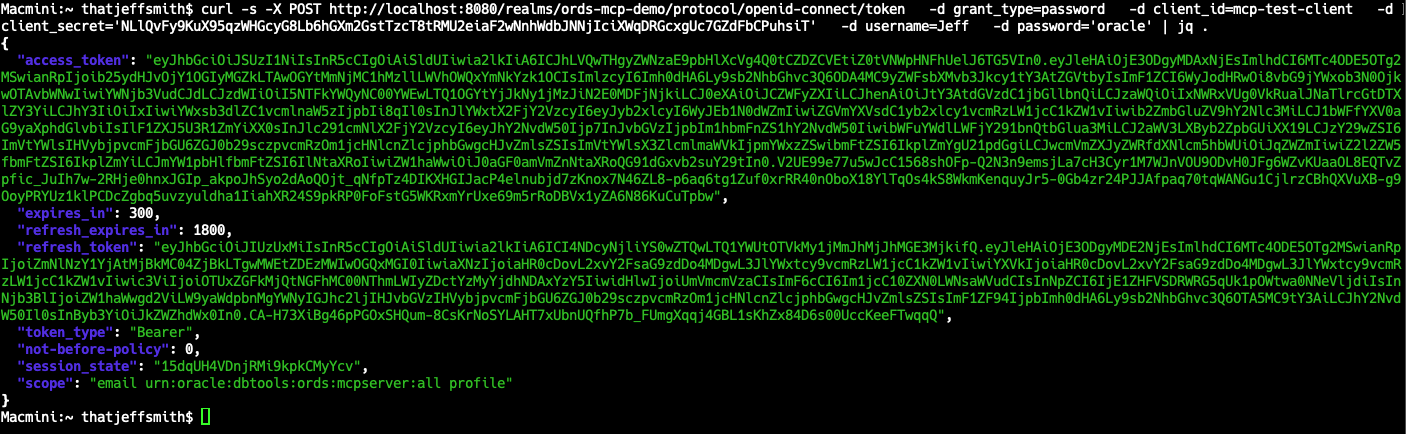
thatjeffsmith$ curl -s -X POST http://localhost:8080/realms/ords-mcp-demo/protocol/openid-connect/token -d grant_type=password -d client_id=mcp-test-client -d client_secret=’somethingYouShoudNeverShareEvenIfItsaLocalHostDemo’ -d username=Jeff -d password=’oracle’ | jq .
If I copy the Access token string, and take it to a free, online JWT decoder – I can see:
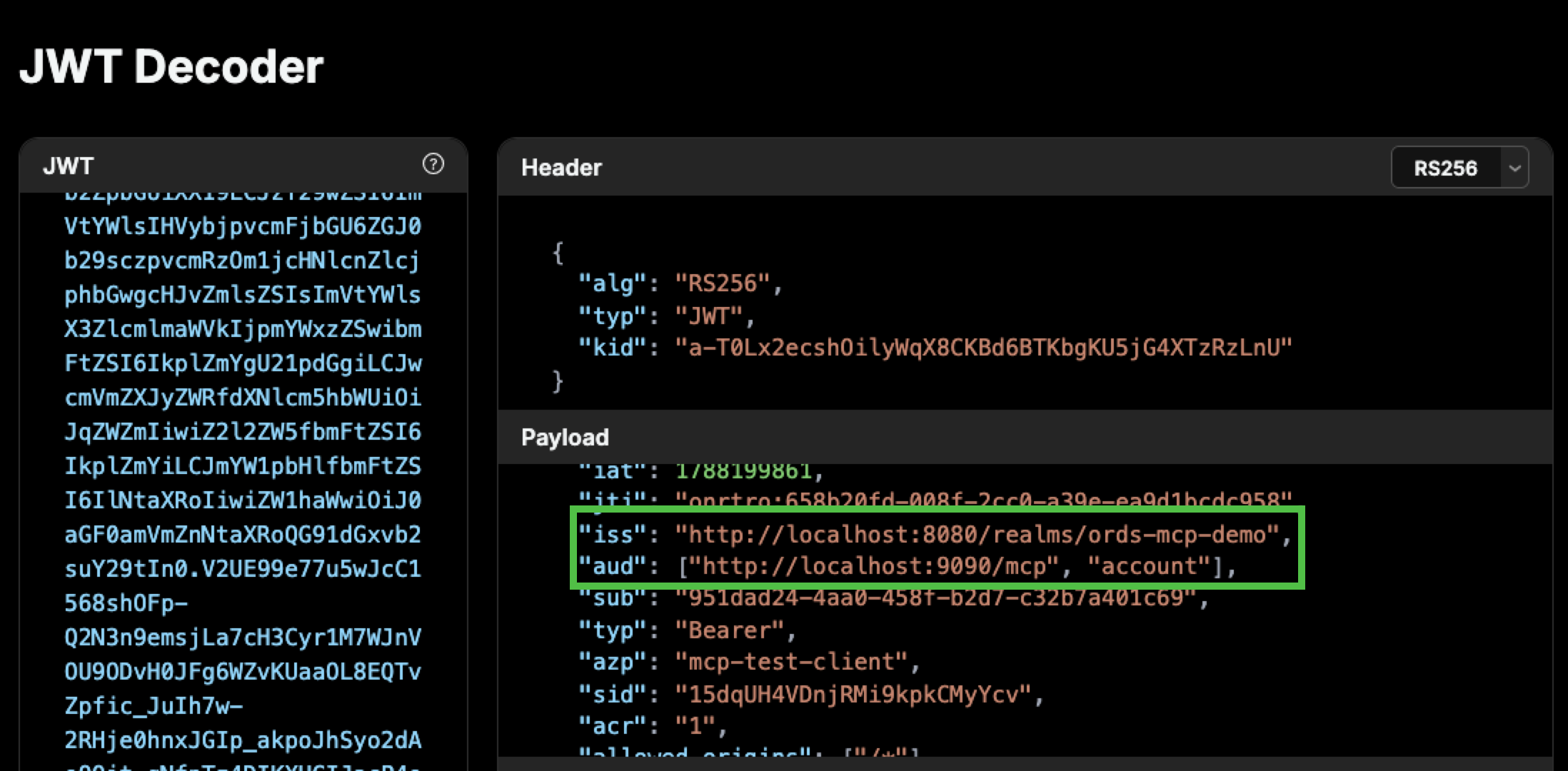
There’s other more important stuff in there, particularly –
{
  ...
  "realm_access": {
    "roles": ["DoStuff", "default-roles-ords-mcp-demo", "offline_access", "uma_authorization", "QueryStuff"]
  },
...
,
  "scope": "email urn:oracle:dbtools:ords:mcpserver:all profile",
  "email_verified": false,
  "name": "Jeff Smith",
  "preferred_username": "jeff",
  "given_name": "Jeff",
  "family_name": "Smith",
  "email": "[email protected]"
}
I can also use the Keycloak Admin console to see what my user’s access tokens will look like, without having to cURL them.
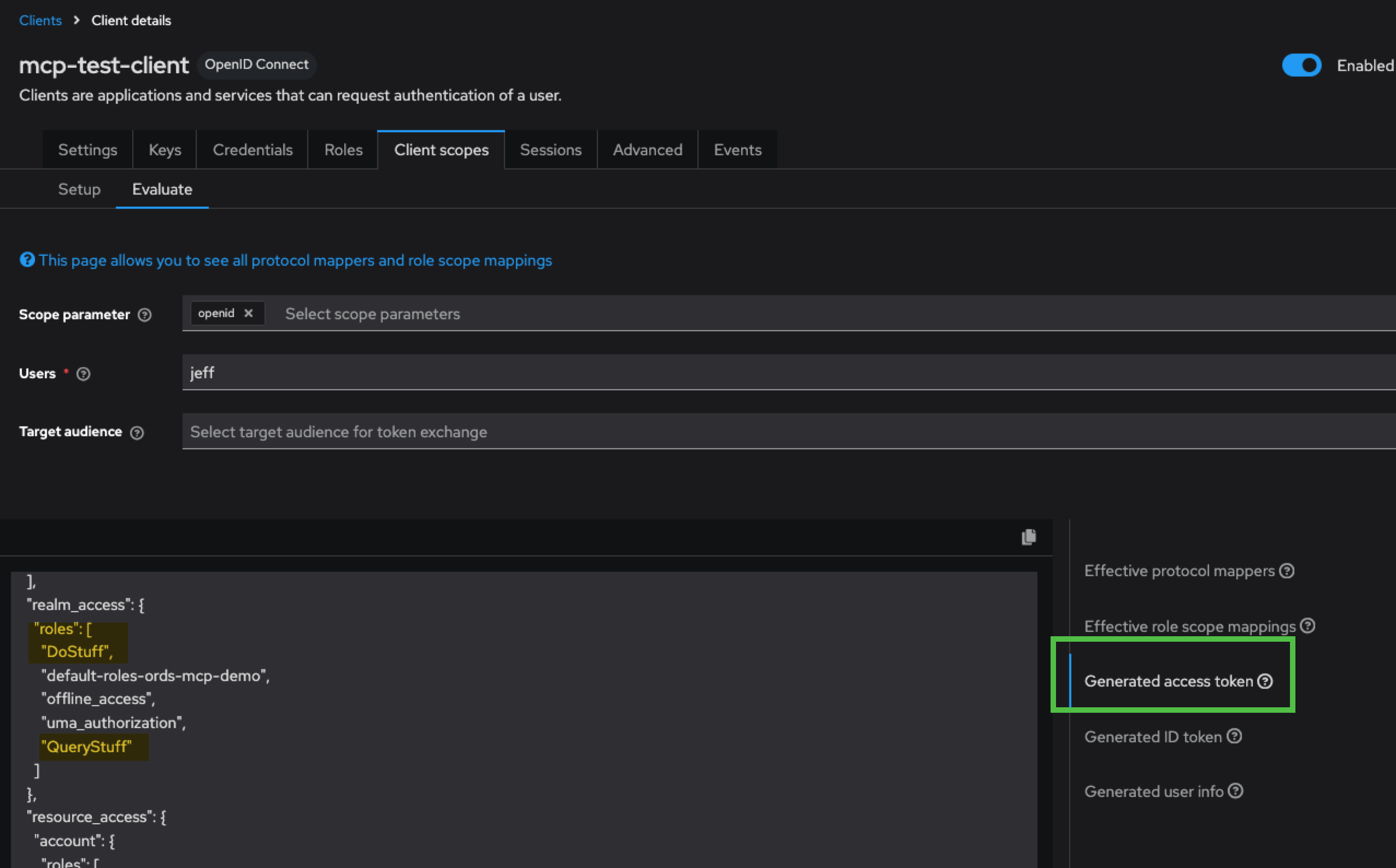
Enabling Dynamic Client Registration?
This is up to you. What do you feel comfortable with? Do you trust your user enough to let them bring in any Client (Agent) they want?
I chose to register a Client in Keycloak, and use that Client ID when I added my MCP Server in Claude Code. If we want to do dynamic client registration, we can simply point our agent to the ORDS /mcp endpoint. At that point, the agent can follow Keycloak’s OAuth endpoints and register itself as a client on the fly – via an openid-connect endpoint.
I’m not going to show you how to do this – you need to decide it you WANT to enable this or not, and if you do, are there any policies your ‘trusted hosts’ have to account for.
Phase 3 – setting up the database and ORDS
I need to create my users.
I need to configure ORDS, and create the ORDS pools.
My Junior DBA or “do stuff” database user –
CREATE USER dostuff_user IDENTIFIED BY "<strong password>";
GRANT CREATE SESSION       TO dostuff_user;
GRANT SELECT_CATALOG_ROLE  TO dostuff_user;
GRANT ADVISOR              TO dostuff_user;
GRANT EXECUTE ON DBMS_WORKLOAD_REPOSITORY TO dostuff_user;
GRANT CREATE USER          TO dostuff_user;
GRANT ALTER USER TO dostuff_user;My query only “querystuff” database user –
CREATE USER querystuff_user IDENTIFIED BY "<strong password>";
GRANT CREATE SESSION TO querystuff_user;
GRANT read ON hr.employees   TO querystuff_user;
GRANT read ON hr.departments TO querystuff_user;
GRANT read ON hr.locations   TO querystuff_user;
GRANT read ON hr.regions TO querystuff_user;
GRANT read ON hr.countries TO querystuff_user;I could use ords cli to setup the pools, but I know vi, and also how to escape vi.
Macmini:config-mcp thatjeffsmith$ tree
.
├── databases
│   ├── dostuff
│   │   ├── pool.xml
│   │   └── wallet
│   │       └── cwallet.sso
│   └── querystuff
│       ├── pool.xml
│       └── wallet
│           └── cwallet.sso
└── global
    └── settings.xml
The contents of dostuff/pool.xml –
<?xml version="1.0" encoding="UTF-8"?>
<!DOCTYPE properties SYSTEM "http://java.sun.com/dtd/properties.dtd">
<properties>
<comment>Saved on Fri Jun 26 12:35:35 UTC 2026</comment>
<entry key="db.connectionType">basic</entry>
<entry key="db.description">Administrative Database activities, JR DBA</entry>
<entry key="db.hostname">localhost</entry>
<entry key="db.port">1521</entry>
<entry key="db.servicename">freepdb1</entry>
<entry key="db.username">dostuff_user</entry>
<entry key="mcp.role">DoStuff</entry>
</properties>querystuff/pool.xml is the same except for the database user and mcp.role entries are querystuff_user and QueryStuff.
My ORDS configuration, settings.xml from the global folder looks like this –
<?xml version="1.0" encoding="UTF-8"?>
<!DOCTYPE properties SYSTEM "http://java.sun.com/dtd/properties.dtd">
<properties>
<comment>Saved on Mon Aug 31 18:20:43 UTC 2026</comment>
<entry key="feature.mcp">true</entry>
<entry key="mcp.security.jwt.profile.audience">http://localhost:9090/mcp</entry>
<entry key="mcp.security.jwt.profile.authorization.server.url">http://localhost:8080/realms/ords-mcp-demo</entry>
<entry key="mcp.security.jwt.profile.issuer">http://localhost:8080/realms/ords-mcp-demo</entry>
<entry key="mcp.security.jwt.profile.jwk.url">http://localhost:8080/realms/ords-mcp-demo/protocol/openid-connect/certs</entry>
<entry key="mcp.security.jwt.profile.role.claim.name">/realm_access/roles</entry>
</properties>The audience must be IDENTICAL to what you have configured in Keycloak. The role claim name, just match what’s in the JWT.
Remember this from the JWT?
"realm_access": {
                  "roles": [
                            "DoStuff",
                            "default-roles-ords-mcp-demo",
                            "offline_access",
                            "uma_authorization",
                            "QueryStuff"
                           ]
                }
That has to be sympatico with the ORDS JWT profile role claim name setting.
I’m running ORDS HTTP because it’s just my local machine. Claude Desktop for example would INSIST on a HTTPS remote MCP Server. So that means you need to sort TLS certificates for ORDS standalone.
Starting up ORDS
We recommend not running an ORDS instance serving both REST and MCP pools. At least not without some load testing. You don’t want a ‘noise AI’ consumer to impact the production application relying on one of more REST APIs for example.
Starting it up is the same as it’s always been, but you’ll want to look for the feature.mcp=true and the [MCP] tags on your appropriate pools.
./ords --config /opt/ords/config-mcp serve --port 9090

ORDS: Release 26.2 Production on Mon Aug 31 18:20:57 2026

Copyright (c) 2010, 2026, Oracle.

Configuration:
  /opt/ords/config-mcp

2026-08-31T18:20:57.754Z INFO        HTTP and HTTP/2 cleartext listening on host: 0.0.0.0 port: 9090
...
feature.mcp=true
...
2026-08-31T18:21:01.392Z WARNING     *** jdbc.MaxLimit in configuration |dostuff|lo| is using a value of 10, this setting may not be sized adequately for a production environment ***
2026-08-31T18:21:01.576Z INFO        Created Pool: |dostuff|lo|-2026-08-31T18-21-01.301090Z at: 2026-08-31T18:21:01.301090Z
2026-08-31T18:21:01.637Z INFO

Mapped local pools from /opt/ords/config-mcp/databases:
  /ords/dostuff/                      => dostuff                        => VALID      [MCP]
  /ords/querystuff/                   => querystuff                     => VALID      [MCP]


2026-08-31T18:21:01.649Z INFO        Oracle REST Data Services initialized
Oracle REST Data Services version : 26.2.1.r1901402
Oracle REST Data Services server info: jetty/12.0.34
Oracle REST Data Services java info: Java HotSpot(TM) 64-Bit Server VM Oracle GraalVM 21.0.2+13.1 (build 21.0.2+13-LTS-jvmci-23.1-b30 mixed mode, sharing)
...
2026-08-31T18:22:08.275Z INFO        Web request for JWK Set successful: http://localhost:8080/realms/ords-mcp-demo/protocol/openid-connect/certs
2026-08-31T18:26:01.354Z INFO        ORDS MCP tool sql_run rejected client input with Tool execution failed.
2026-08-31T18:28:36.614Z INFO        Web request for JWK Set successful: http://localhost:8080/realms/ords-mcp-demo/protocol/openid-connect/certs
Phase 4: Registering ORDS MCP in Claude Code
claude mcp add --transport http ords-querystuff-demo http://localhost:9090/mcp \
>   --client-id mcp-client --callback-port 8091
Added HTTP MCP server ords-querystuff-demo with URL: http://localhost:9090/mcp to local config
File modified: /Users/thatjeffsmith/.claude.json [project: /Users/thatjeffsmith]
Macmini:~ thatjeffsmith$ claude mcp login ords-querystuff-demo
Starting authentication for "ords-querystuff-demo"…
If the browser didn't open, visit:
  http://localhost:8080/realms/ords-mcp-demo/protocol/openid-connect/auth?response_type=code&client_id=mcp-client&code_challenge=6_kxzSY1j0QQv15jmbkERfyrfUXDEy6HUxA5J3YdCQw&code_challenge_method=S256&redirect_uri=http%3A%2F%2Flocalhost%3A8091%2Fcallback&state=mThjmXgJPP5lF8FeO0x2TTNTQTtXoHQXHDDVlrbrOf0&scope=urn%3Aoracle%3Adbtools%3Aords%3Amcpserver%3Aall+offline_access&resource=http%3A%2F%2Flocalhost%3A9090%2Fmcp

Waiting for authorization… (^C to cancel)
Or paste the redirect URL here:
Authenticated with "ords-querystuff-demo". Its tools are now available in Claude Code.
Macmini:~ thatjeffsmith$ claude "use my dostuff database connection in my ords-querystuff-demo, and create an oracle database table TEST that has data types for movie titles and descriptions, both can be varchar2 columns"
▗ ▗   ▖ ▖  Claude Code v2.1.251
           Sonnet 5 · Claude Pro
  ▘▘ ▝▝    /Users/thatjeffsmith
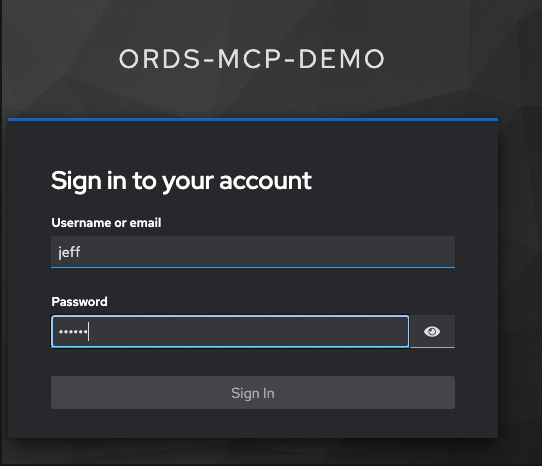
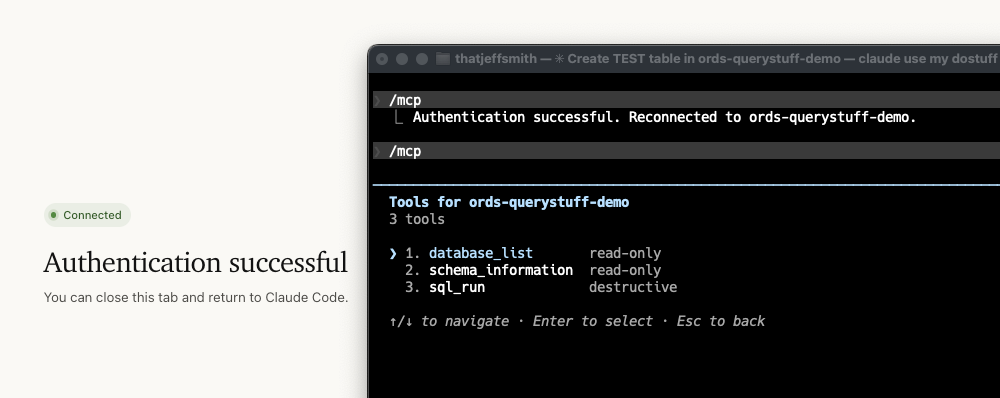
I opened a browser and pasted in the realm openid-connect URL, and was prompted for my user, Jeff.
I can do this again or change users if I need to, just use the handy /mcp command.
Demo!
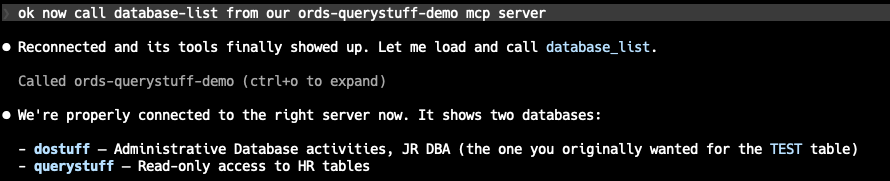
I see I have a tool called ‘database_list’ – for ORDS MCP that will return a list of Connection Pools I have access to. That’s based on my role. My ‘Jeff’ user gets to see and use both pools.
Now if you can remember where we first started, I shared a screenshot of me asking for a summary of existing connections, grouped by user and application. Since my DOSTUFF user has the SELECT_CATALOG_ROLE, that’s no problem for Claude Code to sort.
But what if I switch to my ‘dumb’, read only user? It only has access to the HR tables.
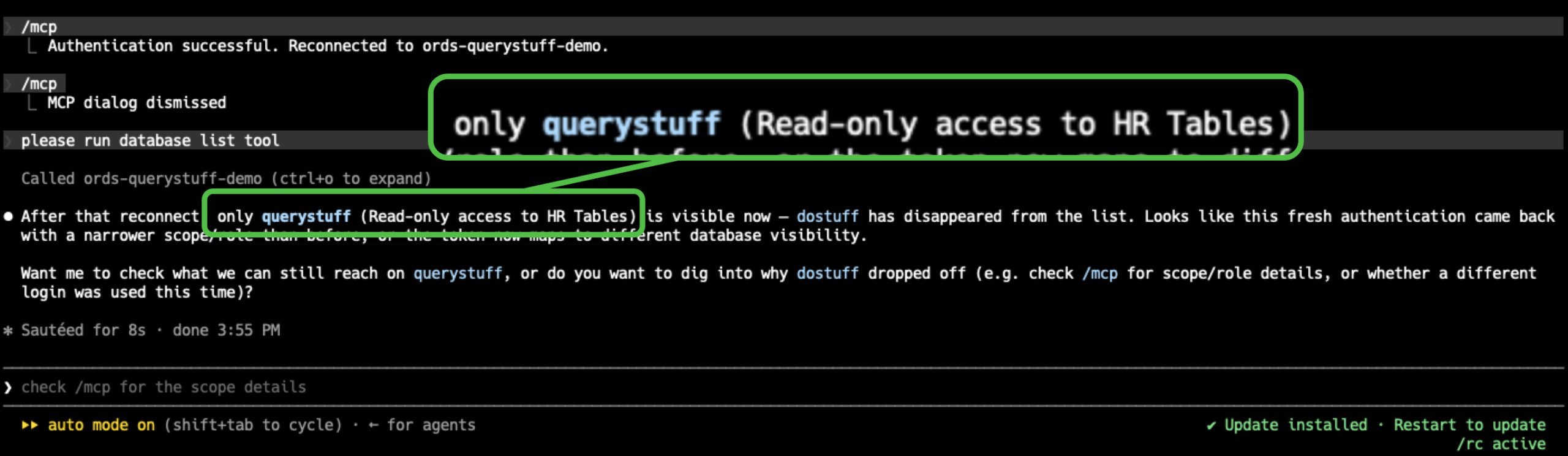
I’ve asked it to run a summary of the HR objects and put it into a new table.
The queries against EMPLOYEES and DEPARTMENTS work as expected, and it’s attempt to create a new table also fails, as expected!

Who am I?
Remember, ORDS propagates a good bit of info from our JWT into the database, so we can enable database security features, to protect our data. This query demonstrates that.
select sys_context(
     'CLIENTCONTEXT',
     'OAUTH_ISSUER'
) as oauth_issuer,
       sys_context(
            'CLIENTCONTEXT',
            'OAUTH_PRINCIPAL'
       ) as oauth_principal,
       sys_context(
            'CLIENTCONTEXT',
            'OAUTH_APP_ROLES'
       ) as oauth_app_roles,
       sys_context(
            'CLIENTCONTEXT',
            'OAUTH_SUB'
       ) as oauth_sub
from dual;Running that from Claude Code –
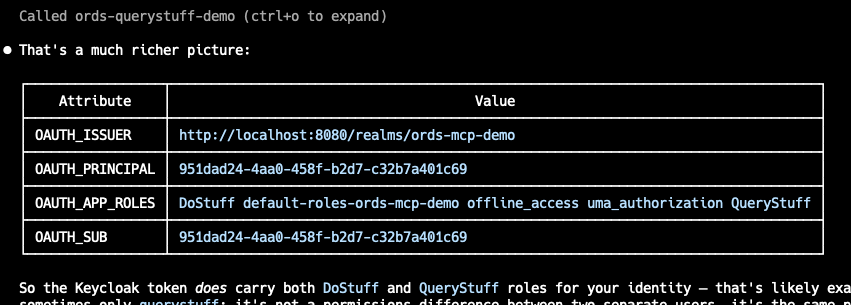
And if I go back to Keycloak –
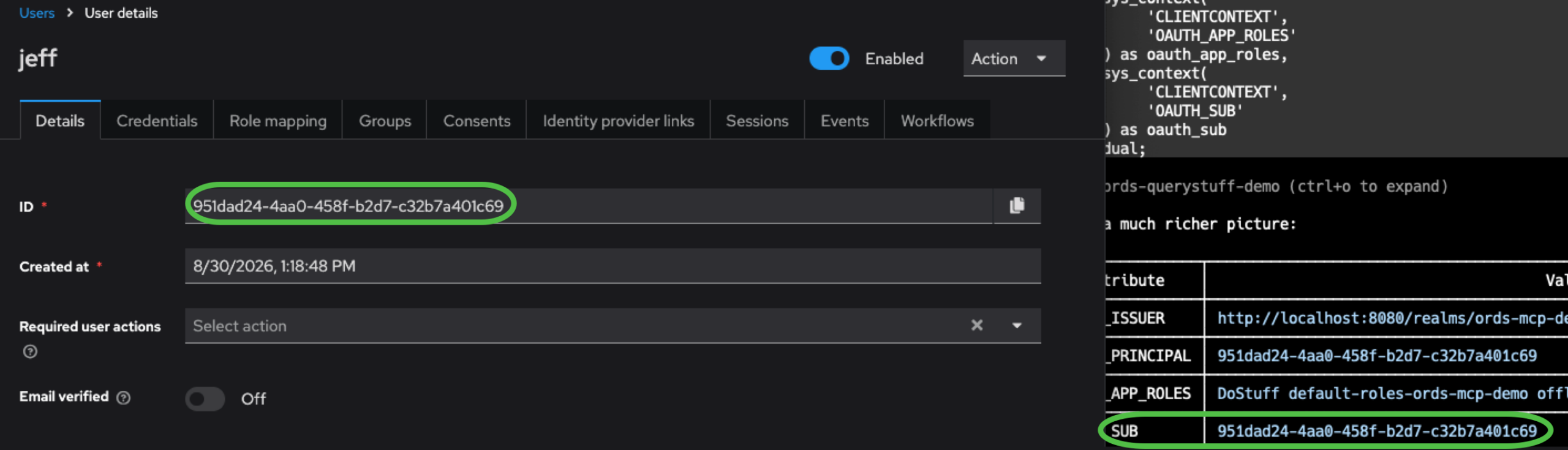
The database can see that it’s user JEFF that’s running queries in the database as user DOSTUFF_USER.