

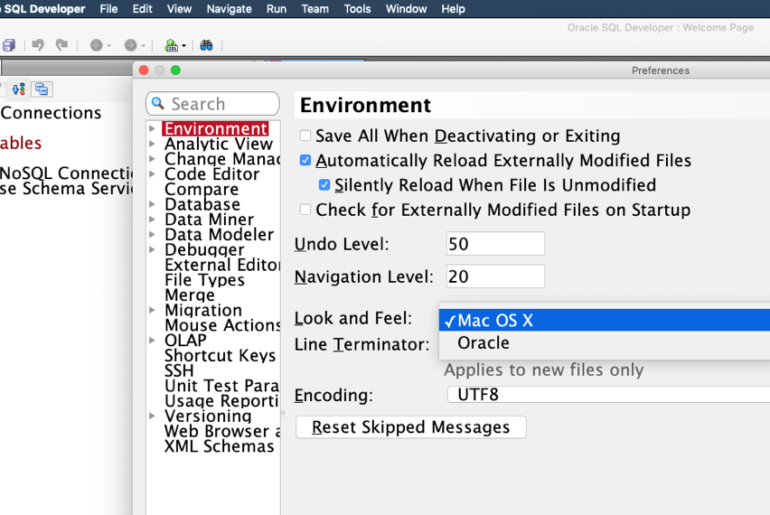
I accidentally blogged this…twice. Here’s the other take. This happens more often than I care to admit, sorry. Forgive the inelegant post title – but it gets to the point, and I reckon it might be closer to what folks will be Googling. I get questions from time to time around getting SQL Developer to load or respond quicker. Here’s the advice/tips I generally lead with: Look and Feel You can tell SQL Developer to…
I just came from a DBA-dominated conference – Hotsos Symposium in Dallas, if you must know – and I came away with the impression that many a DBA out there is missing out on some key features and productivity-hacks in our dear ole IDE. I could give you 10 things, but I know DBAs are busy, so here are just 3: 1.)The Instance Viewer New since 2014 and version 4.1. Nothing to install in your…
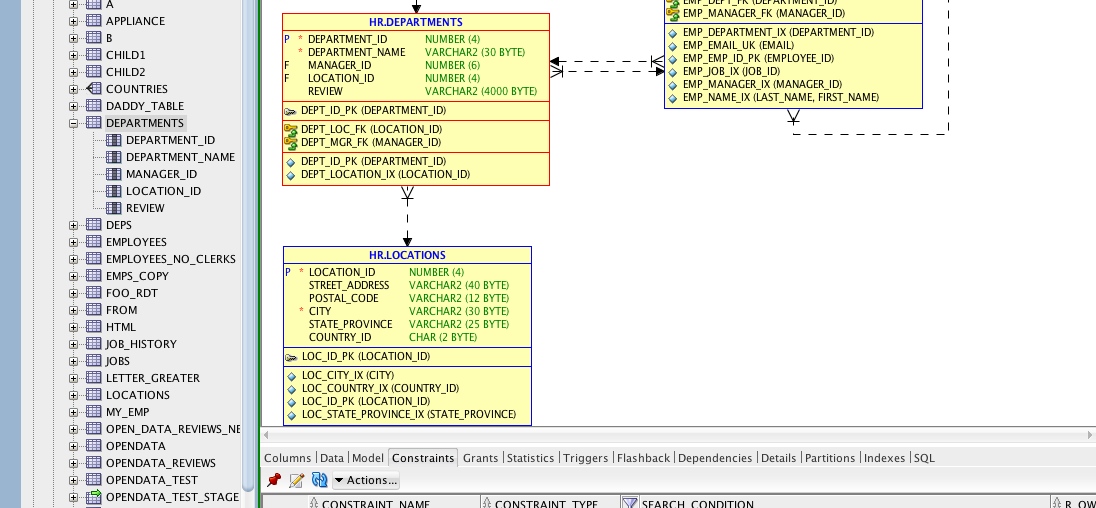
If you have the Tuning Pack licensed, a couple of things become available for you in SQL Developer: SQL Tuning Advisor Real Time SQL Monitoring If you DO NOT have this pack licensed, then you can disable these features in the SQL Developer UI via the preferences: Semi-Rant: consider giving your developers access to this feature in their development and UAT environments. SQL Developer, EM, or just grant them exec privs on the packages and…
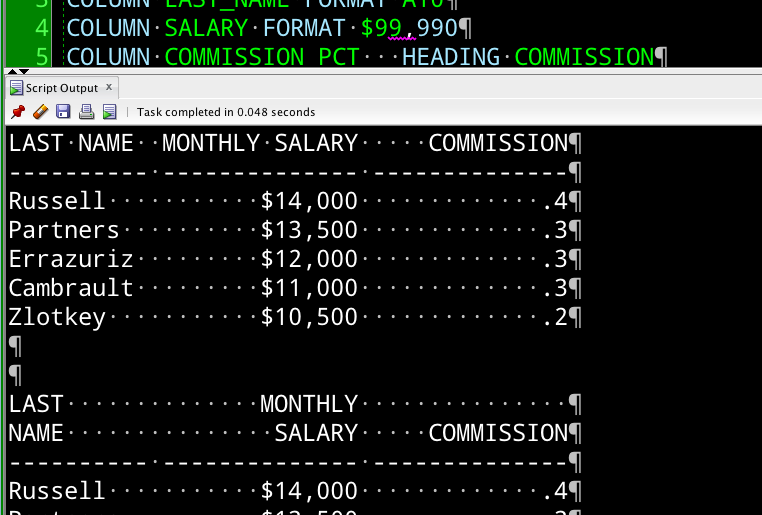
Does SQL developer support, col command that is used to format query results in sqlplus. like – col id heading app_id format a10 My answer was: ‘Yes.’ But I figured I should put up or shut-up a little bit, so here goes. You can read more about column formatting in SQL*Plus here (Docs). I used those same queries as a test in SQL Developer. Remember that when you use this button: … we emulate SQL*Plus…
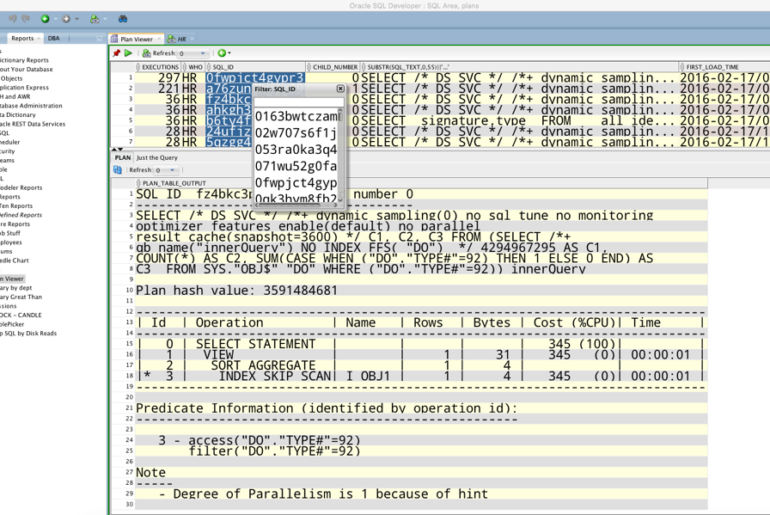
@thatjeffsmith hi Jeff, is it possible to see execution plan just by passing sql_id somehow,i dont think so as it just show running sql plan— Mayank (@mayankeurope) February 15, 2016 So of course you can just run a query in the worksheet to get this. But, you need to know a few things. So why not make it easy on yourself and code it into SQL Developer as a report? So that’s what I’ve done…
Oracle SQL Developer has 2 client-side logging mechanisms for capturing SQL that is executed: SQL History Statements SQL History This is the SQL that you have executed in a SQL Worksheet. It’s also any scripts you have executed in a SQL Worksheet. Ran something the other day and forgot to save it to your script? No worries, pull it up in the SQL History. It’s limited by the size defined in the preferences. 100 is…
You’re at the command-line, you need to add a data file to your tablespace. You get most of the way through it, and you forget what’s next, doh! In SQLcl, you can just hit the TAB key, and we’ll help you with the next keyword. So not only do we have tab-completion for object and column names, we also look up keywords from the syntax diagrams in the Oracle Docs. Confused? Here’s an animated GIF.…
Idiom:in a nutshellIn a few words; concisely: Just give me the facts in a nutshell. Ok, so I used more than a few words, but if I told you that SQL Developer was a GUI version of SQL*Plus – I’d be leaving out a WHOLE LOT of important stuff. If that’s all you’re using it for, you might be missing out. So here are some quick-links to learn more about each of these feature areas:…
We love getting enhancement requests from our users. A good deal of the development in SQL Developer is guided by what our users are asking for. It does pain me a bit though when someone asks for a feature what we already have. Example: We frequently have a requirement to export working data (especially for data modeling purposes) to spreadsheets. It would be helpful if SQL Developer export had an option to export all tables…
Virtual columns made their debut in Oracle Database 11g. They are a value that’s not stored with the row, rather they are computed as queried. [DOCS] So I could have a column of type DATE. And I could have a virtual column of type VARCHAR2 that is computed by running a function against the previously mentioned DATE column. How would I model this? In your relational, or even logical design, you can set a column’s…