

Version 25.3.0 is now available (changeLog). This was a BIG release, with tons of feature improvements and bug fixes.
I want to highlight two of the more ‘eye-popping’ features today, SQL Notebook charts and Schema Diagrams.
Charting in the SQL Notebook
Our SQL Notebook feature has turned out to be quite popular. One of the first questions we got from folks giving it a go, what about charts?
And now in 25.3.0, we offers chart display!
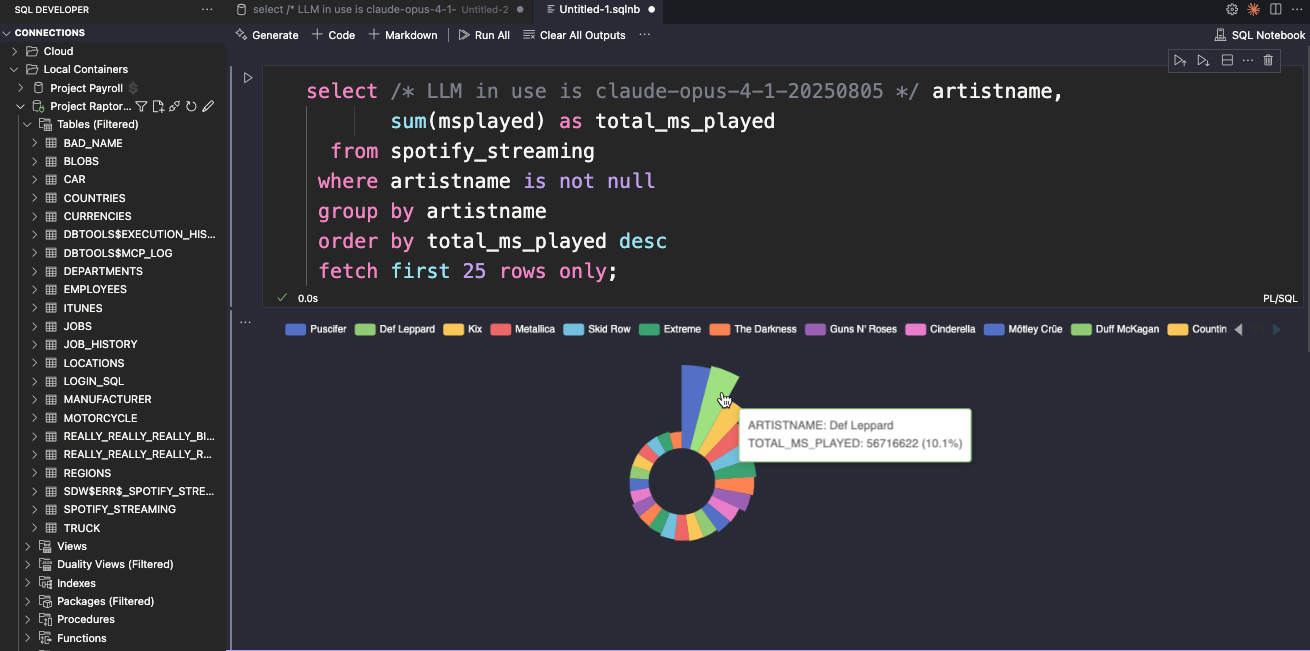
If your SQL Notebook query returns a string (label) and number (value), instead of displaying the results as a grid or as script output, you now have a new option –
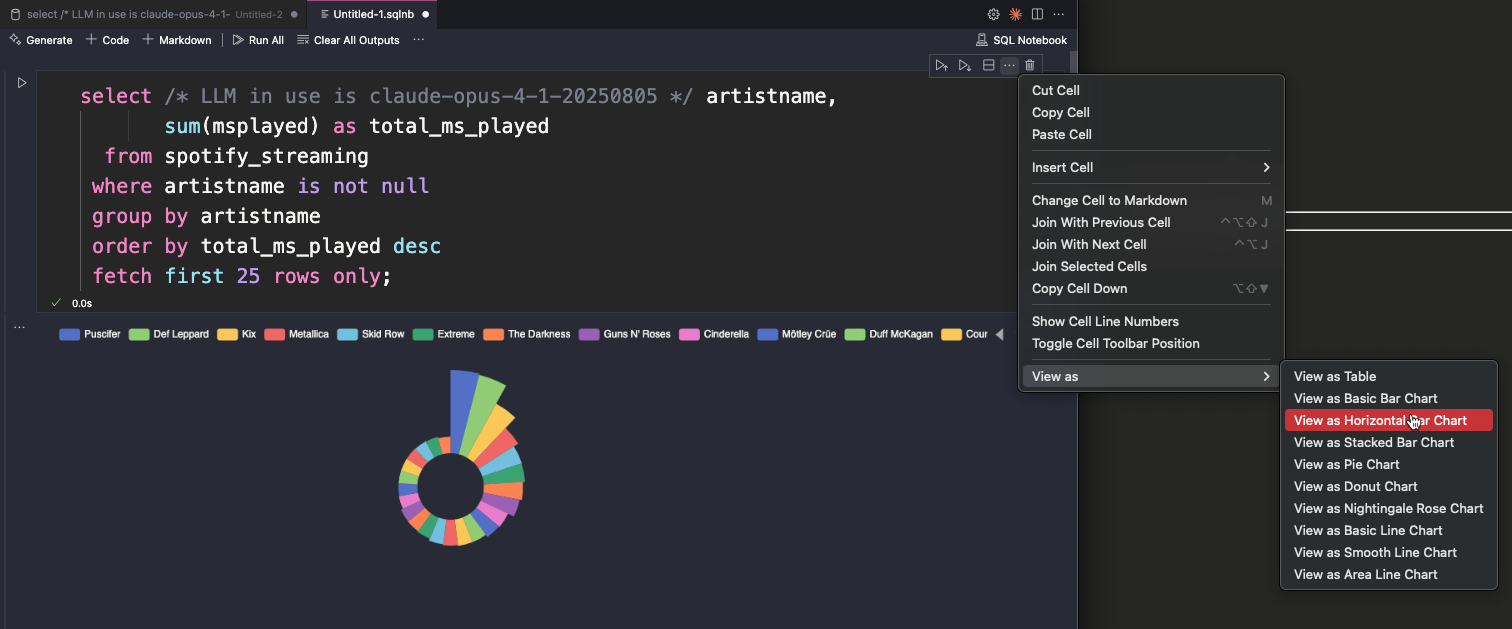
We fixed quite a few bugs around SQL Notebooks and grid output as well, around display of numbers and dates, it should look and feel just like you see in the SQL Worksheet.
What can you tell me about my schema? How about a Relational Diagram for one or more objects?
A popular feature in SQL Developer has been the ability to generate relational diagrams from your existing schema objects.
And now you can do that in our VS Code extension as well!
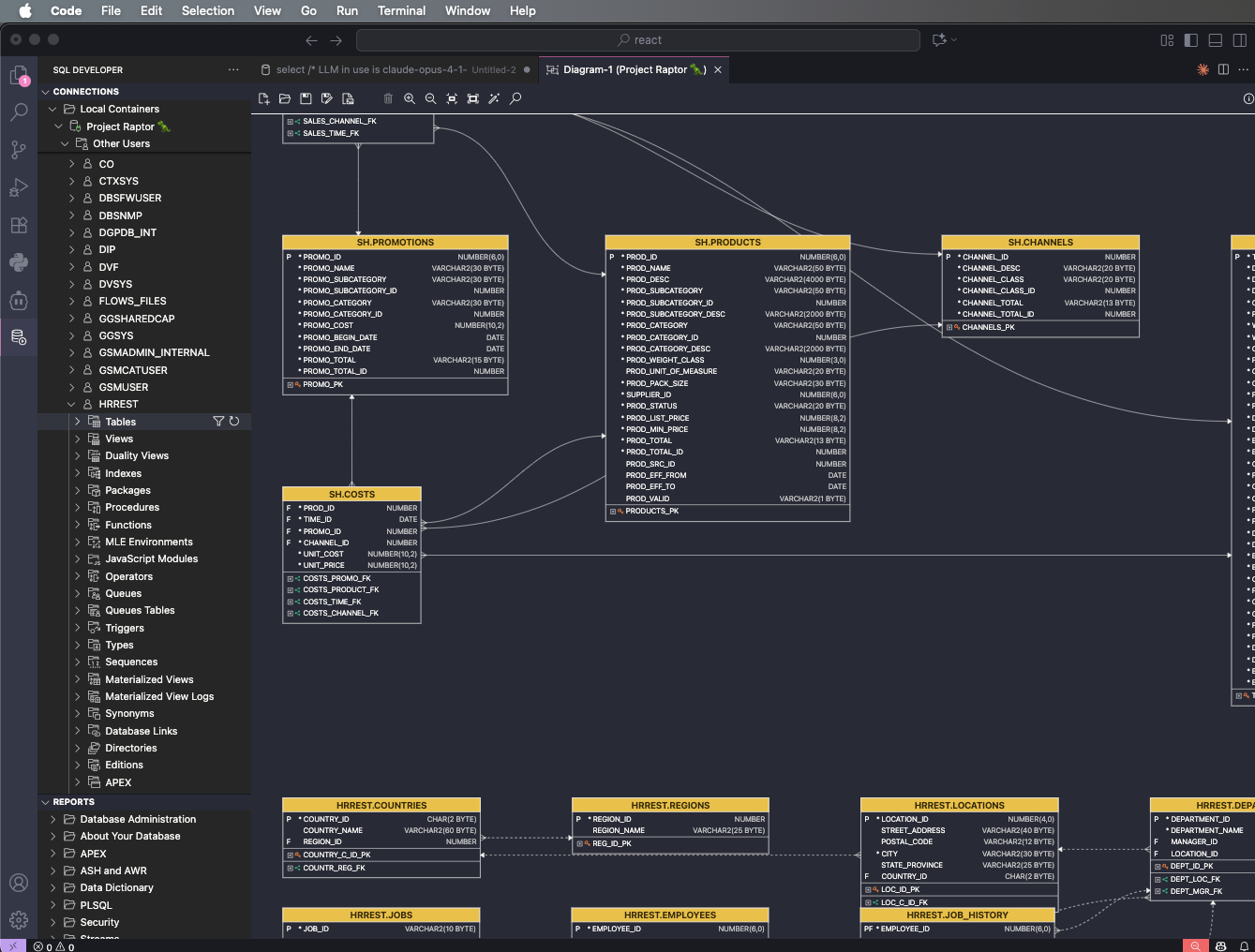
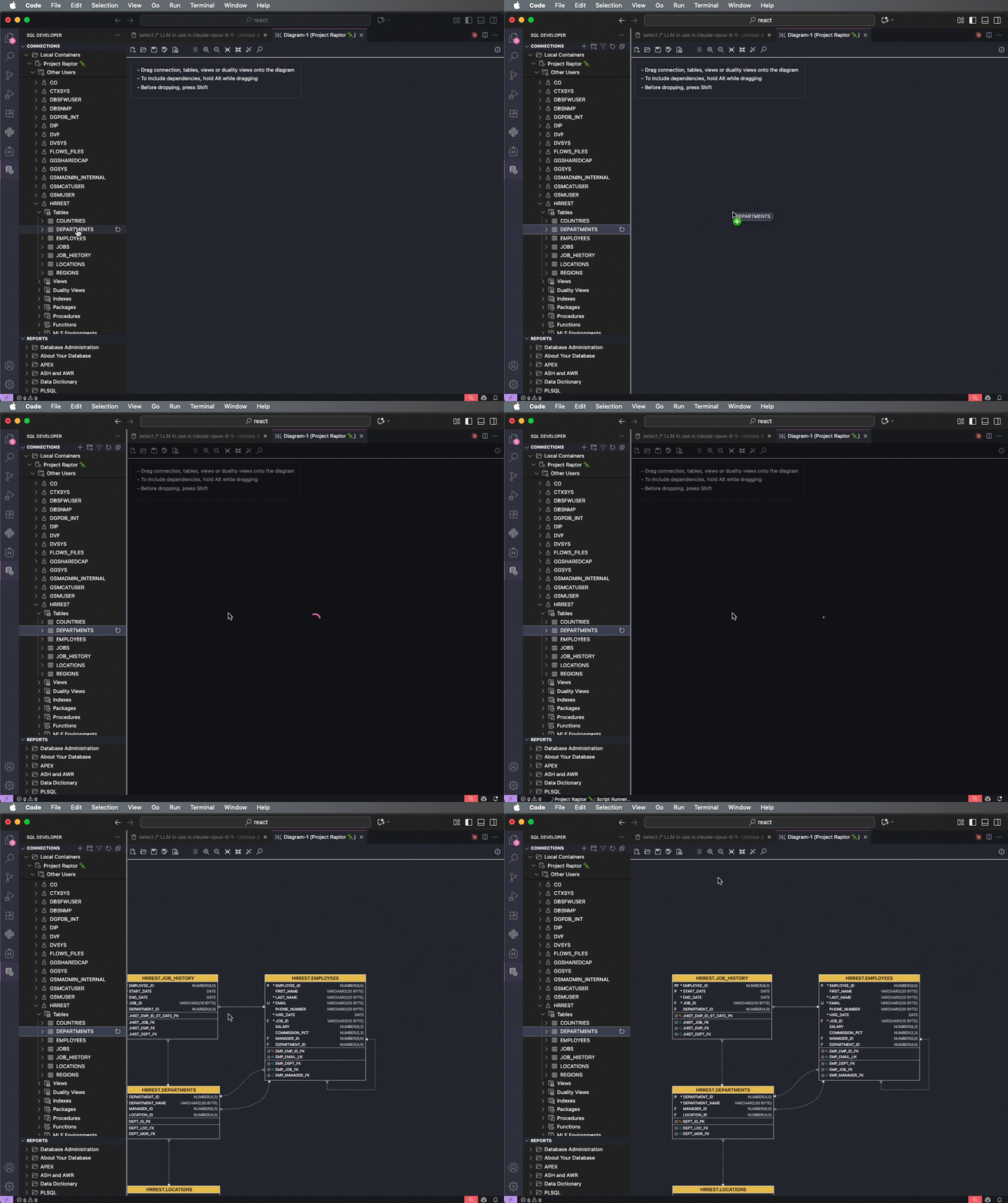
- Right-click on connection, ‘Open Diagram’
- Select tables or views node, or one or more tables/views, and drag to diagram
- before dropping, hit the ‘Shift’ button
- this tells VS Code it’s ok to drag and drop an item from your file navigator to something that’s not a file editor (in this case, our webview)
Diagram Features
- double-click on object to open the database object editor
- rearrange objects by hand, or via ‘AutoLayout’
- save your diagrams to files (re-open on a database connection)
- hold ALT/Option while dragging to grab objects PLUS their dependencies
- zoom in and out, fit to screen
- expand constraints to see Column(s) controlled
- big diagram? You can select a section, and zoom in on a particular area
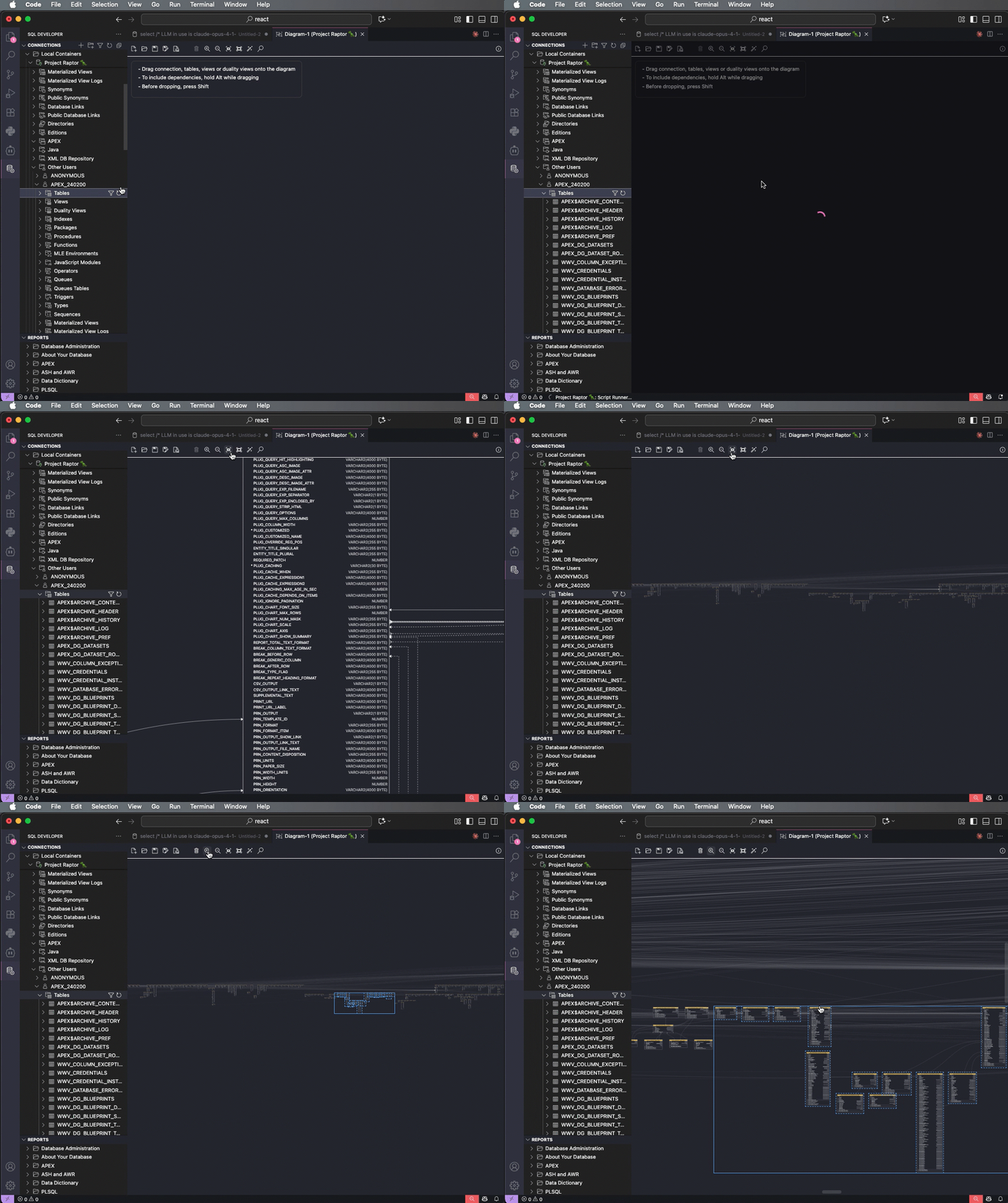
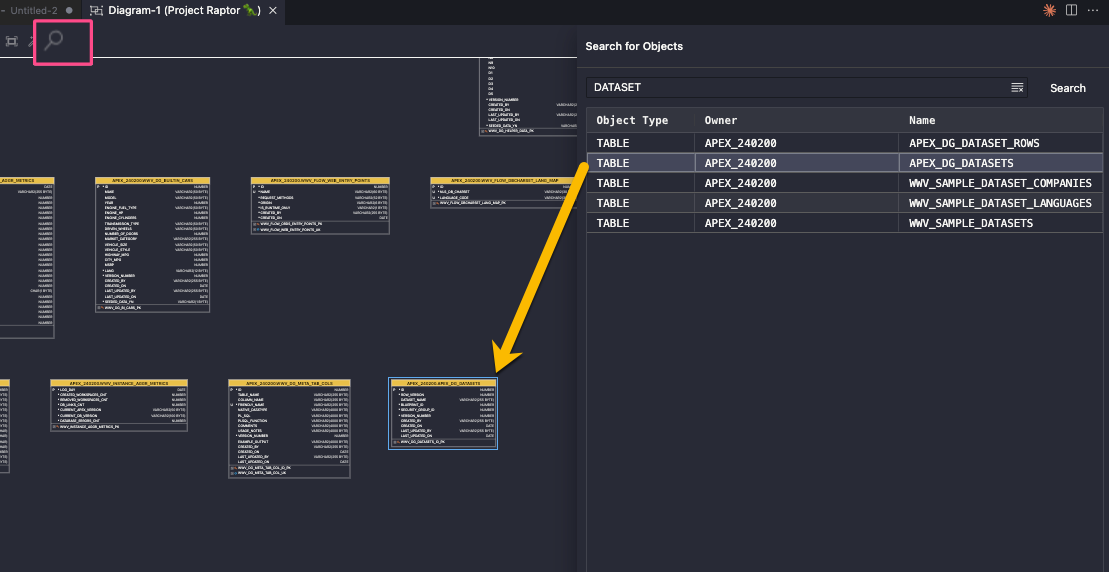
- really, really big diagram? Use the search!



7 Comments
..And “Def Leppard” is always on the top! Even in the SQL Notebook Chart 🙂
I was waiting for these updates. Referring especially to the relational diagram.
I hope it was worth the wait!
Hi Jeff, in the extension, I am unable to get deps to generate when using ALT + Drag + Shift + Release, only the object. There aren’t vscode + extension host logs, messages to indicate warn or error. Do you have any suggestions to debug?
If you drag the entire tables node over, does that work?
I would like to start using apex, database 23ai, how do i access the hands on learning material? What software do i download and install in my laptop? Thank you in advance
You have lots of resources, I go into details here on your choices for getting started.