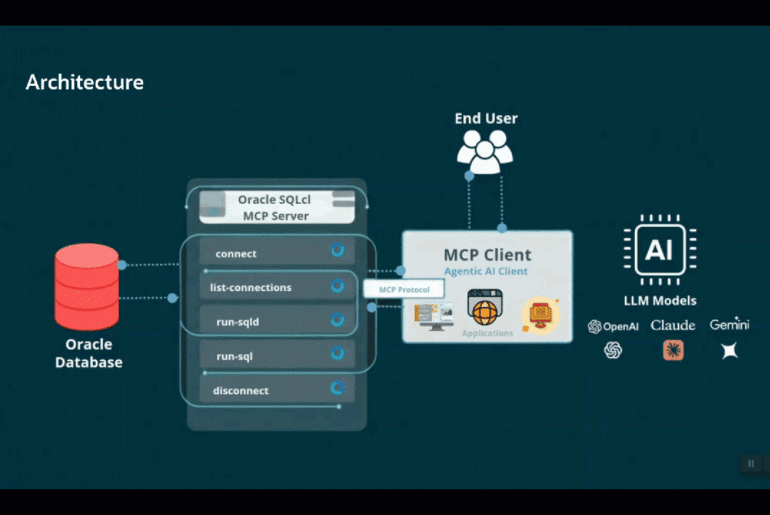

SQLcl MCP has a new (ish) tool for dealing with our AI Skills.
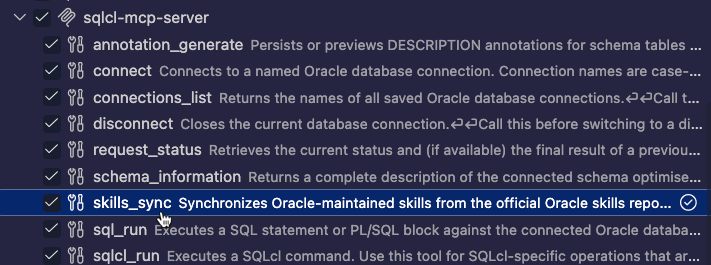
So if I’m ok to burn some tokens and chat my way into updating my skills, it’s as easy as asking your digital assistant to do so.
Bash
i want to start a new task, use the SQLcl mcp tool to refresh the AI skills for oracle

⏺ SQLcl - Sync Skills (MCP)(model: "claude-sonnet-5")
  ⎿  {
       "installed_skills": 9,
       "commit": "b0afa3bfd7c7e3547458d7fe52649ab1b59706b7",
       "conflicts": [
         "/Users/thatjeffsmith/.agents/skills/apex",
         "/Users/thatjeffsmith/.agents/skills/apex",
         "/Users/thatjeffsmith/.agents/skills/apex",
         "/Users/thatjeffsmith/.agents/skills/db",
         "/Users/thatjeffsmith/.agents/skills/db",
         "/Users/thatjeffsmith/.agents/skills/db",
         "/Users/thatjeffsmith/.agents/skills/fusion",
         "/Users/thatjeffsmith/.agents/skills/fusion",
         "/Users/thatjeffsmith/.agents/skills/fusion",
         "/Users/thatjeffsmith/.agents/skills/graal",
         "/Users/thatjeffsmith/.agents/skills/graal",
         "/Users/thatjeffsmith/.agents/skills/graal",
         "/Users/thatjeffsmith/.agents/skills/oci",
         "/Users/thatjeffsmith/.agents/skills/oci",
         "/Users/thatjeffsmith/.agents/skills/oci",
         "/Users/thatjeffsmith/.claude/skills/apex",
         "/Users/thatjeffsmith/.claude/skills/db",
         "/Users/thatjeffsmith/.claude/skills/fusion",
         "/Users/thatjeffsmith/.claude/skills/graal",
         "/Users/thatjeffsmith/.claude/skills/oci",
         "/Users/thatjeffsmith/.codeium/windsurf/skills/apex",
         "/Users/thatjeffsmith/.codeium/windsurf/skills/db",
         "/Users/thatjeffsmith/.codeium/windsurf/skills/fusion",
         "/Users/thatjeffsmith/.codeium/windsurf/skills/graal",
         "/Users/thatjeffsmith/.codeium/windsurf/skills/oci",
         "/Users/thatjeffsmith/.config/devin/skills/apex",
         "/Users/thatjeffsmith/.copilot/skills/apex",
         "/Users/thatjeffsmith/.copilot/skills/db",
         "/Users/thatjeffsmith/.copilot/skills/fusion",
         "/Users/thatjeffsmith/.copilot/skills/graal",
         "/Users/thatjeffsmith/.copilot/skills/oci",
         "/Users/thatjeffsmith/.cursor/skills/apex",
         "/Users/thatjeffsmith/.cursor/skills/db",
         "/Users/thatjeffsmith/.cursor/skills/fusion",
         "/Users/thatjeffsmith/.cursor/skills/graal",
         "/Users/thatjeffsmith/.cursor/skills/oci"
       ],
       "resolved_commit": "b0afa3bfd7c7e3547458d7fe52649ab1b59706b7",
       "detected_agents": [
         "claude-code",
         "cline",
         "codex",
         "cursor",
         "devin",
         "dexto",
         "github-copilot",
         "warp",
         "windsurf"
       ],
       "repository": "/Users/thatjeffsmith/.dbtools/skills/repositories/oracle-skills",
       "resolved_ref": "refs/heads/main",
       "requested_version": "latest",
       "force": false,
       "requested_skills": []
     }

                                                                                                                                               10:12 AM claude-sonnet-5
⏺ Sync ran successfully — pulled the latest Oracle skills catalog (commit b0afa3b) and installed 9 skills fresh. But most of the standard ones (apex, db, fusion, graal, oci)
  were skipped as conflicts because they already exist locally — for Claude Code specifically: ~/.claude/skills/{apex,db,fusion,graal,oci}, plus the same set across Cursor,
  Windsurf, Copilot, Cline/Devin/Codex/Warp dirs. Since force was false, the sync left those existing directories untouched rather than overwriting them.

  Want me to re-run with force: true to overwrite those existing skill directories with the latest versions? That will replace their current contents, so just confirming
  before I do it.

✻ Crunched for 24s · done 10:12 AM

❯ Yes, force the update

⏺ SQLcl - Sync Skills (MCP)(model: "claude-sonnet-5", force: true)
  ⎿  {
       "installed_skills": 45,
       "commit": "b0afa3bfd7c7e3547458d7fe52649ab1b59706b7",
       "conflicts": [],
       "resolved_commit": "b0afa3bfd7c7e3547458d7fe52649ab1b59706b7",
       "detected_agents": [
         "claude-code",
         "cline",
         "codex",
         "cursor",
         "devin",
         "dexto",
         "github-copilot",
         "warp",
         "windsurf"
       ],
       "repository": "/Users/thatjeffsmith/.dbtools/skills/repositories/oracle-skills",
       "resolved_ref": "refs/heads/main",
       "requested_version": "latest",
       "force": true,
       "requested_skills": []
     }
  ⎿  2 skills available

                                                                                                                                               10:13 AM claude-sonnet-5
⏺ Force update completed — 45 skills installed across all detected AI assistants (Claude Code, Cursor, Windsurf, Copilot, Cline, Devin, Codex, Warp) with zero conflicts, same
  commit (b0afa3b).

  Your Claude Code skill set has been refreshed and expanded — notably db and oci now include new coverage (Oracle Vector SDK/VecDB, DBMS_VECTOR_DATABASE, OKE, OCI IoT
  Platform, OCI Functions, Enterprise AI/Generative AI agents) that wasn't there before.

✻ Worked for 19s · done 10:13 AM
It may be faster/cheaper if you’re already at a bash prompt to just fire up SQLcl and do the same via the skills sync command.
skills sync –skill-name db –force
Bash
SQL> skills sync --skill-name db --force
SUCCESS: Synchronized DBTools skills repository to /Users/thatjeffsmith/.dbtools/skills/repositories/oracle-skills version latest (refs/heads/main -> b0afa3bfd7c7e3547458d7fe52649ab1b59706b7).
SUCCESS: Installed 9 entries into agent skill locations.
SUCCESS: DBTools skills sync log: /Users/thatjeffsmith/.dbtools/skills/logs/skills-sync-20260916T142043.467Z.logLots of ways to manage your Oracle AI Skills
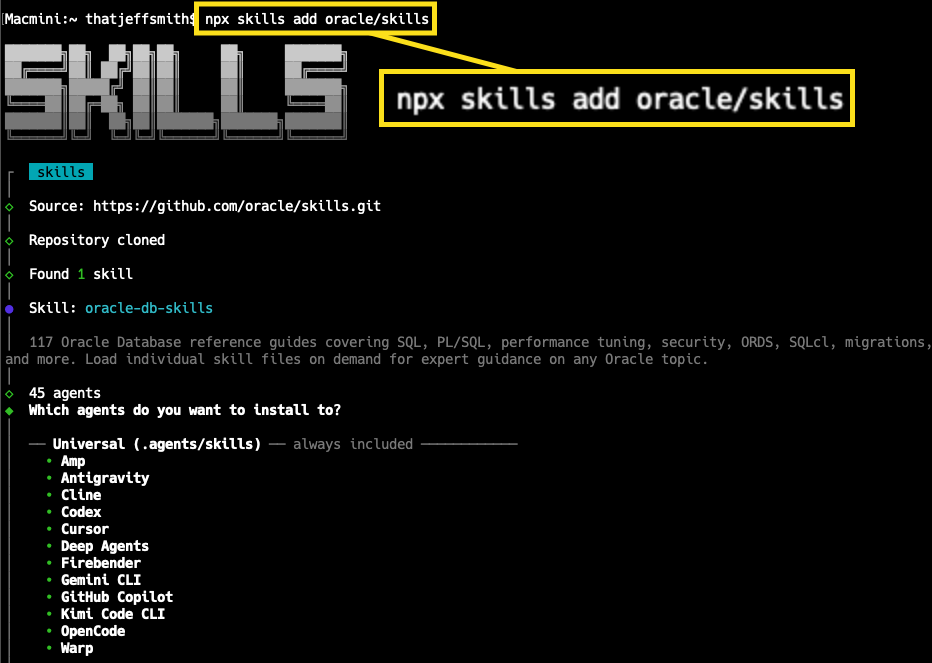
- npx skills add oracle/skills
Nice, interactive process, allows you to pick the agents to deploy to, but obviously requires you to have Node.js installed on your machine - curl/download/clone the Github repo yourself
- use SQLcl’s skills command
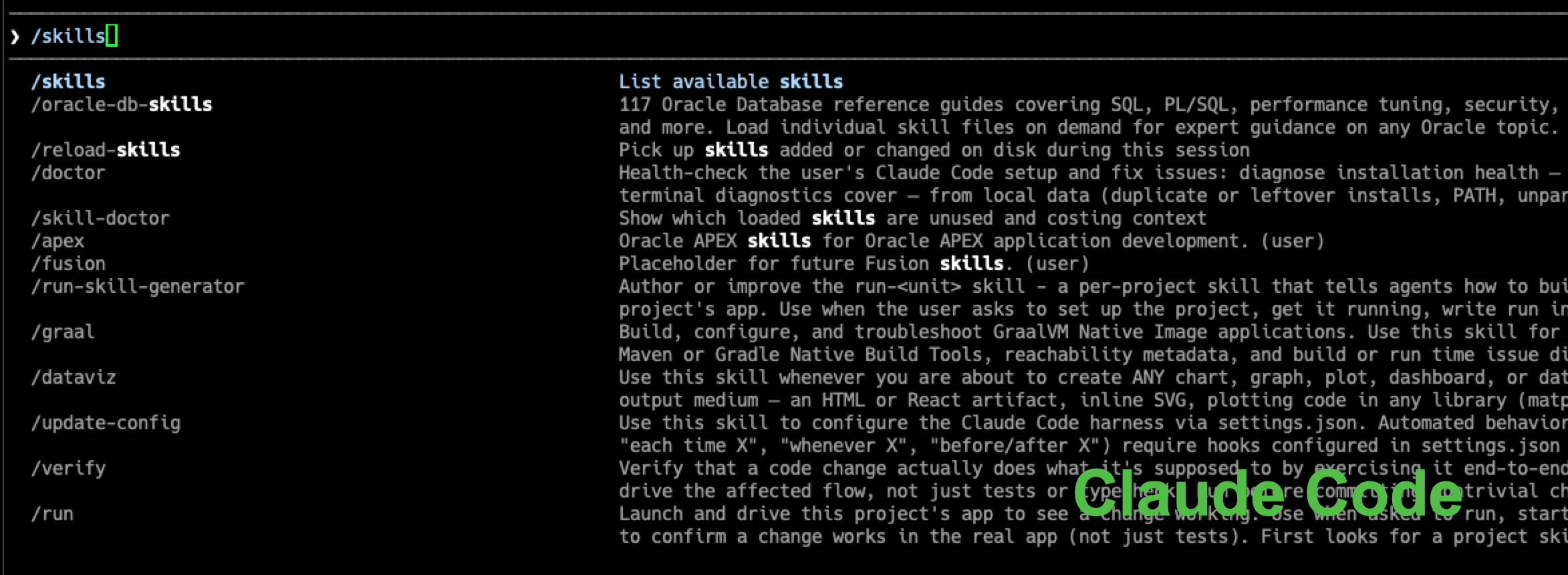
- use your agent’s Skills management ecosystem, e.g. Claude has /skills