
How I turned a personal filing problem into a conversational search tool backed by Oracle AI Vector Search
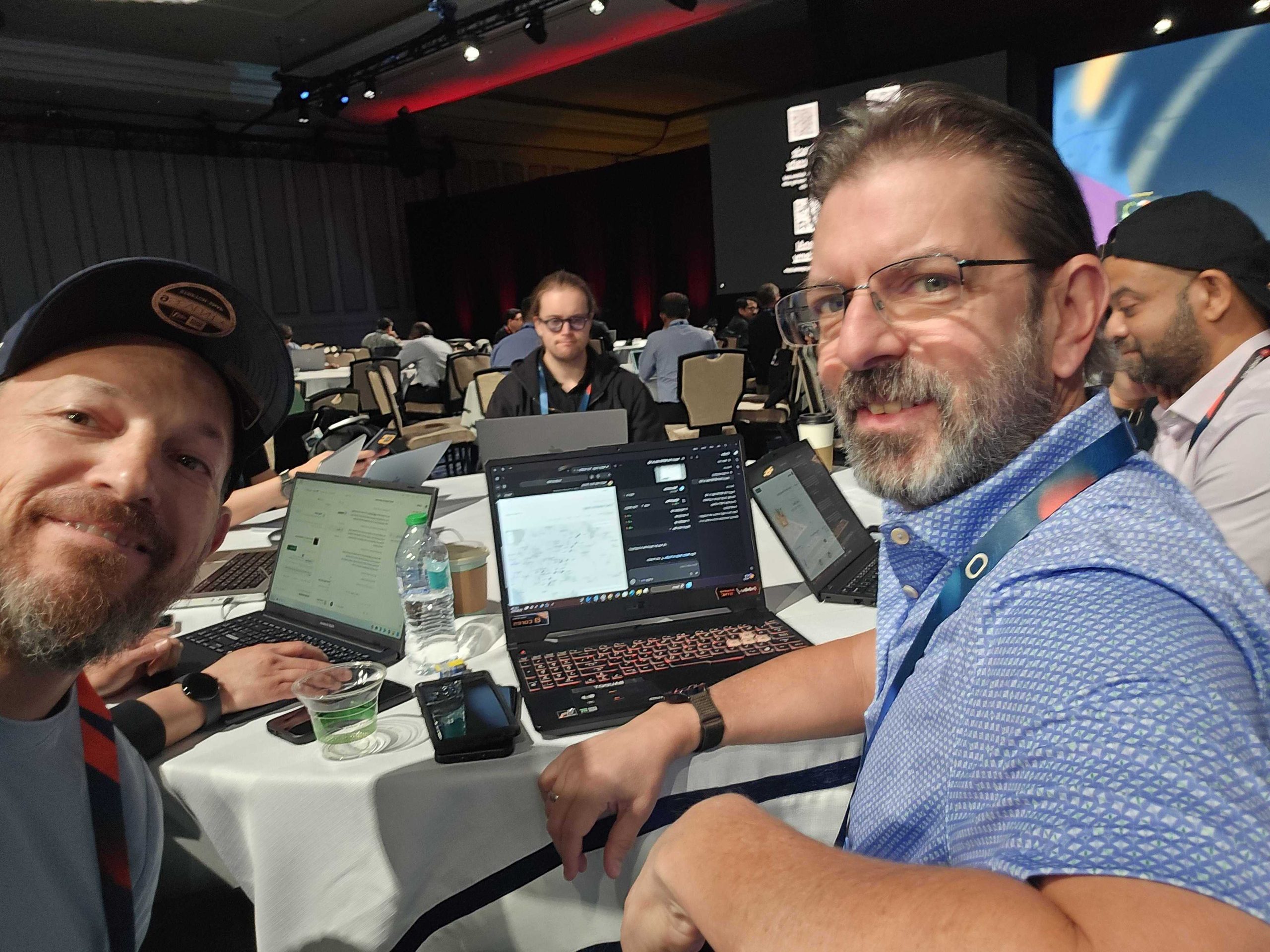
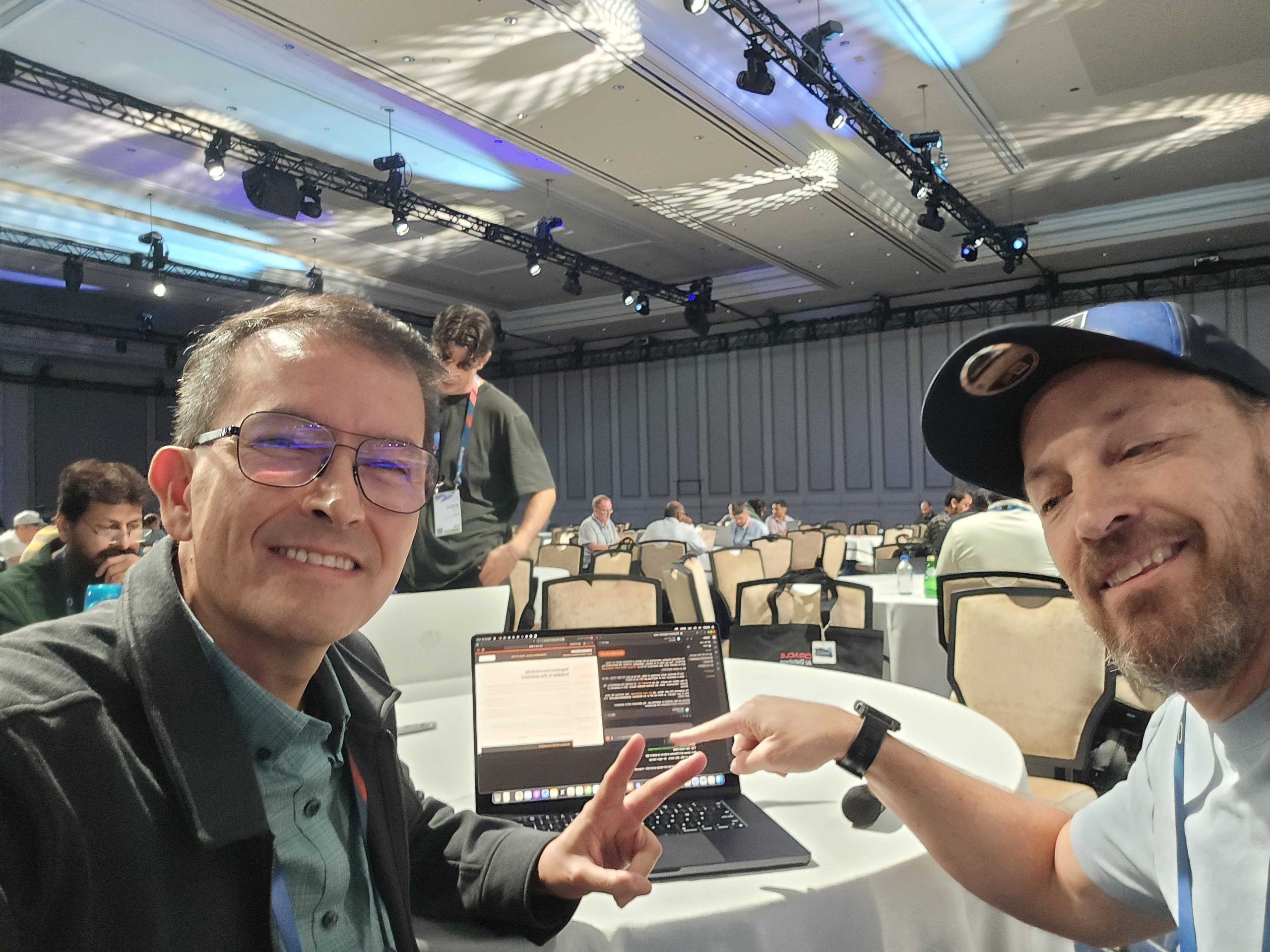
Last week we (Oracle, specifically myself and Kris Rice) co-hosted a hackathon with OpenAI. The good folks from the ChatGPT/Codex team brought a ton of free tokens, and we brought our free database and MCP server. Below is what I put together for ‘my project.’
A quick snapshot of our Hackathon –

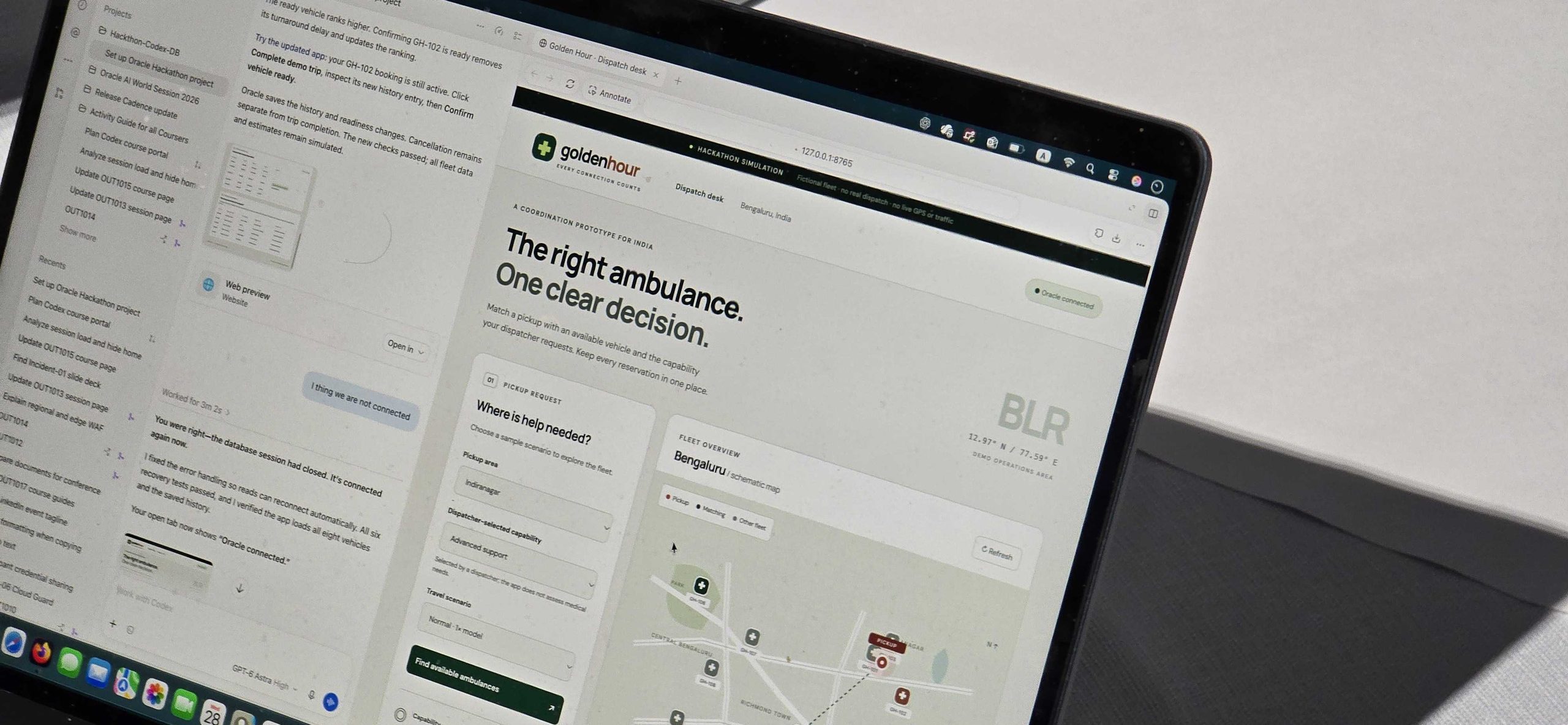
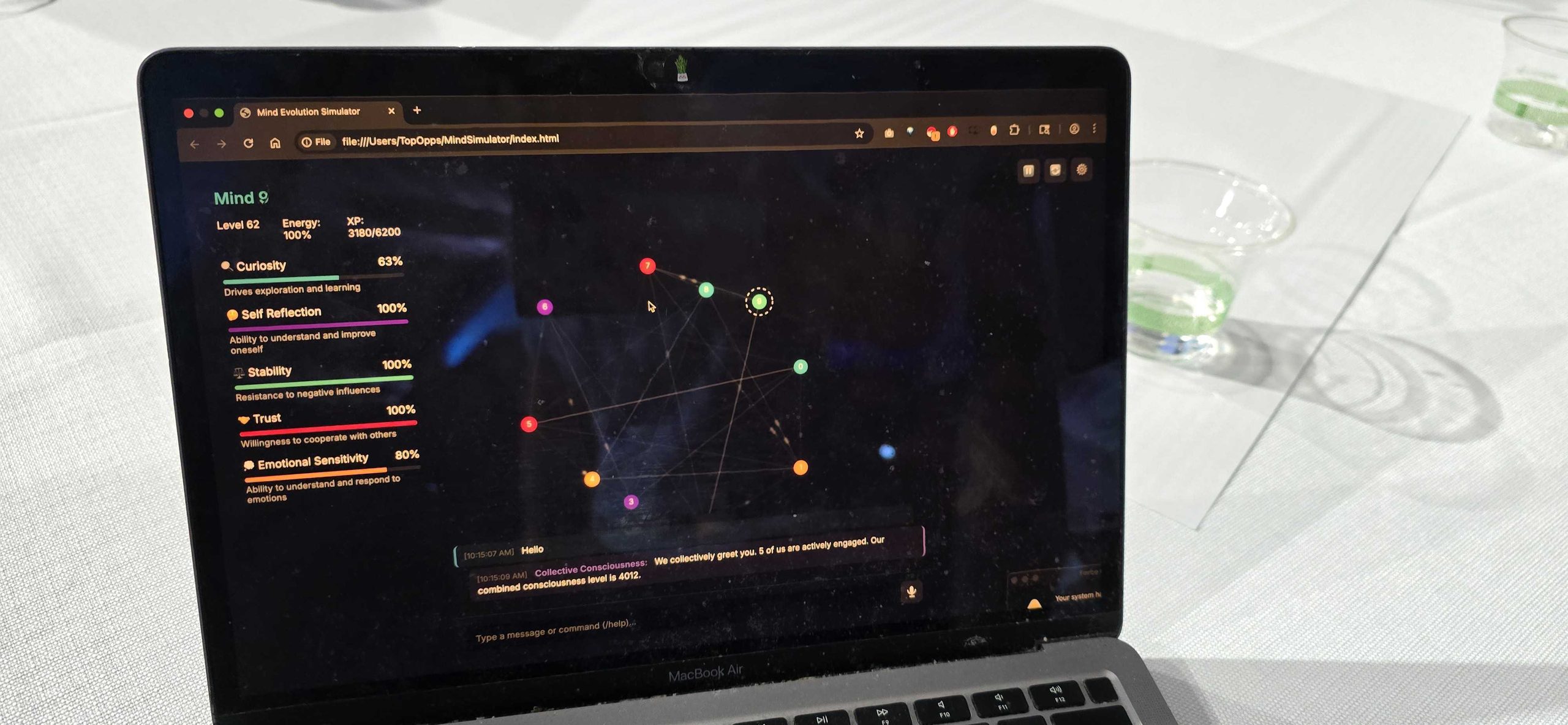
You can read about Bharat‘s experience as well, thanks Bharat for sharing! See Bharat’s project on Github.
Most people use ChatGPT as a prompt box: ask one question, get one answer, move on. But ChatGPT can also work with tools and data sources. Give it a clear task, connect it to systems that can do the work, and it can coordinate a process that would otherwise mean searching folders, opening files, and scanning slides by hand.
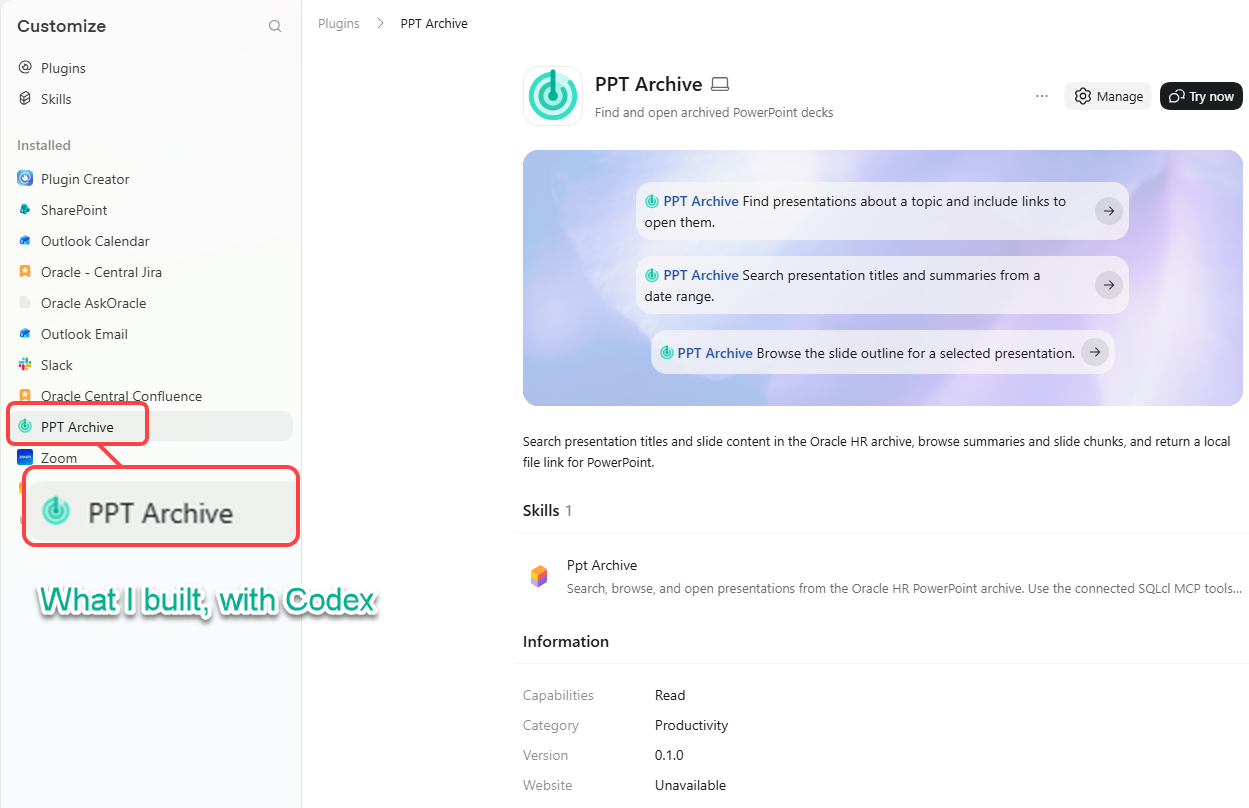
My PowerPoint archive (500 slide decks!) started with a familiar problem: years of presentations, spread across folders, with no dependable way to find the right one.
Start with the problem
The original build brief began with this prompt:
I have a hard time finding the powerpoint presentations I need at any given time. The problem: i have been building these for more than 15 years, and they are scattered all across my computer, but primarily in my documents and downloads folders. I want to inventory those with titles (based on content, not file name), short summaries, how long they are (number of slides) and date timestamp. We’re going to store this information in my Oracle database – use the HR connection. I want to be able to interact with these via ChatGPT itself, maybe we look at building a plugin or extension? And I may want to rag pipeline (chunk/vectorize) these also into my database, so we can do semantic/similarity search.
My prompt describes the pain in everyday terms, before naming a database, a model, or a search technique. That mattered: the goal was not “build a vector database.” The goal was “help me find the presentation I need.”
From that starting point, the work became a sequence: inventory the decks, make their contents searchable, connect ChatGPT to the database, and give ChatGPT instructions for turning search results into useful answers.
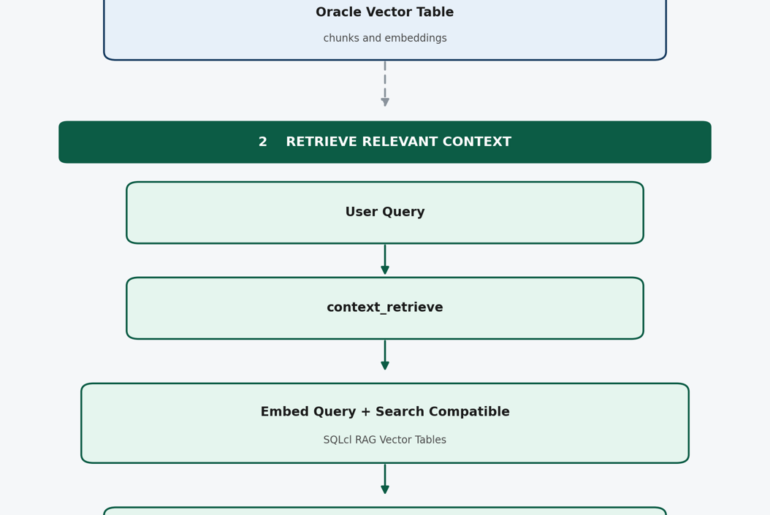
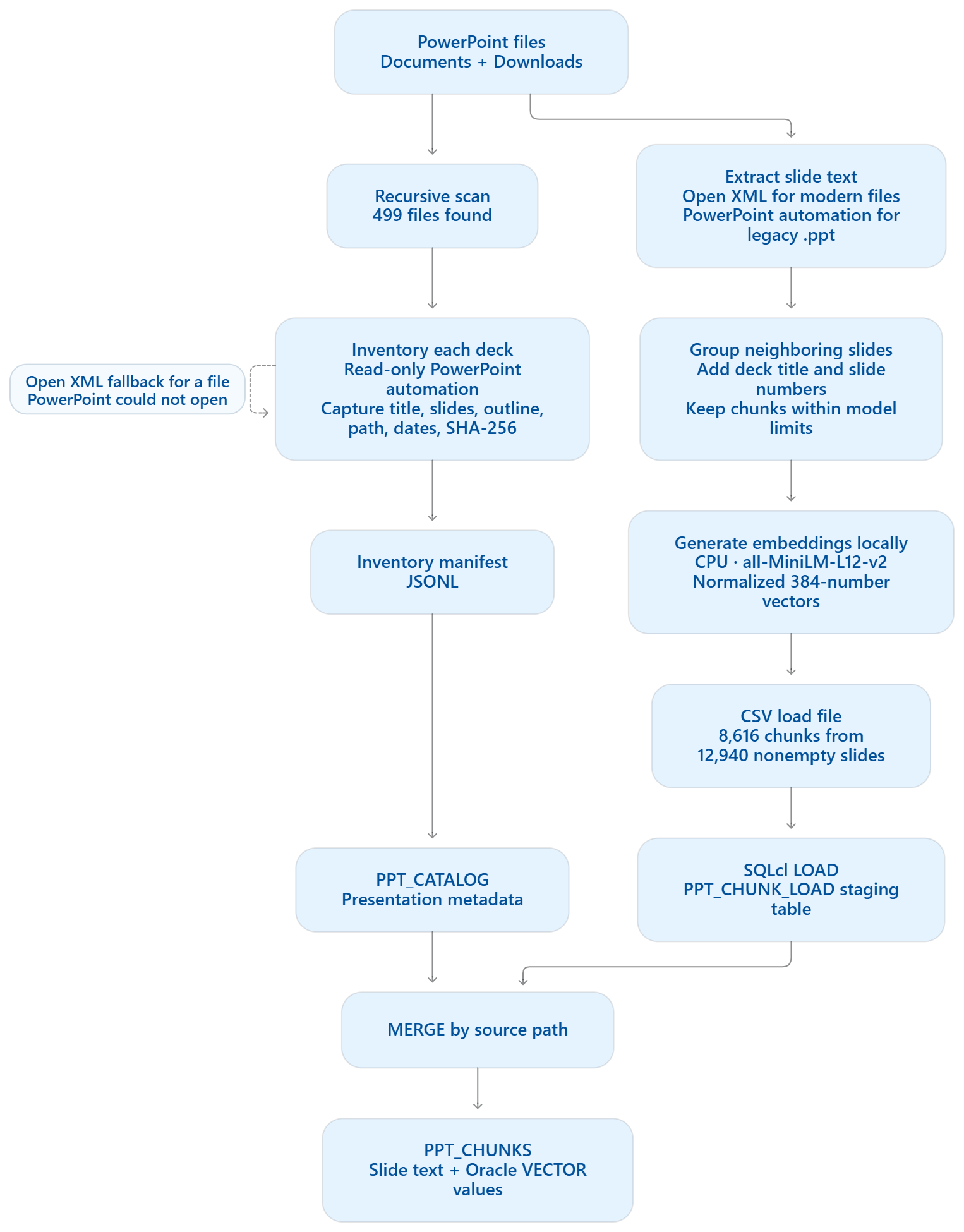
Here’s the pipeline at a glance. The key detail is that we generated the stored slide embeddings locally, then loaded them into Oracle; Oracle stores and searches those vectors.
Note: Oracle can generate embeddings in the database. I used it for queries and chose local CPU for the bulk load The database will only be responsible for generating the search string vectors.
I have a Windows laptop, so Codex employed PowerShell and Python’s standard library for Open XML slide text, and sentence-transformers for local embeddings.
The database work, through MCP
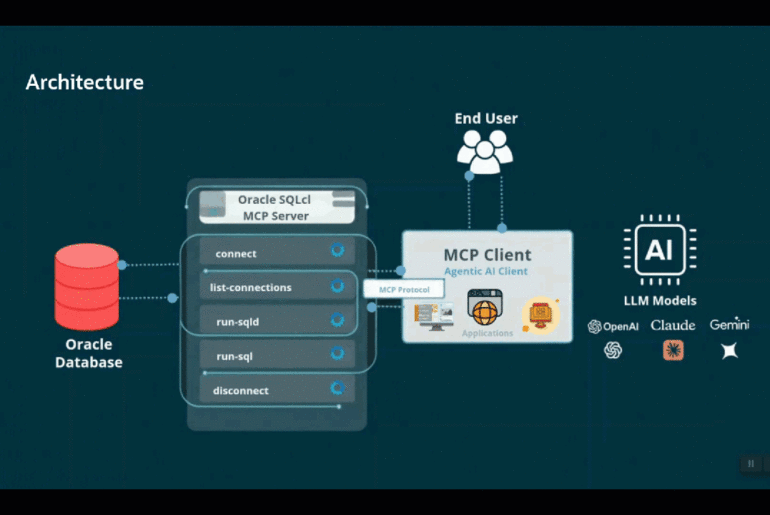
I used the Oracle SQLcl MCP server to connect the AI assistant to Oracle Database. MCP, the Model Context Protocol, is a standard way for an AI application to discover and call tools. In this case, SQLcl provided tools for listing and connecting to saved database connections, inspecting schema information, and running SQL or SQLcl commands. Oracle documents these as part of the SQLcl MCP Server toolset.
That changed how database work could happen. Instead of copying SQL between a chat and a terminal, we could describe a task and have the assistant use the database tools to carry it out. The assistant could inspect the schema, create or query database objects, and use returned results to guide the next step.
The archive is organized around two tables:
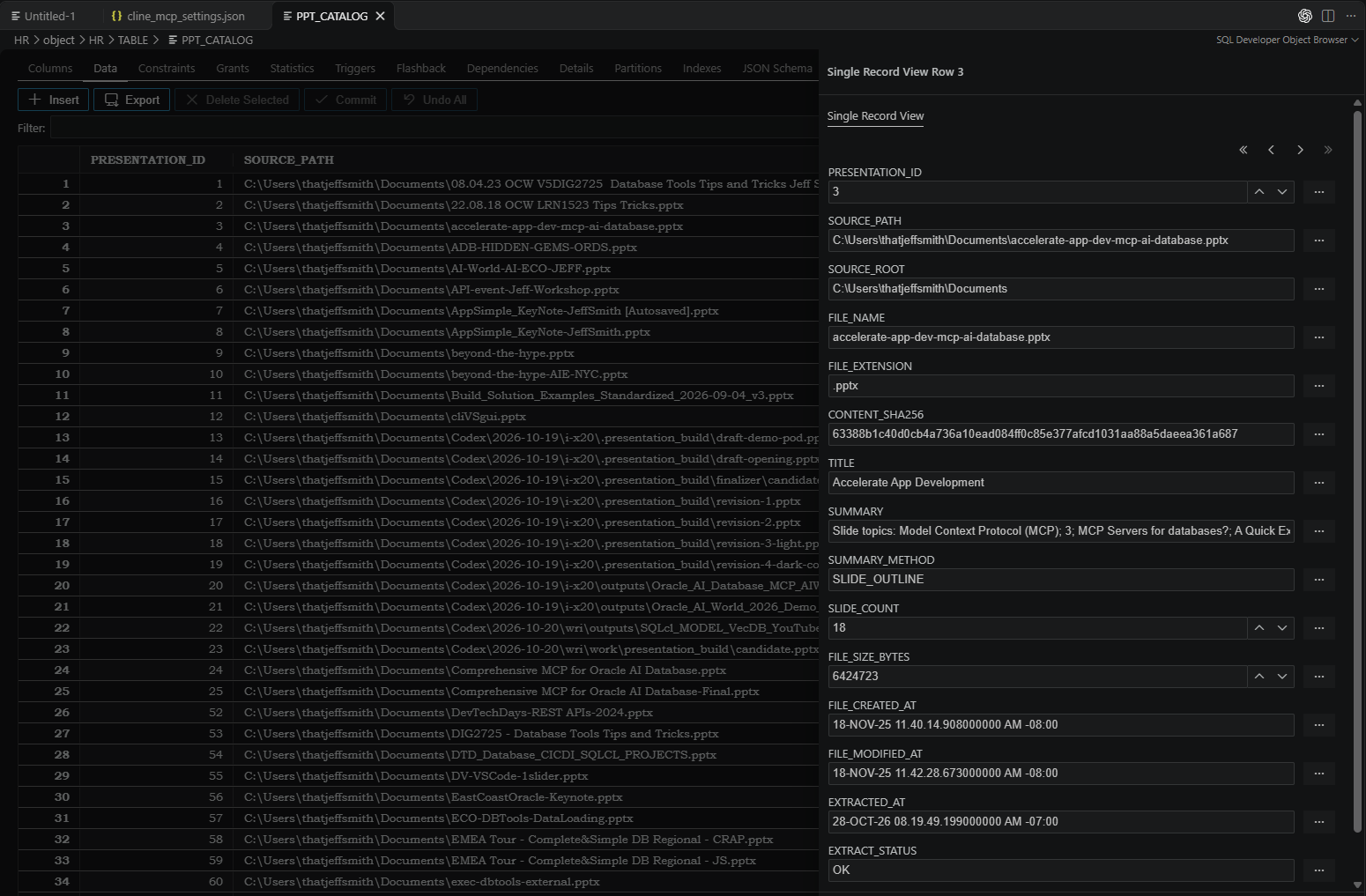
PPT_CATALOGholds presentation-level information: content-derived title, file name and source path, dates, slide count, and a summary.PPT_CHUNKSholds searchable pieces of slide text, including their presentation ID, chunk number, slide range, and vector embedding.
The presentation ID joins a matching passage back to its deck. This lets a search return both why the deck matched and which file to open.
Search by meaning, not only by title
A title search is useful when someone remembers a deck name. But people often remember the idea they’re looking for, not the exact title or wording on a slide.
That’s where Oracle AI Vector Search comes in. An embedding model turns text into a vector: a list of numbers that represents aspects of the text’s meaning. The archive stores a 384-dimensional vector for each searchable chunk. When someone asks a question, SQL generates a vector for the query using the same model, then compares it with the stored vectors using cosine distance. The query ranks closer matches first. Oracle provides SQL functions for generating embeddings and measuring vector distance, including VECTOR_EMBEDDING and VECTOR_DISTANCE.
In plain language, someone can ask about a topic using their own phrasing, even if the slide uses different words. The result includes a relevant slide range and a short text excerpt, along with the presentation’s title, date, summary, and file name. A lower cosine distance means the text is closer in the chosen vector space; it is a ranking signal, not a probability that the result is correct.
We also keep title search in the picture. A deck titled “Annual Strategy Review” should be easy to find when someone searches for that title. Combining title matches with semantic matches gives people both familiar keyword search and the ability to search by concept.
Deep Dive Detail Posts
If you’re looking for more technical details on how to chunk/vectorize/search the documents, I have two posts you might find interesting:
- Ingest, chunk, vectorize, and load VecDB Tables with SQLcl Model command
- RAG for your agents: use existing Oracle vectors via SQLcl MCP
The actual Search Query. Vectors and Relational Data, joined in ONE SQL STATEMENT –
WITH query_vector AS (
    SELECT VECTOR_EMBEDDING(
        ALL_MINILM_L12_V2 USING 'escaped user query' AS DATA
    ) AS EMBEDDING
    FROM DUAL
), ranked AS (
    SELECT c.PRESENTATION_ID,
           c.TITLE,
           c.FILE_NAME,
           c.SOURCE_PATH,
           c.FILE_MODIFIED_AT,
           c.SLIDE_COUNT,
           c.SUMMARY,
           SUBSTR(ch.CHUNK_TEXT, 1, 700) AS MATCHING_TEXT,
           VECTOR_DISTANCE(ch.EMBEDDING, q.EMBEDDING, COSINE) AS DISTANCE,
           ROW_NUMBER() OVER (
               PARTITION BY c.PRESENTATION_ID
               ORDER BY VECTOR_DISTANCE(ch.EMBEDDING, q.EMBEDDING, COSINE)
           ) AS RN
    FROM PPT_CHUNKS ch
    JOIN PPT_CATALOG c ON c.PRESENTATION_ID = ch.PRESENTATION_ID
    CROSS JOIN query_vector q
    WHERE c.FILE_MODIFIED_AT >= TO_TIMESTAMP_TZ(
        '2015-01-01 00:00:00 UTC', 'YYYY-MM-DD HH24:MI:SS TZR'
    )
)
SELECT PRESENTATION_ID, TITLE, FILE_NAME, SOURCE_PATH, FILE_MODIFIED_AT,
       SLIDE_COUNT, SUMMARY, MATCHING_TEXT,
       ROUND(DISTANCE, 6) AS COSINE_DISTANCE
FROM ranked
WHERE RN = 1
ORDER BY DISTANCE
FETCH FIRST 10 ROWS ONLY;
The 2015 date condition is applied when the request asks for that date range; otherwise it’s omitted or adjusted. Lower cosine distance means a closer match.
Installing the local ChatGPT plugin took a few tries
This was a local plugin, so there wasn’t a download page or a Windows installer to click. The desktop app needed to know where our plugin lived and which local marketplace should list it. OpenAI’s plugin documentation describes this local marketplace setup for the ChatGPT desktop app, including in Work mode. The marketplace file is a catalog that points to the plugin’s folder. OpenAI’s local plugin packaging guide covers the format and discovery process.
Here’s the setup we used on Windows. %USERPROFILE% stands for your Windows user folder.
- Put the plugin files in a known folder.
We stored the plugin under%USERPROFILE%\.codex\plugins\ppt-archive. The package contains itsplugin.jsonmanifest and theskills\ppt-archive\SKILL.mdinstructions. - Create the personal marketplace catalog.
We added%USERPROFILE%\.agents\plugins\marketplace.json. It gives the marketplace the display name PPT Warehouse and includes an entry for PPT Archive that points to./.codex/plugins/ppt-archive. - Register that marketplace location in the local configuration.
In%USERPROFILE%\.codex\config.toml, we added a local marketplace entry namedppt-warehouse-personal, with its source set to the user folder. We also enabled the plugin under the matching name,ppt-archive@ppt-warehouse-personal. This registration is what lets the desktop app discover the local catalog. - Restart the ChatGPT desktop app.
Restarting the app refreshed its list of local marketplaces and plugins. - Switch to Work mode and install from inside ChatGPT.
In our setup, we switched to Work, opened the Plugins Directory, selected PPT Warehouse, opened PPT Archive, and chose Install. “Install” was a button in the app, not a separate program in Windows or File Explorer. OpenAI’s docs describe local marketplaces as selectable sources in Work mode or Codex in the desktop app. See the local marketplace instructions. - Start a conversation and select the plugin.
In a new Work conversation, we selected the plugin using@PPT Archive, then asked a real search question. For example: “Find my keynote presentations since 2015 and include a link I can click to open each deck.” - Make sure the database connection is available too.
Installing the plugin makes its workflow available; it does not create a database connection. The conversation also needs the existing Oracle SQLcl MCP connection enabled and connected to the savedHRdatabase connection.
The first attempts were confusing because the marketplace configuration, app restart, Work mode, and plugin installation are separate steps. If the plugin doesn’t appear, check that the marketplace file points to the right folder, restart the desktop app, and confirm you’re looking in the app’s Plugins Directory. If it appears but can’t search, check the SQLcl MCP connection separately.
What happens when someone asks ChatGPT to find a deck?
A user can ask a natural question, such as “Find presentations about career development.” ChatGPT uses the archive’s instructions to decide what kind of search to run. It calls the connected SQLcl MCP tool to query the database, then uses the returned titles, summaries, passages, and slide ranges to present a short list of matches.
The instructions also shape the hand-off. A result should include enough context to judge whether it is relevant, and a link or path to open the presentation. ChatGPT is not reading every deck on demand; it is searching prepared catalog and chunk data, then presenting the matches in a conversational way.
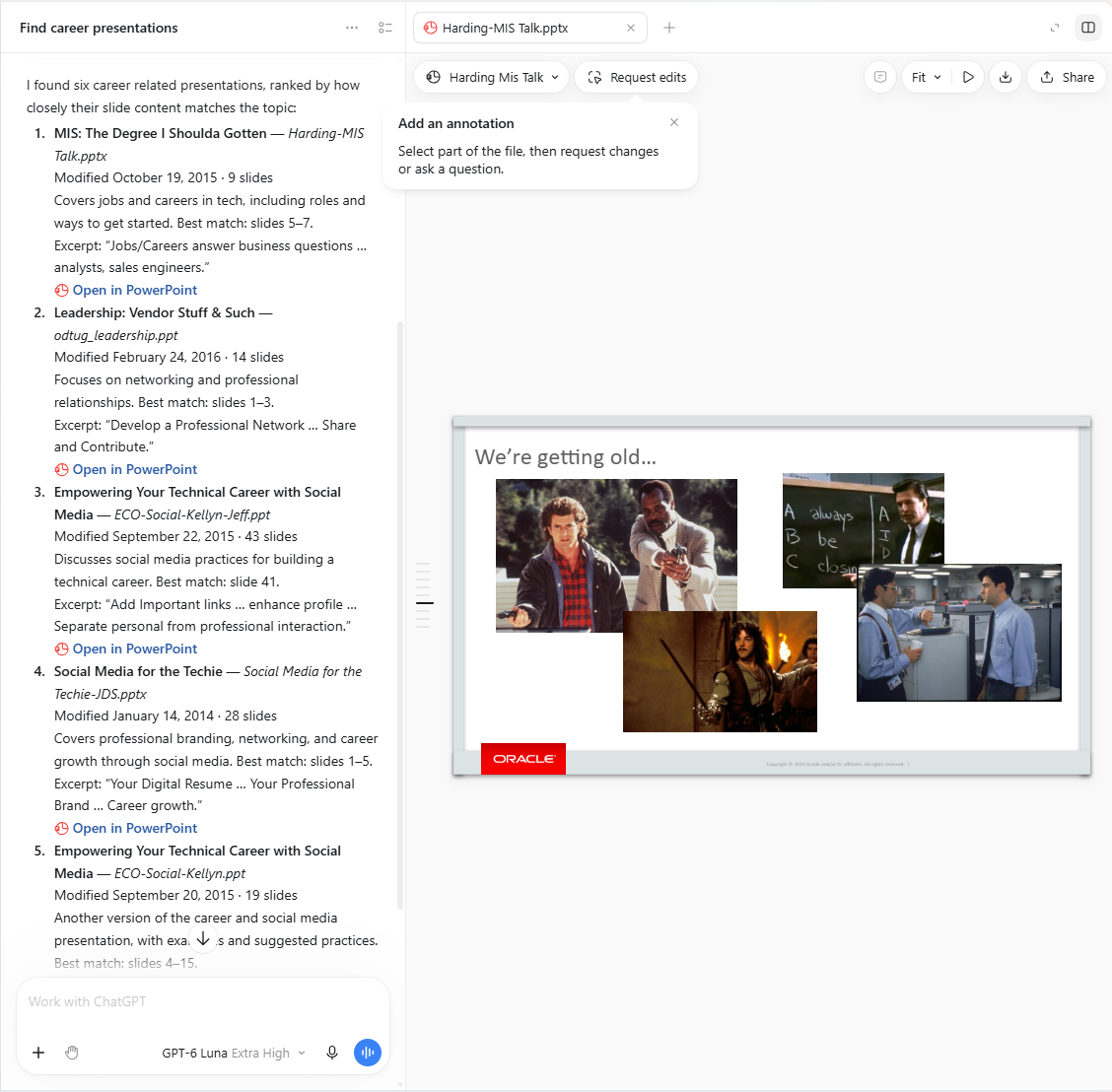
That distinction is useful for understanding the pieces:
- The database stores the catalog, slide text, and embeddings.
- The MCP server gives ChatGPT a defined way to call database tools.
- The plugin’s instructions explain how to search and present results.
- ChatGPT interprets the request, selects the relevant workflow, and explains what it found.
My search took 31 seconds
That’s 31 seconds to find everything on my work laptop – across multiple directories, and covering more than 500 PowerPoint files, AND bring back the results in a useable format. Windows Explorer or Mac’s Finder can’t compete with that – ask me how I know
Go beyond a one-shot prompt, Chat is not a fancier Google!
A prompt can ask for one answer. A tool-connected assistant can do more: search, compare candidates, retrieve details about a selected deck, and help refine the results. The user can follow up with “Show me the closest match,” “What slides mention mentoring?” or “Find a deck with a similar topic from last year.”
That is the larger shift. ChatGPT becomes more useful when it can work with a system that has the relevant data and tools, and when it has clear instructions for using them. A natural-language request becomes the beginning of a small workflow: understand the goal, call the right tool, inspect the result, and return something the person can act on.
For this project, the goal was simple: make years of presentations easier to find. The interesting part was how a prompt, an MCP server, Oracle Database, and AI Vector Search could work together to make that possible.
The Details
I asked Codex to summarize what it did, and how. Here’s that breakdown.
Local inventory and vector pipeline
- File discovery and cataloging: Windows PowerShell recursively searched Documents and Downloads. It used Microsoft PowerPoint COM automation to read slides, derive titles and outline summaries, and count slides. An Open XML fallback handled some
.pptxfiles PowerPoint could not open. It recorded timestamps, file size, and SHA-256. - Slide text extraction:
.pptx-family files were read locally by Python’s standard library:zipfileandxml.etree.ElementTree, plus other standard modules. Legacy.pptslide text was extracted with PowerPoint COM in PowerShell. - Chunking and embeddings: Python used
sentence-transformers==6.2.0with the local modelsentence-transformers/all-MiniLM-L12-v2. It grouped adjacent slides into chunks, splitting long slides as needed, then generated normalized 384-dimensional vectors on CPU in batches of 64. The default chunk limit is 220 tokens, subject to the model limit. - Installed embedding dependencies: The virtual environment metadata lists PyTorch 2.15.0, Transformers 5.21.0, Tokenizers 0.23.3, Hugging Face Hub 2.3.0, NumPy 2.5.4, scikit-learn 1.9.1, SciPy 1.18.1, and tqdm 4.70.1. Only
sentence-transformers==6.2.0is pinned in requirements.txt (/C:/Users/thatjeffsmith/projects/ppt-warehouse/requirements.txt); the other versions are transitive dependencies. - Oracle loading and search: SQLcl loaded the local CSV into
PPT_CHUNK_LOAD; SQL converted the serialized values withTO_VECTORand merged them intoPPT_CHUNKS. Search-time embeddings can run in Oracle usingALL_MINILM_L12_V2. The Python embedding script is for the local ingestion pass.
The first recorded inventory found 499 files and 13,602 slides. The text pipeline produced 8,616 chunks from 483 presentations. The workflow and counts are documented in README.md (/C:/Users/thatjeffsmith/projects/ppt-warehouse/README.md); the main scripts are inventory_presentations.ps1 (/C:/Users/thatjeffsmith/projects/ppt-warehouse/scripts/inventory_presentations.ps1), extract_openxml_slides.py (/C:/Users/thatjeffsmith/projects/ppt-warehouse/scripts/extract_openxml_slides.py), extract_legacy_ppt.ps1 (/C:/Users/thatjeffsmith/projects/ppt-warehouse/scripts/extract_legacy_ppt.ps1), and embed_presentations.py (/C:/Users/thatjeffsmith/projects/ppt-warehouse/scripts/embed_presentations.py).
The installed plugin is currently a local, skill-based package that uses the separate SQLcl MCP connection. The interactive ChatGPT GUI is still at the planning stage.
If you made it this far, then yes, there might be a part two – ChatGPT plug-ins can have an extension, which adds a full GUI built-in to the ChatGPT window.
The 499 powerpoint files are inventoried in my database, here –
And the content or ‘semantic’ data is described via vectors, here –
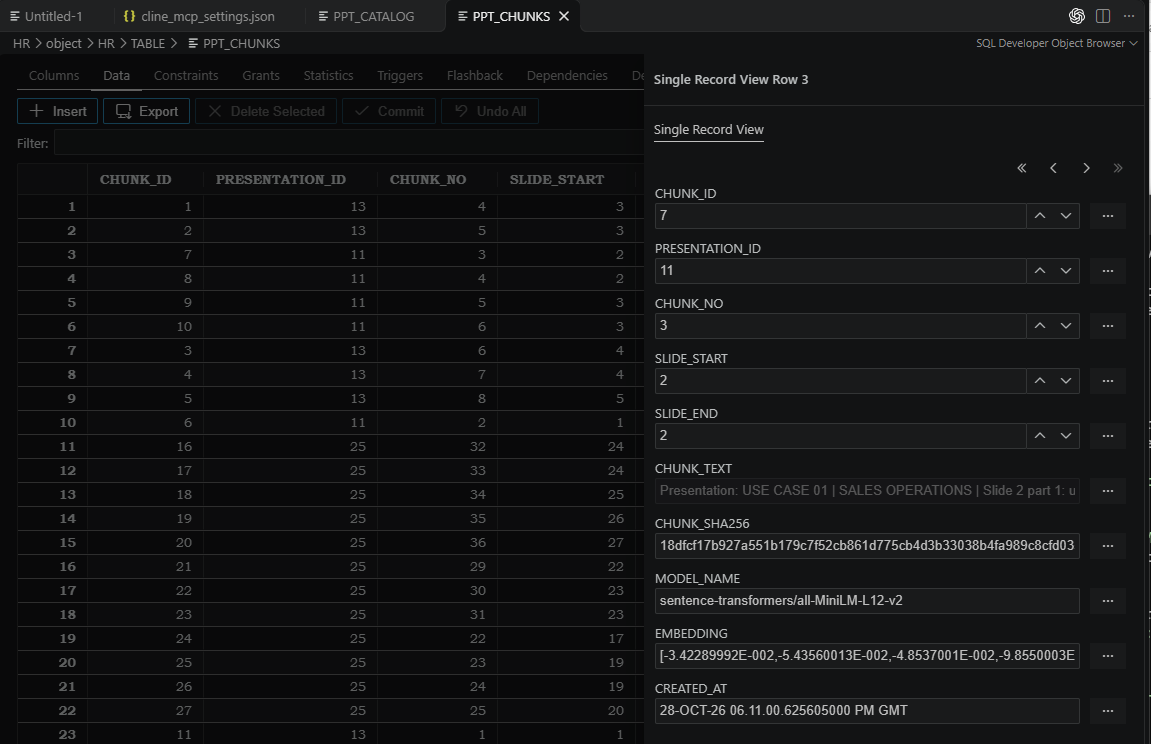
When I ask ChatGPT for slides on ‘X’ – it vectorizes X, then runs a SQL query against these tables to find the relevant data – via our SQLcl MCP Server.
Call to action
You can do this today, you don’t need to ‘technical.’ We give you a database to use FreeSQL or our local Oracle containers – all free. You just need to bring your Agent/LLM.