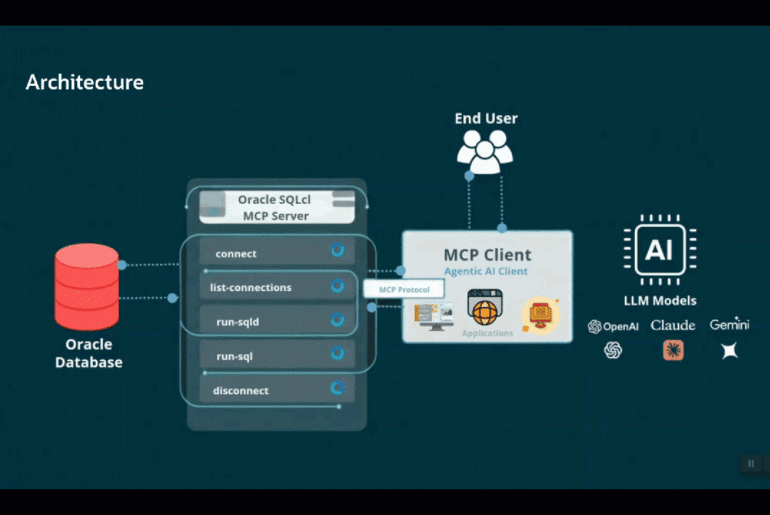

This post walks through connecting OpenAI Codex to Oracle Database via the SQLcl MCP server, using a free schema on FreeSQL.com. I’ve mentioned FreeSQL and SQL*Net connectivity before, but never given it a standalone post — so here it is, along with an ulterior motive: a Codex + Oracle Database Hackathon at Oracle AI World, and I want you ready to go before you show up. (And yes, I wrote this myself — I refuse to believe any LLM could or would want to write like this.)
Jump straight to see how to configure SQLcl MCP for Codex.
FreeSQL is a free, Oracle-hosted platform to learn SQL. It’s an Oracle database you can use. We give you access to both 19c and 26ai environments. If you sign-in, we give you a schema for each of those. You can create your own tables, add your own data. And it’ll stick around, so long as you don’t go longer than 89 days between visits.
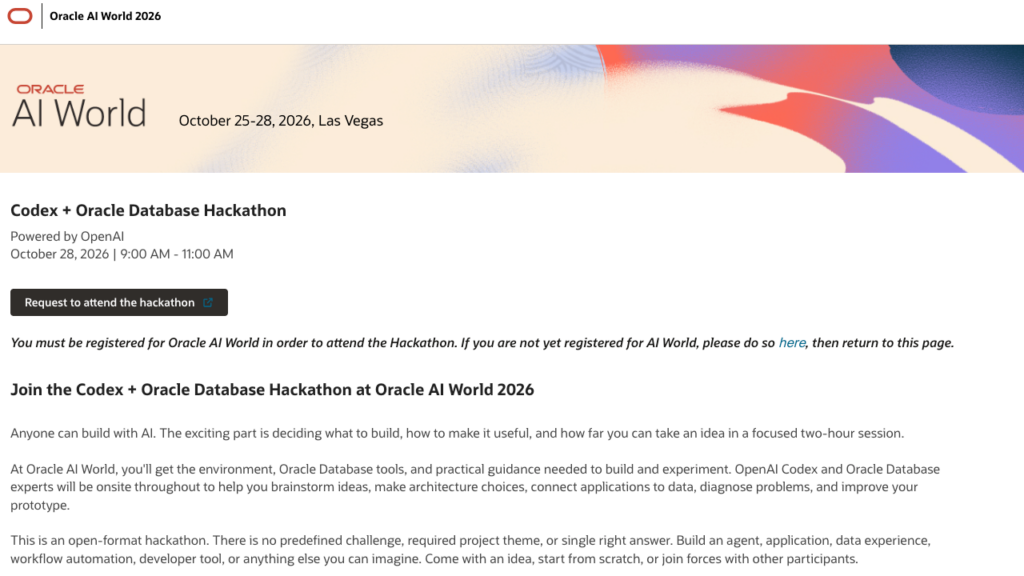
Codex + Oracle Database Hackathon
We’ve managed to put together a very special event at AI World in Las Vegas, October 25-28th. We’re bringing some friends from the OpenAI Codex team, and we’re going to host a 2hr hackathon to see what kind of cool things YOU can build on top of our AI Database.
You only need to bring your imagination and computer. We’ll provide the database environment, and OpenAI is graciously bringing AI credits for their platform.
If you want to attend, you need to be an AI World attendee, and you need to reserve a space in the hackathon; we do anticipate this event space being 100% full!
The pre-event preparation
You need Codex, so I ventured to my Mac terminal and ran:
curl -fsSL https://chatgpt.com/codex/install.sh | shIt offers to start it up for you when it’s done. If you want to run it going forward, you simply need to type and execute ‘codex.’
You need your FreeSQL.com environment setup.
Visit https://freesql.com. Using your Oracle SSO (the same sign-on you used to sign up for AI World or to post a question to the Forums, or to download software/whitepapers), sign-in to the site.
Doing so enables this button.
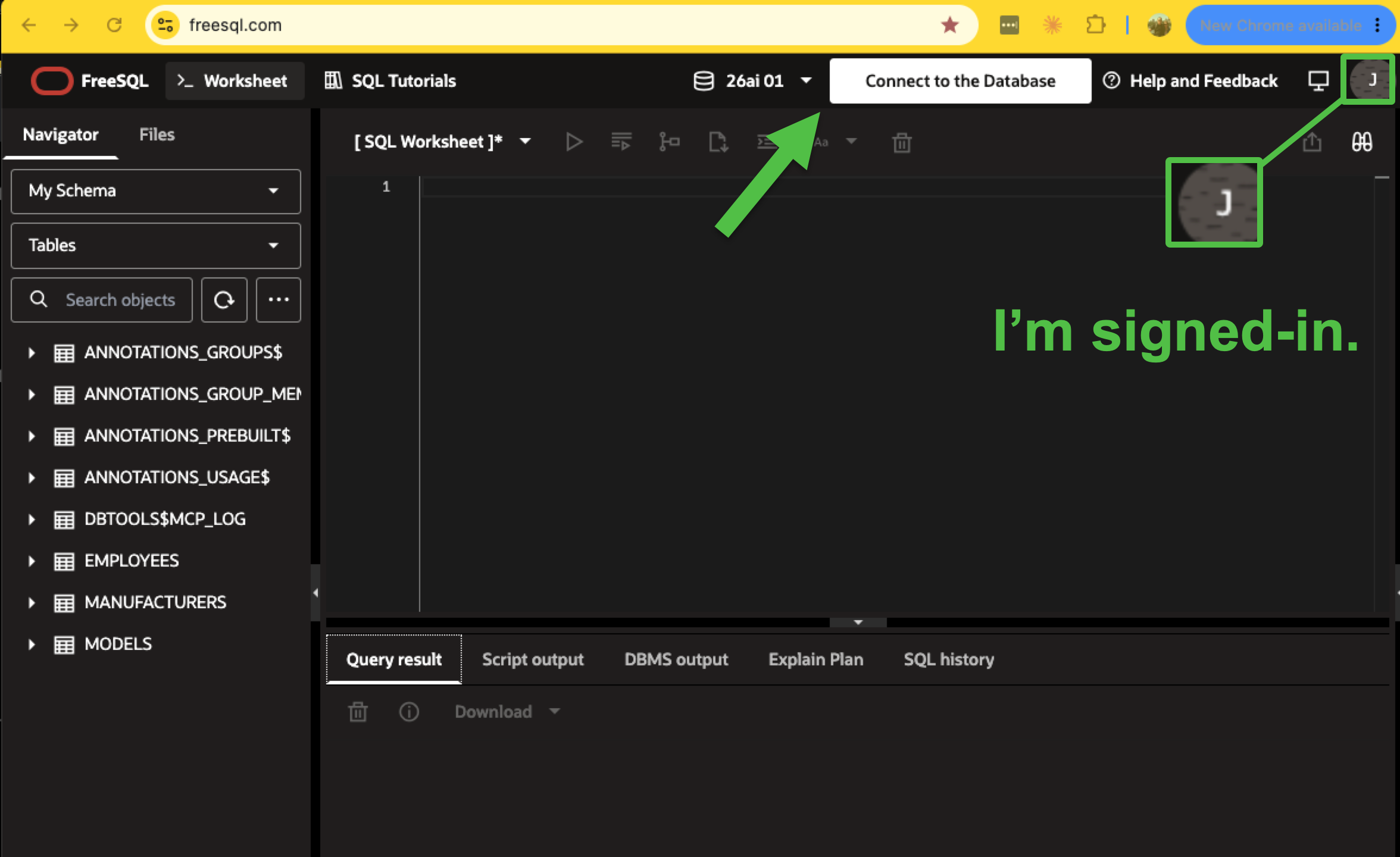
If you don’t sign in, you can still use the FreeSQL database, but you are an ‘anonymous’ user, with no ability to create things in your schema.
Click the button.
You’ll get a slider panel opening from your right to left, and on that panel is everything you need to make a database connection. We want the text, ‘Use SQLcl to get started:’ code snippet, which will look like this –
sql 'your-username-here_SCHEMA_T64MB/"your-password-here"@(description=(address=(protocol=tcps)(port=2484)(host=db.freesql.com))(connect_data=(service_name=26ai_un3c1)))'Now before running this, you’ll need to:
- have SQLcl (preferably 26.3.x) installed
- have your path include the location of the bin/sql binary from the SQLcl ‘install’
- have Java (preferably 25) installed
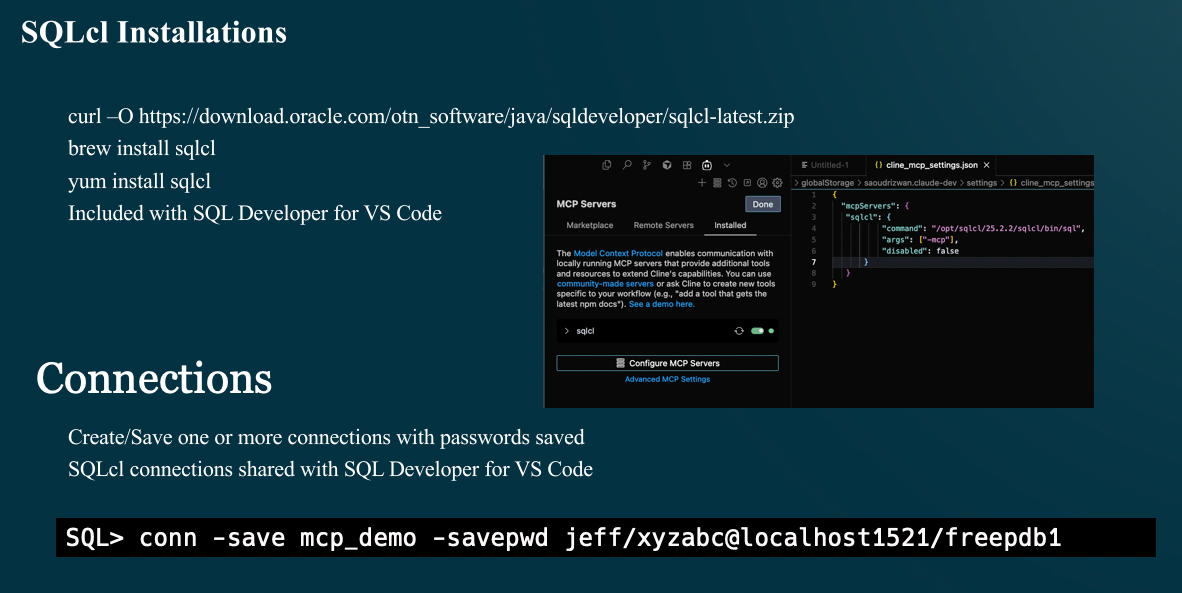
If you’ve not installed SQLcl before, you just need to download this and extract it to a new directory on your machine. If you’re on a mac, you can also ‘brew install SQLcl’ assuming you already use Homebrew and like managing casks.
Installing Java isn’t bad, you can use a package manager or download the ‘big fat installer’ from the Java site.
Saving our connection for SQLcl MCP
Once you’re connected, we’re going to run another command.
That second command tells SQLcl to store the current connection properties permanently, by name, and to also save/encrypt the password.
Macmini:bin thatjeffsmith$ ./sql 'your-username-here_SCHEMA_T64MB/"your-password-here"@(description=(address=(protocol=tcps)(port=2484)(host=db.freesql.com))(connect_data=(service_name=26ai_un3c1)))'

SQLcl: Release 26.2 Production on Tue Sep 15 14:47:07 2026

Copyright (c) 1982, 2026, Oracle.  All rights reserved.

Connected to:
Oracle AI Database 26ai EE Extreme Perf Release 23.26.0.0.0 - for Oracle Cloud and Engineered Systems
Version 23.26.0.0.0

SQL> conn -save Hackathon -savepwd
Name: Hackathon
Connect String: (description=(address=(protocol=tcps)(port=2484)(host=db.freesql.com))(connect_data=(service_name=26ai_un3c1)))
User: JEFF_D_SMITH_SCHEMA_T64MB
Password: ******
SQL>
I’ve named my connection, ‘Hackathon.’
We can confirm it’s available by name now, but asking SQLcl for a list of connections.
SQL> connmgr list
.
├── Cloud
│   └── 🅾️ Autonomous Reporting
├── Local Containers
│   ├── Project Payroll 💲
│   └── Project Raptor 🦖
├── ADMIN
├── AI Proxy Demo
├── Free26ai
├── HR123
├── HR456
├── Hackathon
├── OCI_DBTOOLS_19c_ADB_PHX
├── TNS
├── demo
├── dev_user
├── jeff-mcp-first-try
├── jeff-nikhlagr-baseDB
├── job
├── no_quota_only_select
├── security
├── sys CDB
├── system
└── windy
SQL>
If you’re lazy, the shortened command for ‘connmgr’ is ‘cm,’ so you can just run, ‘cm list.’
And to make a connection, you simply do a ‘sql -name Hackathon’
Macmini:bin thatjeffsmith$ ./sql -name Hackathon

SQLcl: Release 26.2 Production on Tue Sep 15 14:52:45 2026

Copyright (c) 1982, 2026, Oracle.  All rights reserved.

Connected to:
Oracle AI Database 26ai EE Extreme Perf Release 23.26.0.0.0 - for Oracle Cloud and Engineered Systems
Version 23.26.0.0.0

SQL> show connection
COMMAND_PROPERTIES:
 type: STORE
 name: Hackathon
 user: JEFFS_SCHEMA_T64MB
CONNECTION:
 JEFFS_SCHEMA_T64MB@jdbc:oracle:thin:@(description=(address=(protocol=tcps)(port=2484)(host=db.freesql.com))(connect_data=(service_name=26ai_un3c1)))
CONNECTION_IDENTIFIER:
 Hackathon
CONNECTION_DB_VERSION:
 Oracle AI Database 26ai EE Extreme Perf Release 23.26.0.0.0 - for Oracle Cloud and Engineered Systems
 Version 23.26.0.0.0
NOLOG:
 false
PRELIMAUTH:
 false
SQL> One last thing, configuring SQLcl MCP for Codex
Codex manages its MCP lineup in a local file on your machine, config.toml, and it’s in your $HOME/.codex directory (Mac/Linux).
So on my machine, it’s here:

Find that file. Edit it. Add this entry up top.
[mcp_servers.sqlcl]
enabled = true
command = "/opt/sqlcl/26.2/sqlcl/bin/sql"
args = ["-mcp"]Startup Codex and /mcp
╭──────────────────────────────────────────────────╮
│ >_ OpenAI Codex (v0.154.0)                       │
│                                                  │
│ model:     gpt-5.6-luna xhigh   /model to change │
│ directory: ~                                     │
╰──────────────────────────────────────────────────╯

  Tip: Try the Desktop app. Run 'codex app' or visit https://chatgpt.com/codex?app-landing-page=true

Token usage: total=31,311 input=28,001 (+ 315,136 cached) output=3,310 (reasoning 2,242)
To continue this session, run codex resume, then select Summarize Free26AI schema (01a0a650-7539-7623-8370-2766da81aeff)

/mcp

🔌  MCP Tools

  • codex_apps: connected (209 tools)
  • sqlcl: connected (9 tools)

  Use /mcp verbose for tools and resources.
So, we should be able to start using these tools. We can be very specific, or we can vibe-prompt-play. If you know what you want, say it.
I just want to test my database connection, and see if I can run a query.
Close any active database connections, and let’s connect to my Hackathon database. Once connected, see if we have a MCP history table, and summarize the work we’ve done in this schema.
That’s the prompt I used. Now let’s look see what Codex did.

It connected to my database. It used another tool called ‘schema-information,’ to get an inventory of my schema. And from there, it started asking for permission to run queries.
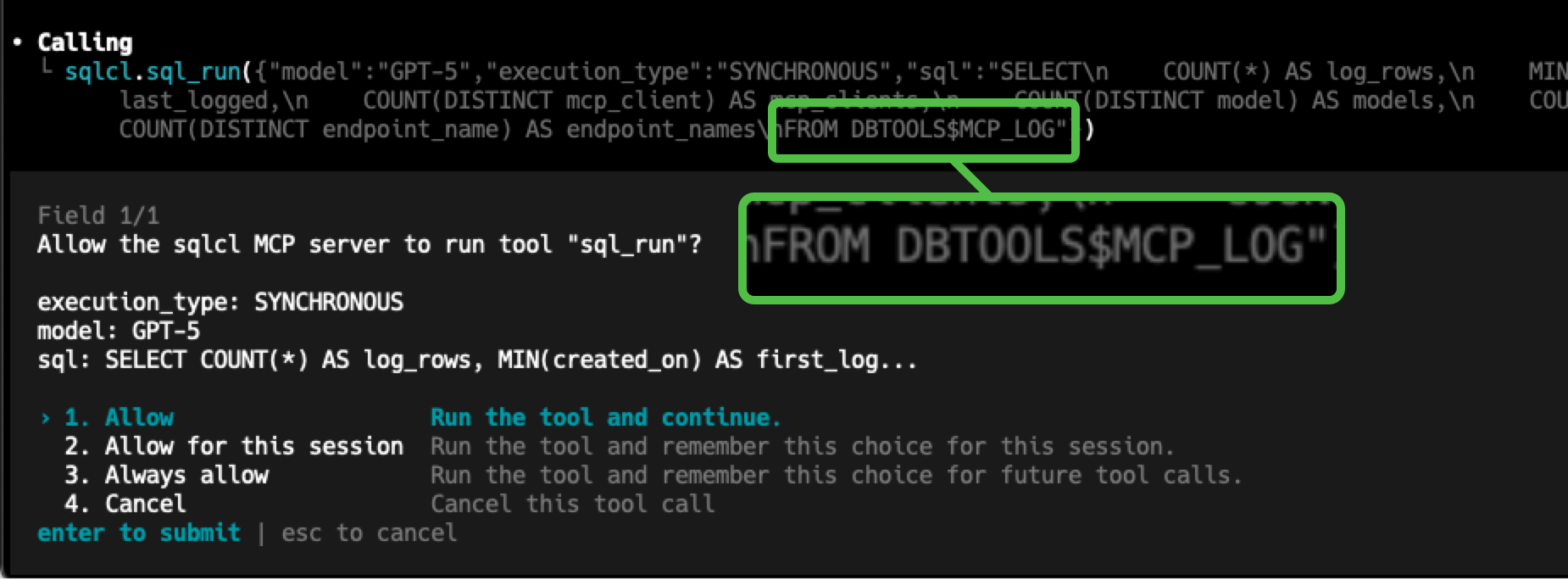
Codex sees that the sql_run tool could be destructive, so it’s set to prompt for permission before invoking.
I could say ‘hey, go for it’ by selecting options ‘2’ or ‘3,’ but I suggest you stick with ‘1’ and one-by-one approvals – at least until you’re comfortable with the Agentic and MCP flow here with your database. If this were a PRODUCTION or IMPORTANT system I would insist you stick with manual approvals.
It ended up running a bunch of queries on my DBTOOLS_$MCP_LOG table, and this is the summary it gave me.
Yes—DBTOOLS$MCP_LOG is the MCP history table. It contains 123 logged operations from January 14 through September 15, 2026.

  Work recorded in the schema:

  - Built an original vehicle model with MANUFACTURER, CAR, TRUCK, and MOTORCYCLE tables, loaded sample data, and created analytical views.
  - Later created the current MANUFACTURERS and MODELS schema, loading 51 manufacturers and 102 models across 11 vehicle types.
  - Validated counts, joins, foreign-key integrity, and sample data.
  - Inspected table metadata, constraints, indexes, and statistics.
  - Performed schema discovery and MCP connectivity checks.
  - Existing supporting objects include UUID functions, metadata-annotation packages/tables, procedures, and property graphs.

  One issue: six legacy vehicle views are currently invalid because they reference the old singular vehicle tables, which no longer exist. The four metadata-annotation views
  remain valid. The EMPLOYEES table exists but is empty.

  The Hackathon connection remains open.
That’s the whole setup — Codex, SQLcl MCP, and a free Oracle schema, no glue code required. Bring this same setup to the Codex + Oracle Database Hackathon, Oct 25–28 at Oracle AI World in Vegas. Register here