We want AI, we want it now! This is not a LLM hallucination or wishful thinking on the part of AI vendors. Every day I’m talking to companies large and small, who are asking for guidance on how to ‘best’ implement Agentic AI across the business for their databases.
At the same time there is an appreciable level of doubt and fear regarding AI and critical assets like your data and databases.
With AI in the business, trust can’t be an option. How can we move forward with confidence that the right data will be used for making critical decisions?
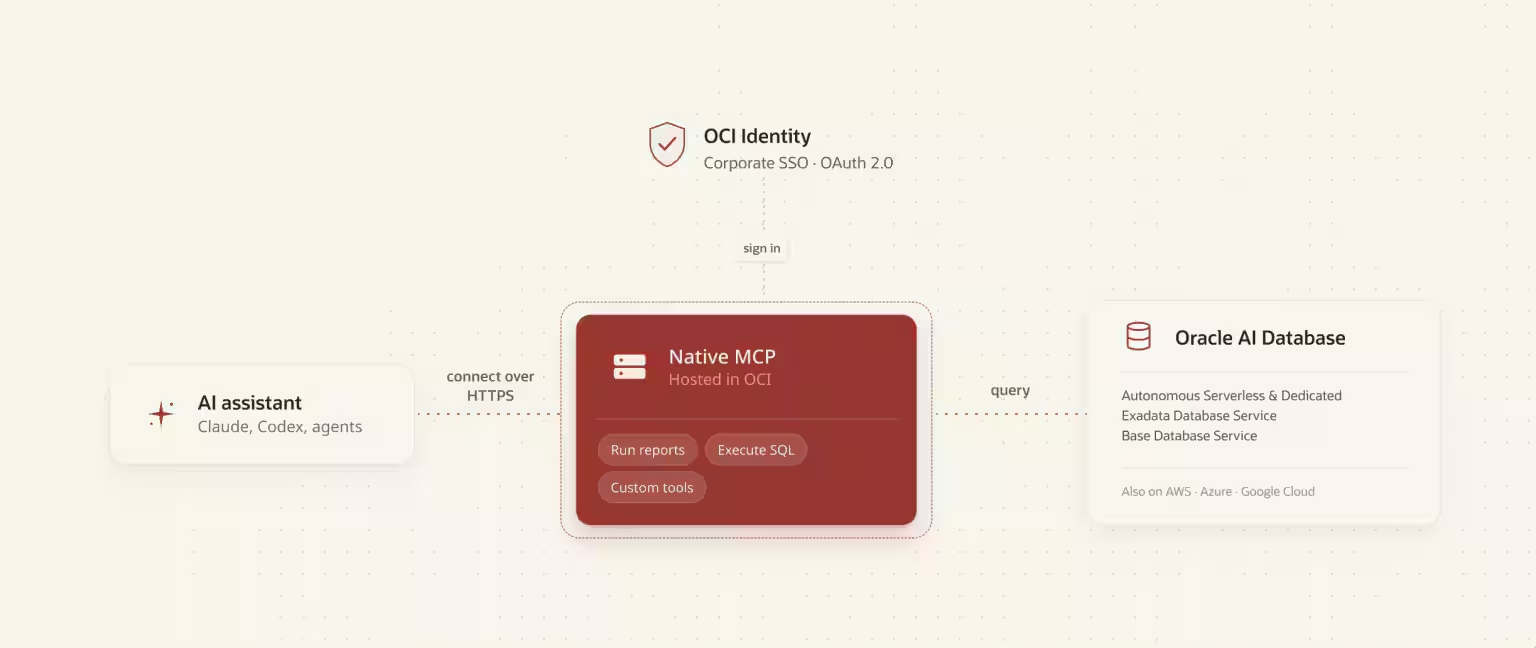
This week Oracle enabled a new path to do just this: managed, serverless MCP Servers for your Oracle AI Databases in the Cloud (Blog Post Announcement).
I’m busy, give me the TL;DR
- SQLcl available as local STDIO MCP Server, July 2025
- OCI Database Tools offers remote HTTPS MCP Servers, May 2026
- built on top of OCI Database Tools Connection
- Users auth via OCI Identity Management Domains via OAuth2
- supports federated user accounts from Azure Entra ID, Okta, etc
- Agents are registered as clients
- database credentials no longer need to be shared with end users!
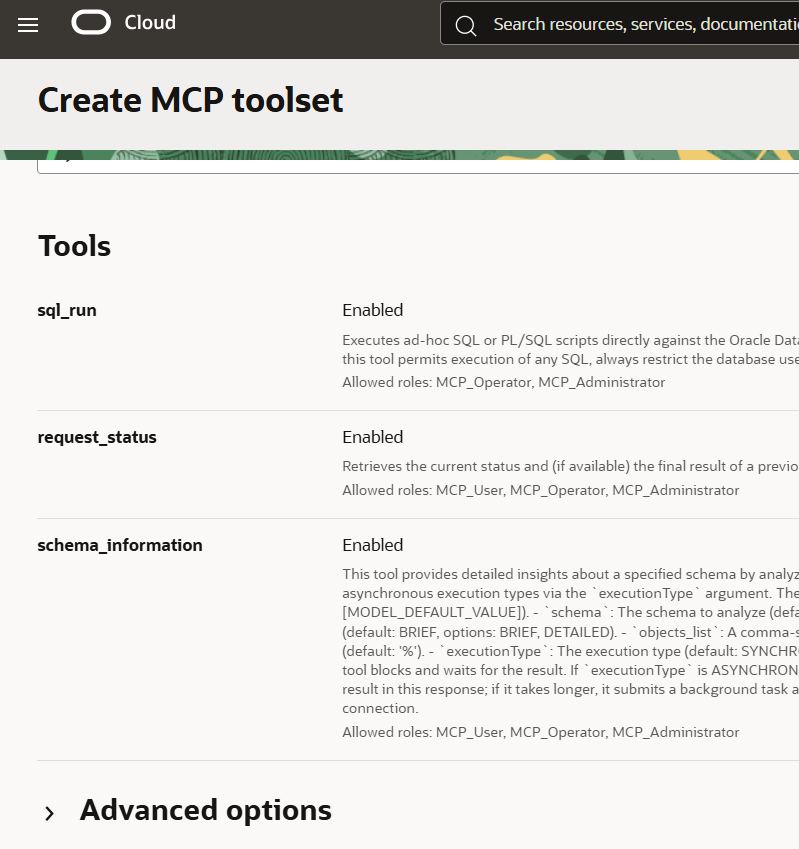
- supports run-sql, schema-information tools introduced in SQLcl
- adds support for custom, user defined Tools (your SQL or PL/SQL)
- adds SQL Reports – which are accessed via a new MCP Tool
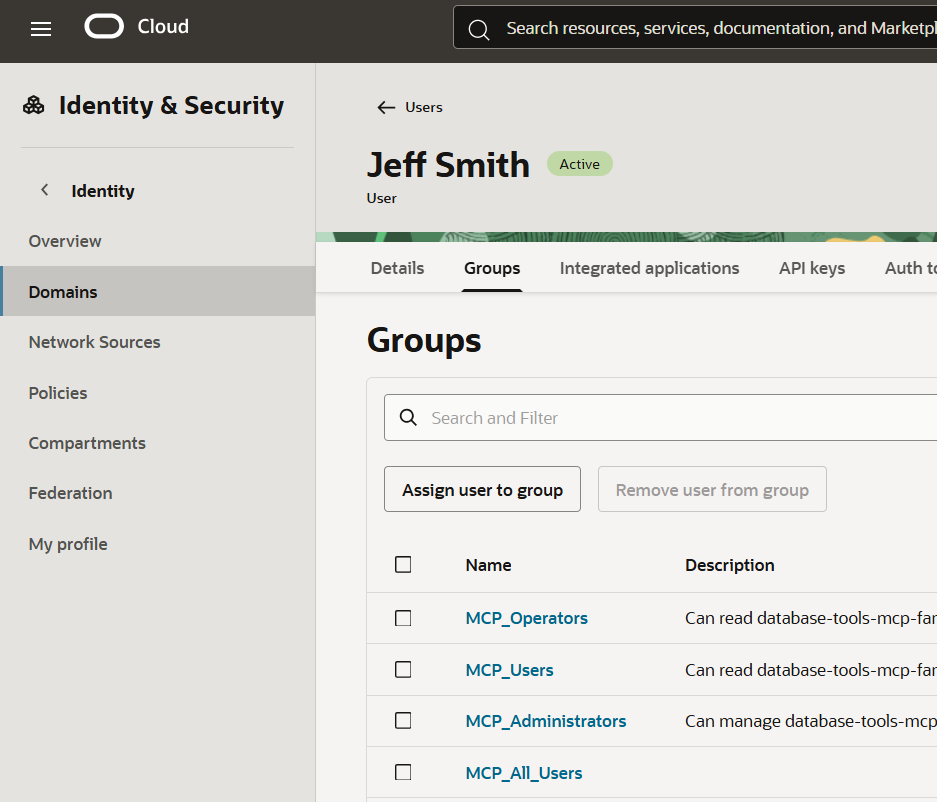
- access to tools and reports are controlled by user group membership (roles)
Trust: Authentication/Authorization
The SQLcl STDIO local server option requires the end user of the agent, ALSO be a known, database user. They have in their possession a set of database credentials. They can already log into a database, and run queries.
We can imagine that the number of people in an org that could benefit from the data and information being stored in their databases, is greater than the number of people that have direct access to said databases.
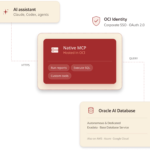
Our new deployment architecture now enables Agents to interface with our databases, only after the user has logged into the identity management infrastructure, and granted the agent to act on their behalf (OBO). So instead of saying, “hey I want to login as database user HR and my database password is oracle1234!” the user presents their corp credentials, and the backend identity provider says, ‘this is Jeff Smith, he is a member of the R&D development staff, and belongs to policy groups [a, b, c, … n].’
Let’s break down the Authentication/Authorization Flow
I have a DOMAIN user, [email protected] — this could be federated from our company’s single sign on (SSO) authority.
My MCP Server’s application roles, have been assigned to my Identity Domain Groups, my user, jeff.d.smith is a member to one or more of these groups.
My MCP Server also has registered MCP Clients. This is the OAuth2 client/server flow. Think client ID’s, secrets, token exchanges. This means only approved agents are allowed to even begin the Auth flow with your MCP Server.
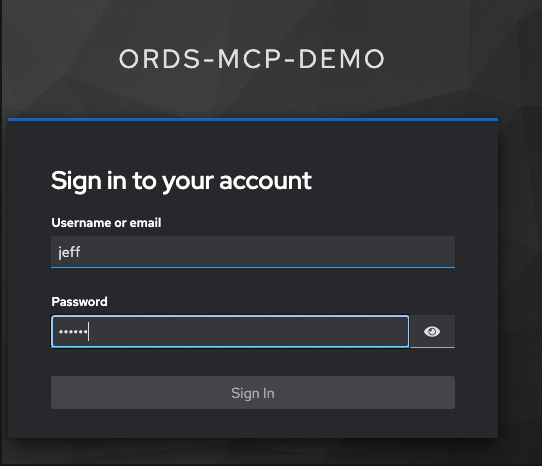
Here’s a quick look at what this flow might look like from the user perspective, after they’ve registered their MCP Server in their approved client. The Client will reach out to the MCP Server URL, and that automatically triggers my Identity Domain’s User Login in my browser:

I only have to grant this OBO access, once, per user, per client. After this, my Agent can go back for OAuth2 tokens on it’s own as they expire.
Then, as I start using the MCP Server to run things in the database, this is how my identity is propagated to the database. A DBA would see something like this in V$SESSION –

V$SESSION in the database will have the database username as expected, but it will also have the information about the identity of the person who was used to get an access token to the MCP Server, in this case my domain account.
The OSUSER attribute for my session will have in this case, the OCID for my Domain User, the aforementioned [email protected].
This means the system administrators can keep a complete ‘chain of custody’ in terms of what is happening in their databases, from the end user directing an agent all the way to the actual code being executed in the database. This can be both audited in the database itself and via OCI’s native logging and metrics services.
Trust: NL2SQL is cool, but I don’t trust the LLM to get the SQL right
You don’t need the best-of-breed frontier LLM to get ‘good’ SQL from a natural language request. I frequently intentionally mislead my agents, and they generally find their way to the correct answers by generating SQL. And with the right context engineering, they can do this often in just a few iterations.
But.
If the CTO wants to know how the business is performing, and one of their staff attempts to answer that question via AI chat. Are you really going to move the business based on the SQL that the LLM came up with to sort that data?
I wouldn’t. Not when your schema is a mess. When institutional knowledge is required to understand the data. Not when the generated SQL is 300 lines long. Not when the person asking the question doesn’t KNOW SQL!
So what do we do?
Introducing SQL Reports & our MCP Reporting Tools
Your organization has already been dealing with these data model and business logic problems for years, if not decades. And somewhere you have created reports to generate data to satisfy these executives. It’s just that normally they get exported to Excel with pivot charts. What if those same reports could be lifted directly to the Agents?

Now they can.
When I prompt my agent to help me with questions on my databases, it will see these MCP Tools and using those tools, can get access to the reports.
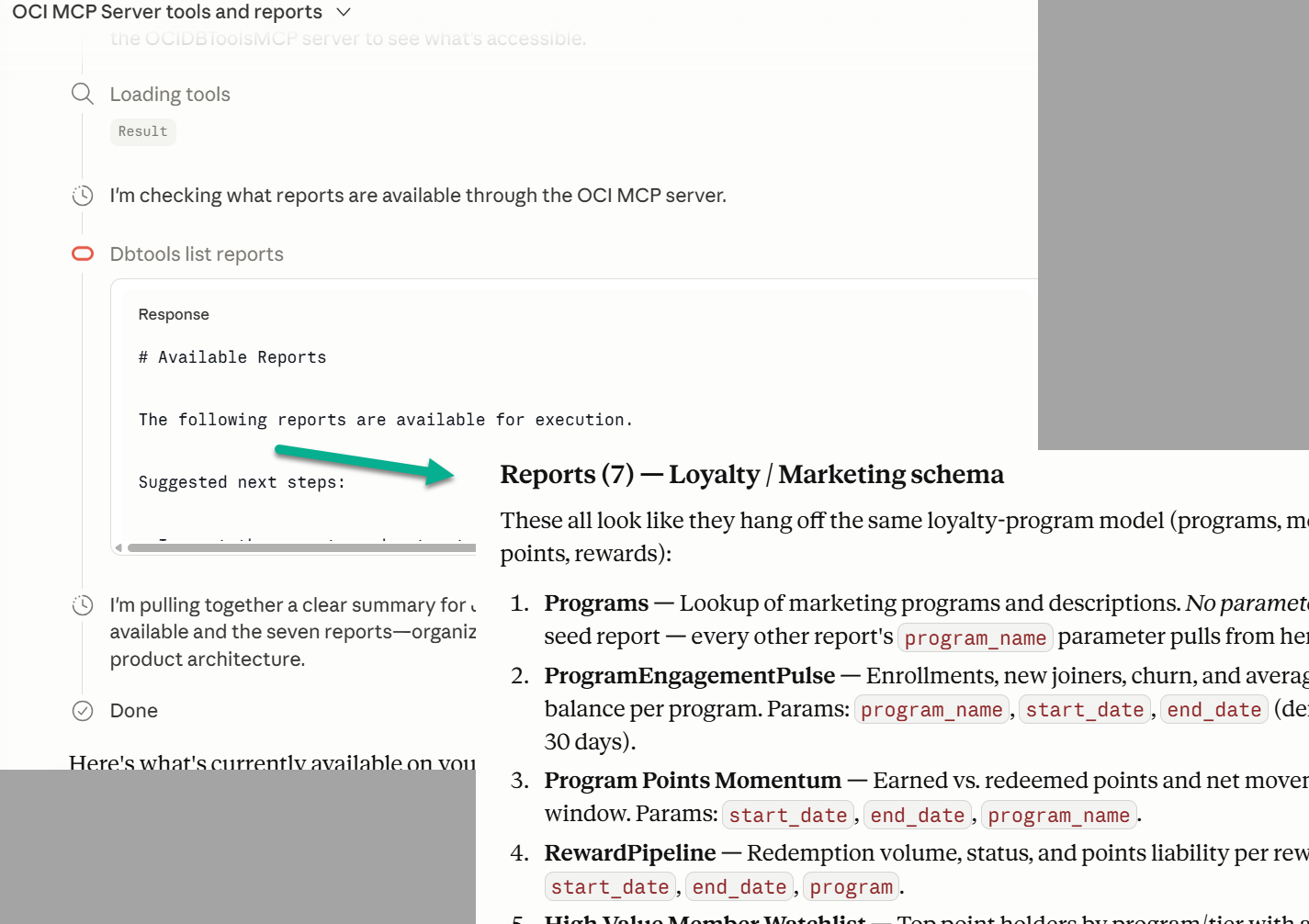
Instead of generating SQL to answer a question, an LLM can simply request a report to be executed.
That report is tied to a SQL query that’s already known to the business. That’s been validated over years of use. That will return the same data, every time it’s executed. While AI may not be deterministic, if the funnel lands to the right report, the data will be consistent!
How will the LLM know which report to pick?
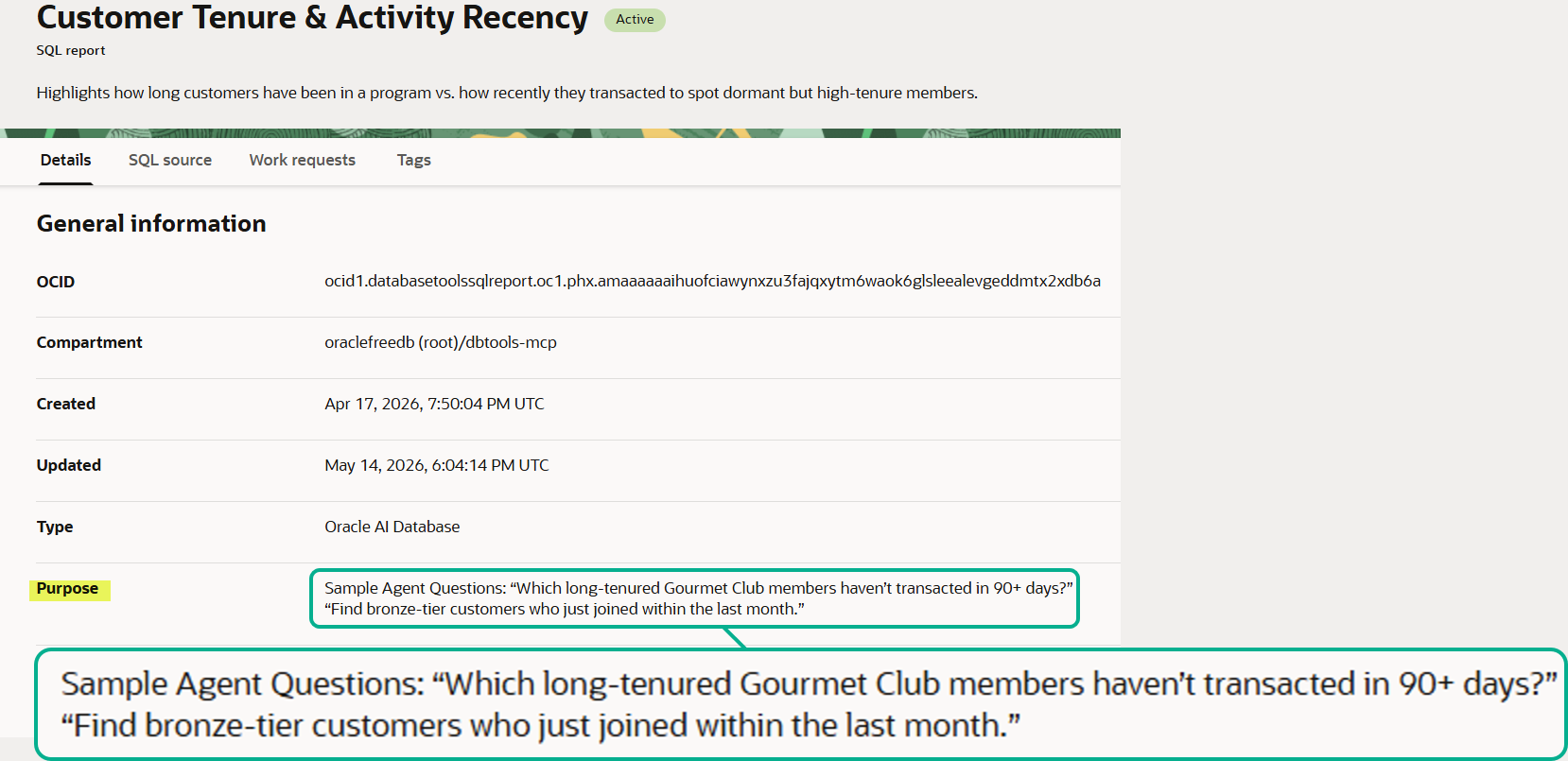
You will provide it context! As an example, I have chosen to pre-supply a list of possible business questions that my specific reports will satisfy. That metadata is delivered to the agents, via our MCP Server and the report-list tool.
Who gets to see which reports?
The authorization happens at several layers. The first is access to the tools. If you have the right group membership, you’ll be able to use the Reporting tools. The next layer are the reports themselves. Each report requires specific group membership. And the final layer is the database – the database user and session characteristics inform the database on which tables, columns, and rows you will be allowed to query in the first place.
“If Marketing Mark’s IAM group doesn’t carry the payroll-reports role, the report-list tool won’t surface that report — his agent literally cannot call it”.
So does NL2SQL go away?
Not at all! For the right audience, it might be ‘the perfect tool.’ Does the user already know SQL? Is the data model well documented or easy for an AI to ingest? And for business users, it may not be possible to answer every single question with a pre-prepared report.
I still think you should look at our SQL Reports. The SQL behind those reports can be served as Context to your Agent sessions. This allows your LLM to get to the right SQL faster, with less reasoning.
From Slide 11 above –

Assuming the end user is capable, they could be given a role that allows them to both see and execute reports, but also grab the SQL behind a report to share with their Agent/LLM so it can generate the right SQL. And this ‘context’ is stored in a central place, so you don’t have to worry about prompt engineering. The MCP Server provides the context via our OCI Database Tools resources (the SQL Reports).
If the User’s privilege allows, their Agents can run one or more reports, get the SQL behind those reports, and run their own LLM-generated SQL via our MCP Server Tools. Reports aren’t the ONLY path, they are an additional or alternative path to NL2SQL.
Takeaway: you now have a fast-path to trusted answers from your Agentic AI / Oracle Databases – our MCP Servers and your SQL Reports.
You need to go fast, but you also need to ensure accuracy and consistency. Our Cloud’s MCP Servers enable BOTH.
- Access to data and tools are defined OUTSIDE the database via your identity management systems.
- Business questions can be sourced via trusted, well-known reports that use SQL already prepared by your internal experts.
- The identity of the end users is continued into the database transactions to enable end-to-end logging and auditing.
Want to learn more? Ping me – either on LinkedIn or email ([email protected]).