No one likes to wait on a web page to load. Seconds feels like hours. And if you wait too long, your customer will walk away and buy their widget from another vendor.
But what if your customer is a database user, and your web page is a SQL query worksheet? And you’re not ordering a TV online, but instead you’re running a query to figure out how many people bought a TV last quarter?
And what if that query takes, 10 or 20 minutes to execute?
The database will happily run that query to completion, but there’s a good chance somewhere in the web stack (load balancers, proxy servers, web gateways, web servers, etc) a TIMEOUT setting will prevent the end user from getting to stick around long enough to get their results.
Boo!
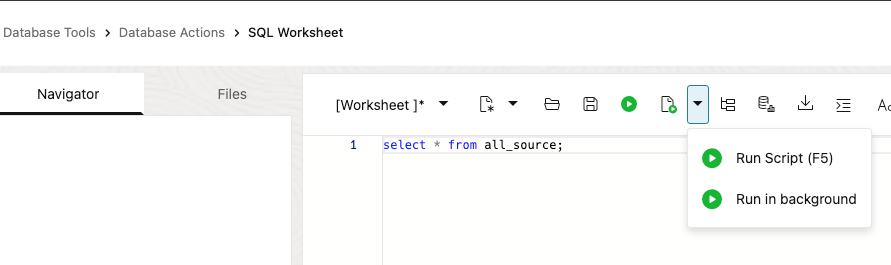
Run in background
If you’re an Oracle AI Database professional working with Oracle database instances in Oracle Cloud Infrastructure (OCI), this is ridiculously easy now.
To address this problem, our OCI Database Tools Service SQL Worksheet (Docs) has a new execute SQL button drop-down option, ‘Run in background.’
We’ll take your query and run it for you, but also give you an immediate response so you don’t have to wait for it to finish.
All you have to tell us is what to call your task, and if you care, tell us what format to stow the query results in.
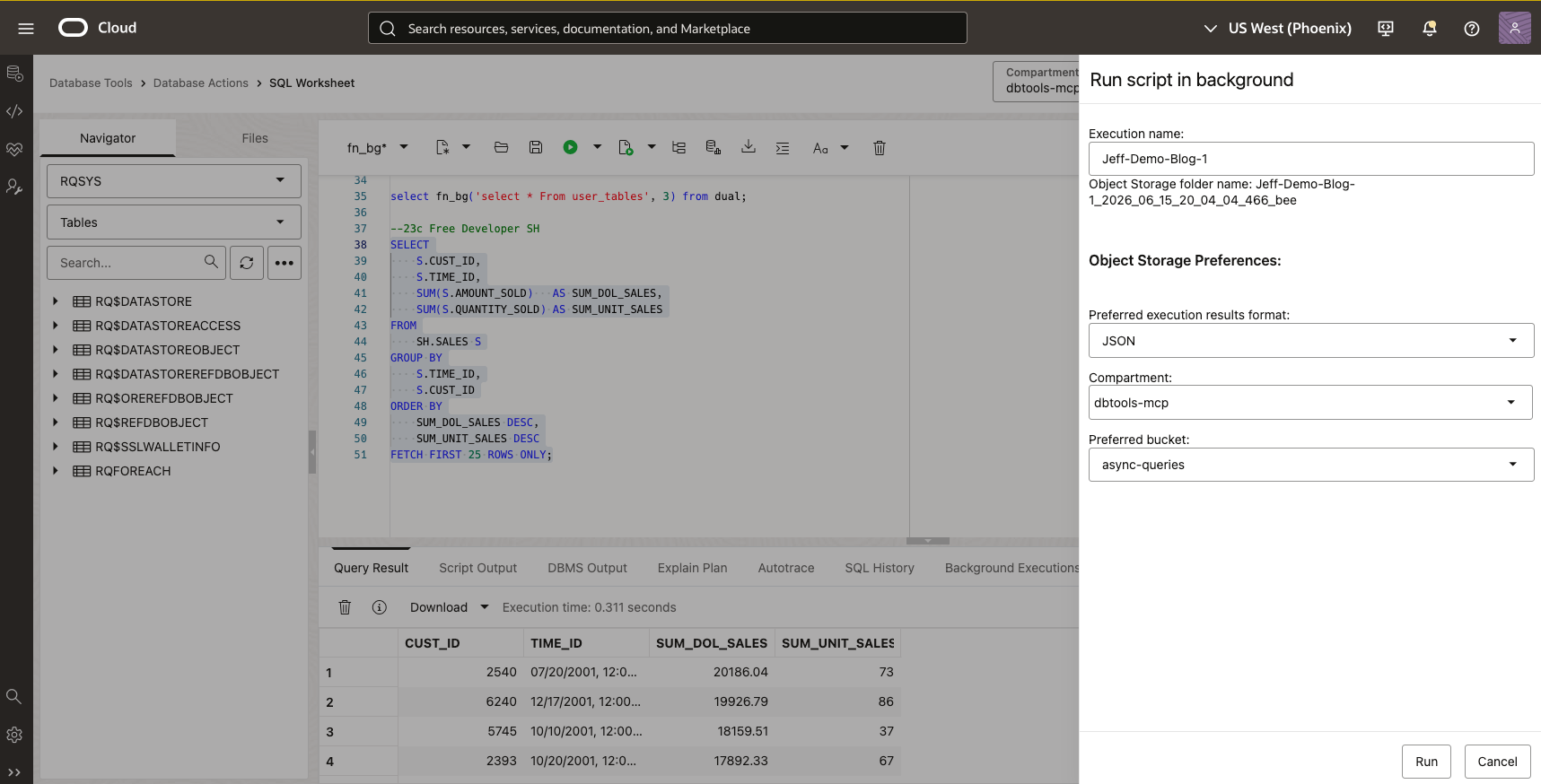
Clicking ‘Run’ brings me back here –
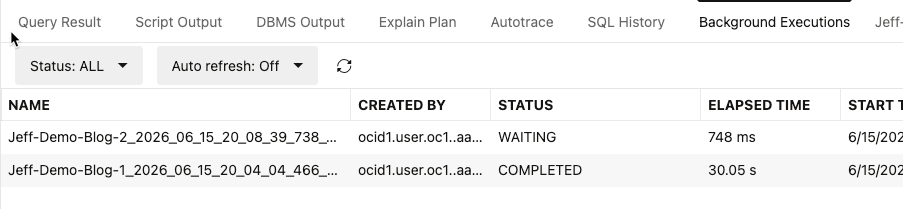
I can refresh this status page until my job is ‘COMPLETED.’
Once it’s finished –
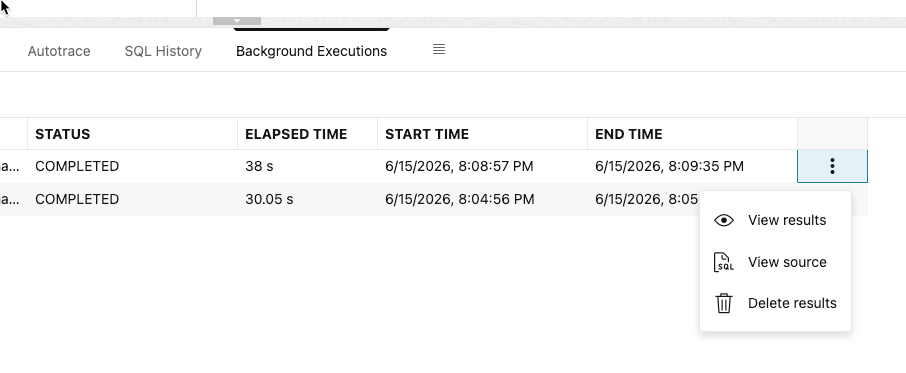
Clicking ‘View results’ brings me my query results as I expected, in a new Data Grid.

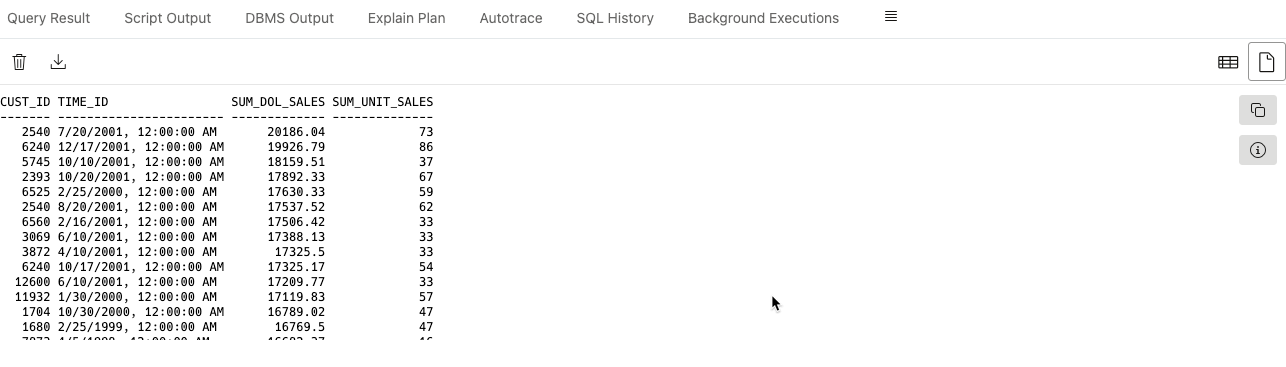
That’s not my only option, I can also toggle to script output –
Limits?
Please use common sense. I ran a query to pull all of the PL/SQL source from my database, 4,000,000+ records from DBA_SOURCE. It ran and exported the results to my object storage bucket pretty fast!
Note you can check what jobs (work requests!) have been ran from your connection from the connection property page, not just from the SQL Worksheet.
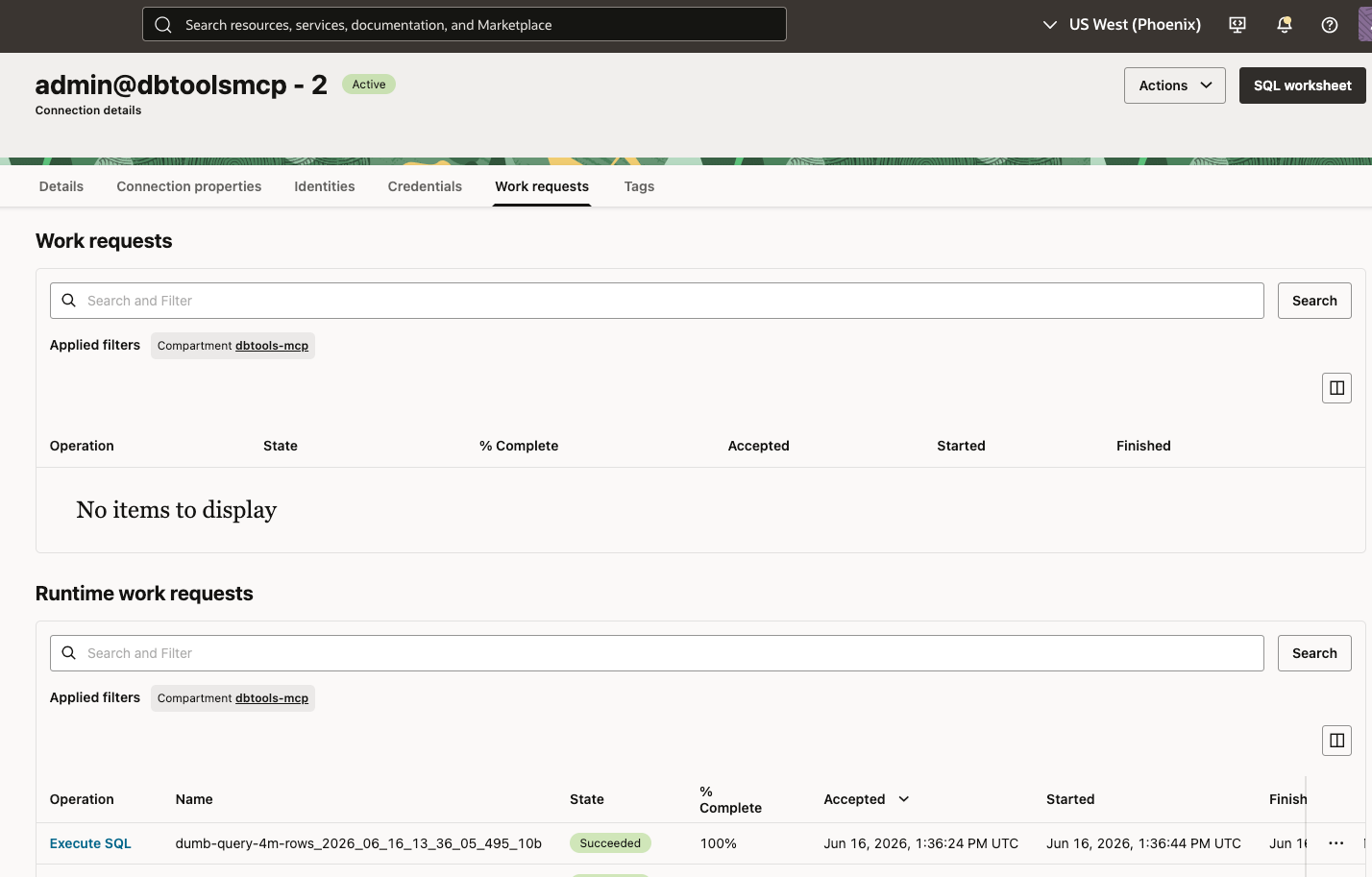
Now, do I think it would be a good idea to load those 4m+ rows into my SQL Worksheet, and crash my browser? No, not a great idea. And we will protect your browser and local machine’s memory!

The easiest way (for me) to do this is to go the connection details page, and on your work request, click the … button on the end. There you can see ‘View details’ – and the inventory or files of interest, where you can then download.
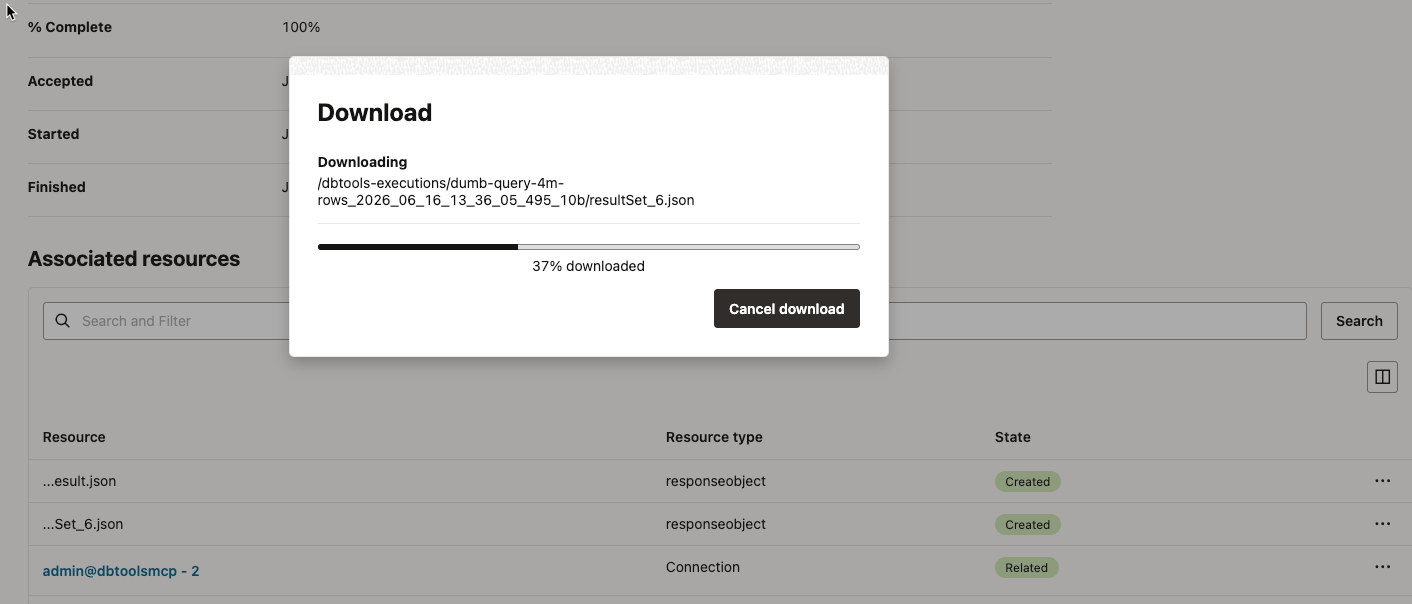
That was 663MB of JSON by the way. I probably want to delete that from my bucket, or even better, think of a better query to run to get my answers.

Yes, you can export the results to other formats, and use the Single Record View
Assuming your query results are a more reasonable size, then yes all the grid features are present.
Where are these results being stored
They are being stored in a object storage bucket we create on your behalf. Storage is pretty cheap, but is not free – use judiciously. If you go to your Object Storage in the Console, you’ll see a bucket for your asynch queries.
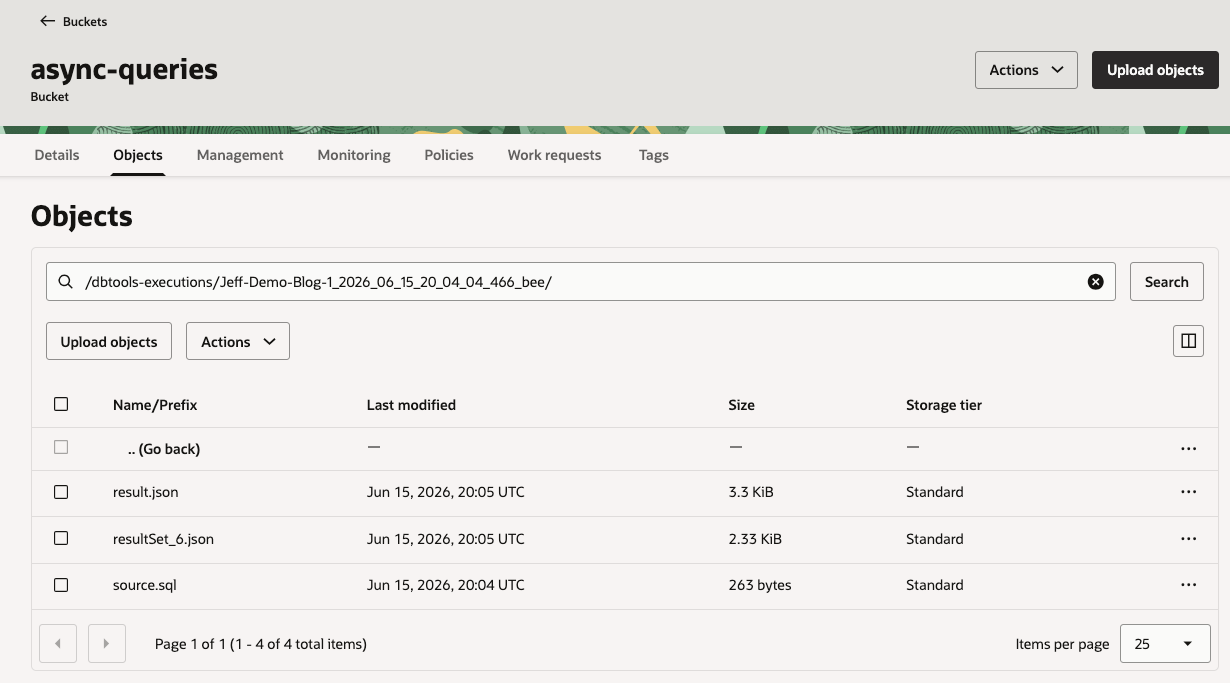
We have files there that describe the query, the actual results, and the SQL/PLSQL behind the task.
Asynch support doesn’t end here
SQLcl has supported a similar feature for more than two years now (24.1) While it’s not going to write anything to object storage, you can execute something on a background (bg) task, and check for updates as necessary.
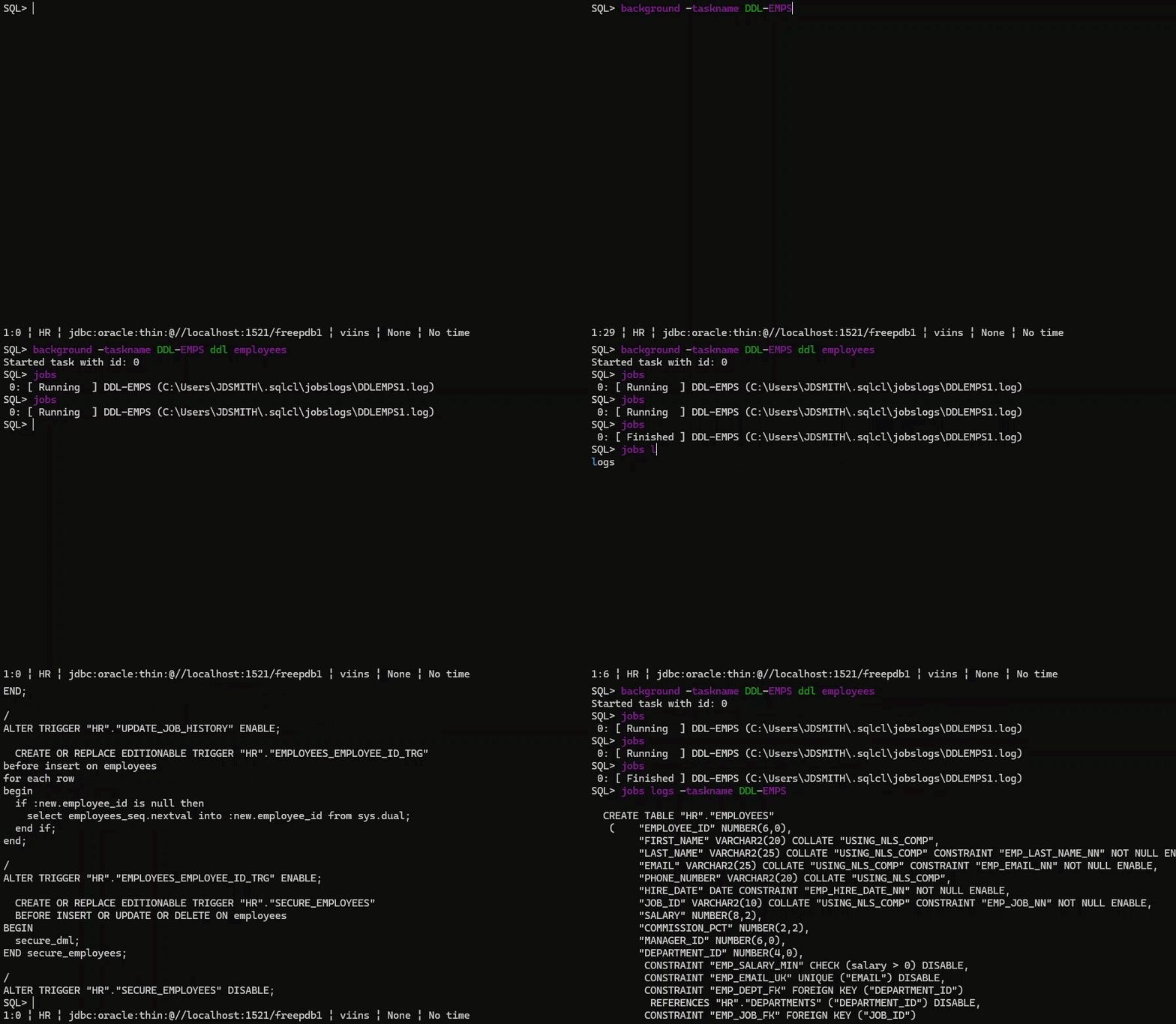
SQLcl’s MCP Server allow for long running tool requests to also run asynchronously. MCP Tool request timeouts frequently sit between 30 and 60 seconds, so if you’re grabbing a large dictionary/annotation set via schema-information, or again running a very long query via run-sql, then you have the option to get immediate responses with Job IDs you can use to check in later for the outcomes.
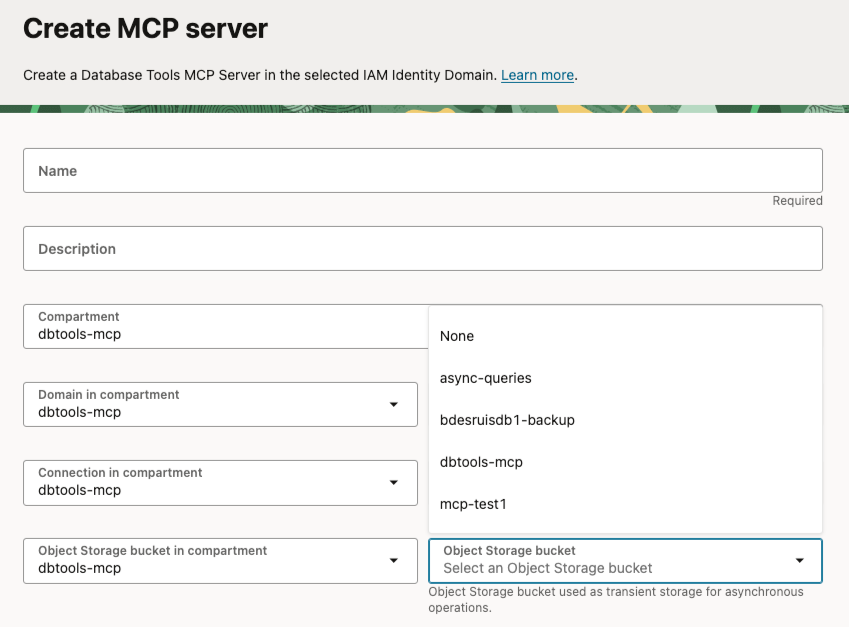
When setting up your serverless, Oracle-managed MCP Server for your Oracle AI Database’s, you have the option of provided an object storage bucket location it too can use to stow your query/script results in for long running tool requests.
If you’re wondering, hey can Oracle’s database tools do ‘that?’ – there’s a pretty good chance the answer is ‘Yes!’