We released our MCP Server in July, and in our SQL Developer Extension for VS Code, it (SQLcl) is automatically configured for Github Copilot, in VS Code.
But.
What if you’re not using Copilot?
If you’re using another AI Agent, and you need an MCP Server for Oracle AI Database, and you’re already using our VS Code Extension – you have everything you need!
Instead of separately downloading/configuring SQLcl…
…simply use our command palette option –
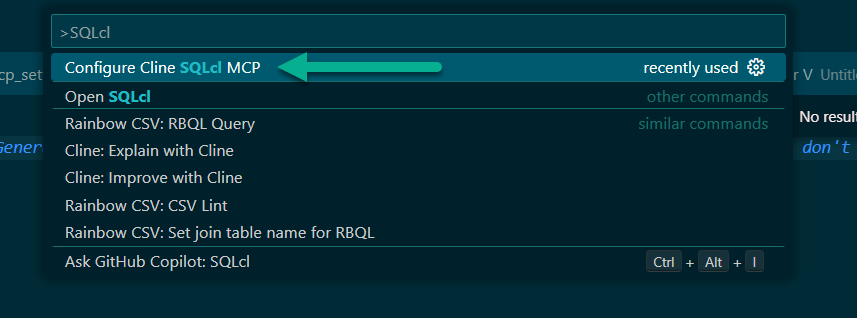
Upon selecting this, we’ll open Cline‘s MCP config file and insert SQLcl (via our VS Code Extension) to the registry.
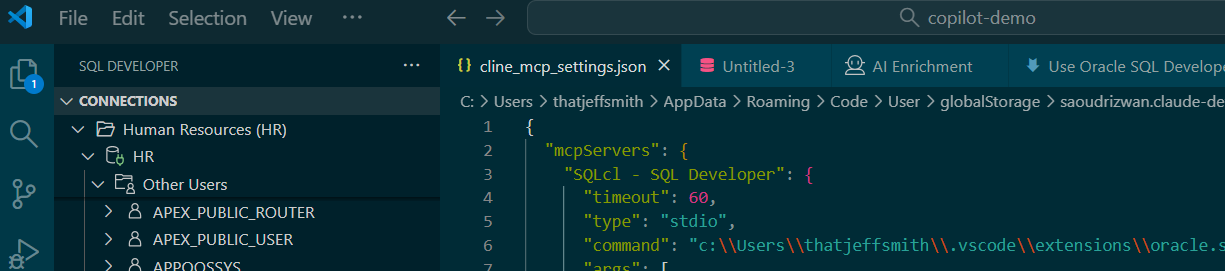
And that’s it, you’re done!
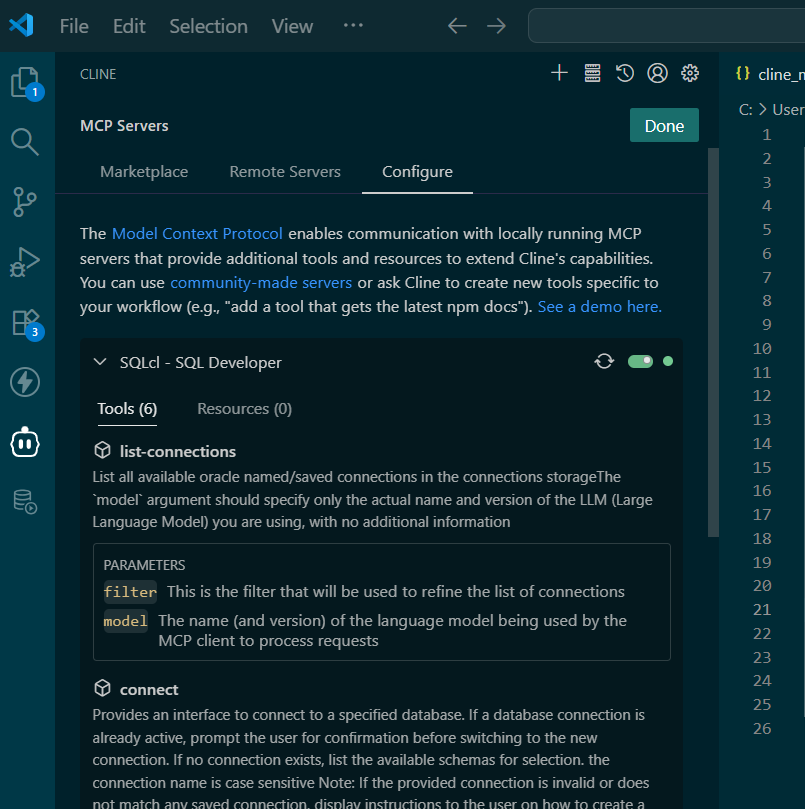
What it looks like, from Cline –
Notes
- it’s labeled as “SQLcl – SQL Developer”, so if you already had a “SQLcl” entry, you’ll want to remove that – you don’t want to confuse your agent with multiple MCP Servers that cover the same domain
- this JSON structure/syntax is a MCP standard, we’ve made it easy for you to set this up in Cline, but you could use this for your other local Agents
- the Java runtime env setup in the JSON entry isn’t as clean as we would like it, so you’ll see a much nicer version of this for our next major update, but this works perfectly fine