
I am not an APEX developer. It’s not that I don’t like APEX, but for the past few years my scope has been limited to the infrastructure and tools that support and help make APEX possible, e.g. ORDS, SQLcl, and SQL Developer.
💡 Tip: Check out Scott’s blog post for getting started with APEXlang on the APEX channel for Oracle Blogs.
But today I became an APEX developer. And all it took was this prompt.
ok, now we are going to build a new APEX app, using the APEXlang language – be sure to load the APEX skills. we’re going to use the following directory to store our files /Users/thatjeffsmith/apexlang_apps/untappd
me, about 45 minute ago
Start by making sure you understand the table structure.
I want a full CRUD interface to the table
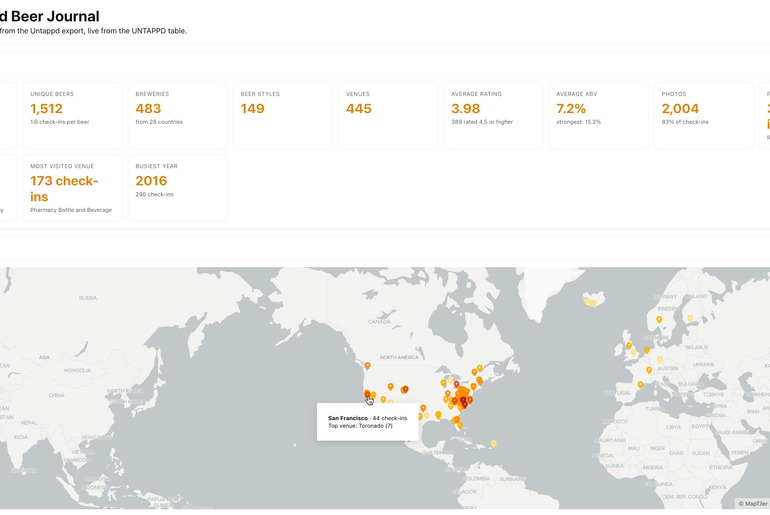
The homepage should be a basic browser with an overview of the content, number of entries, and other interesting stats – these are computed at load time via sql, not static/cached
I want a faceted search
i want to drill into a record, and have a nice looking viewer – a form, not an interactive grid. the url location of picture, we shoudl fetch that and print that to the screen
let me edit the record, let me create new ones, let me delete records
We’re going to put the application into the HR_DEV workspace.
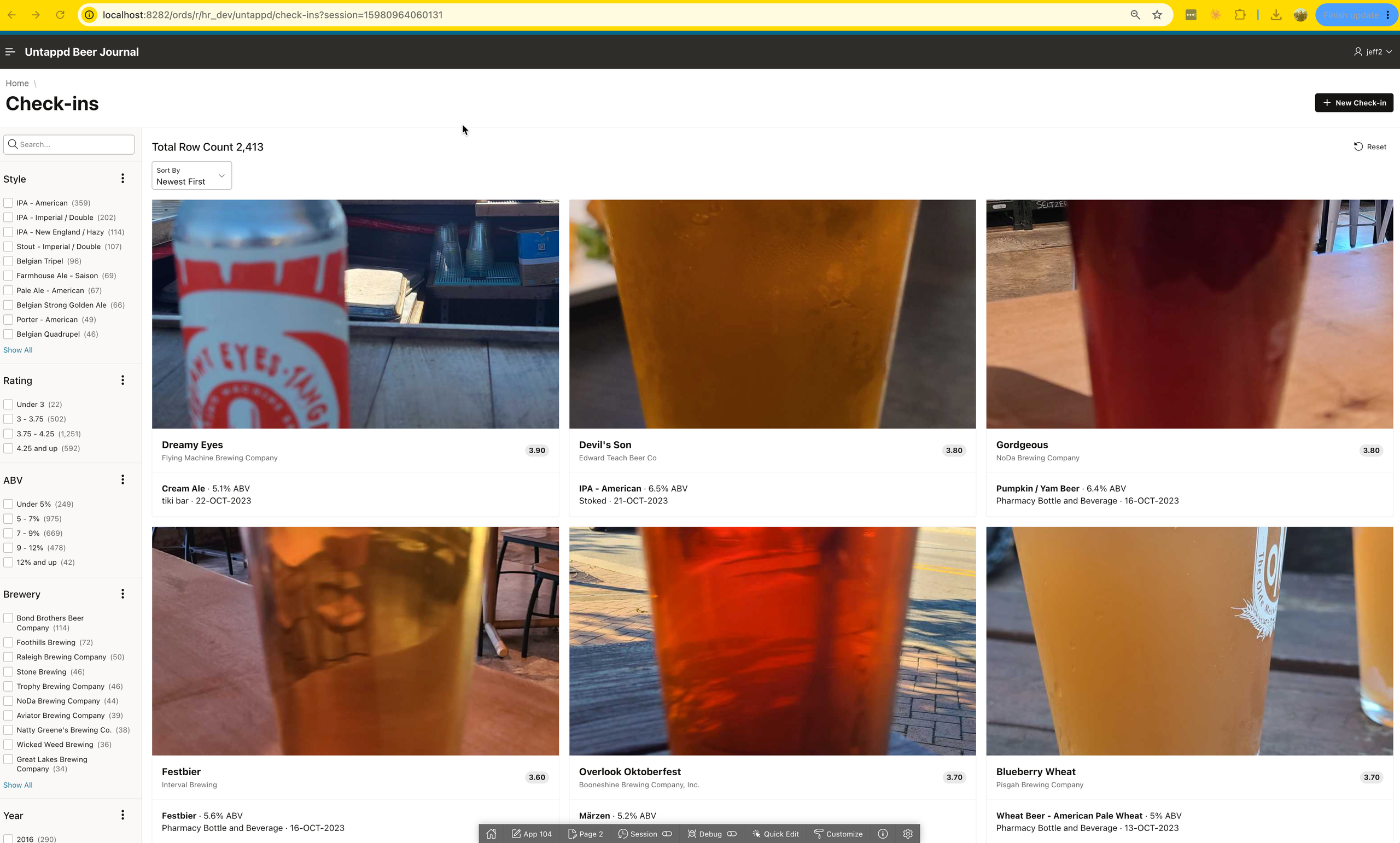
And now I’m using the app as an end user, and I even have Mike‘s favorite APEX feature – Faceted Search. Disclaimer: I dont know if that is Mike’s favorite feature, but it’s the one I hear him mention the most.
Here’s how I did it.
Download, install, configure, and run a bunch of stuff.
It sounds like a lot, but it’s generally a one-time process. Now, if you’re in corporate land, you most likely already have an APEX runtime going somewhere. If that’s true, you only need a workspace and the database (schema) login credentials. I’m going to assume you have…nothing.
Oracle AI Database
For local developer rig, you can use Podman or Rancher and have a 26AI Database FREE edition instance. I’m not going to teach you how to do this, there are other, better tutorials out there. Or you can ask Codex or Claude or Gemini to download and set it up for you.
In that database, you need a user with tablespace quota, and decent privileges, I generally go with the DB_DEVELOPER_ROLE for starters, and only then add additional things if required.
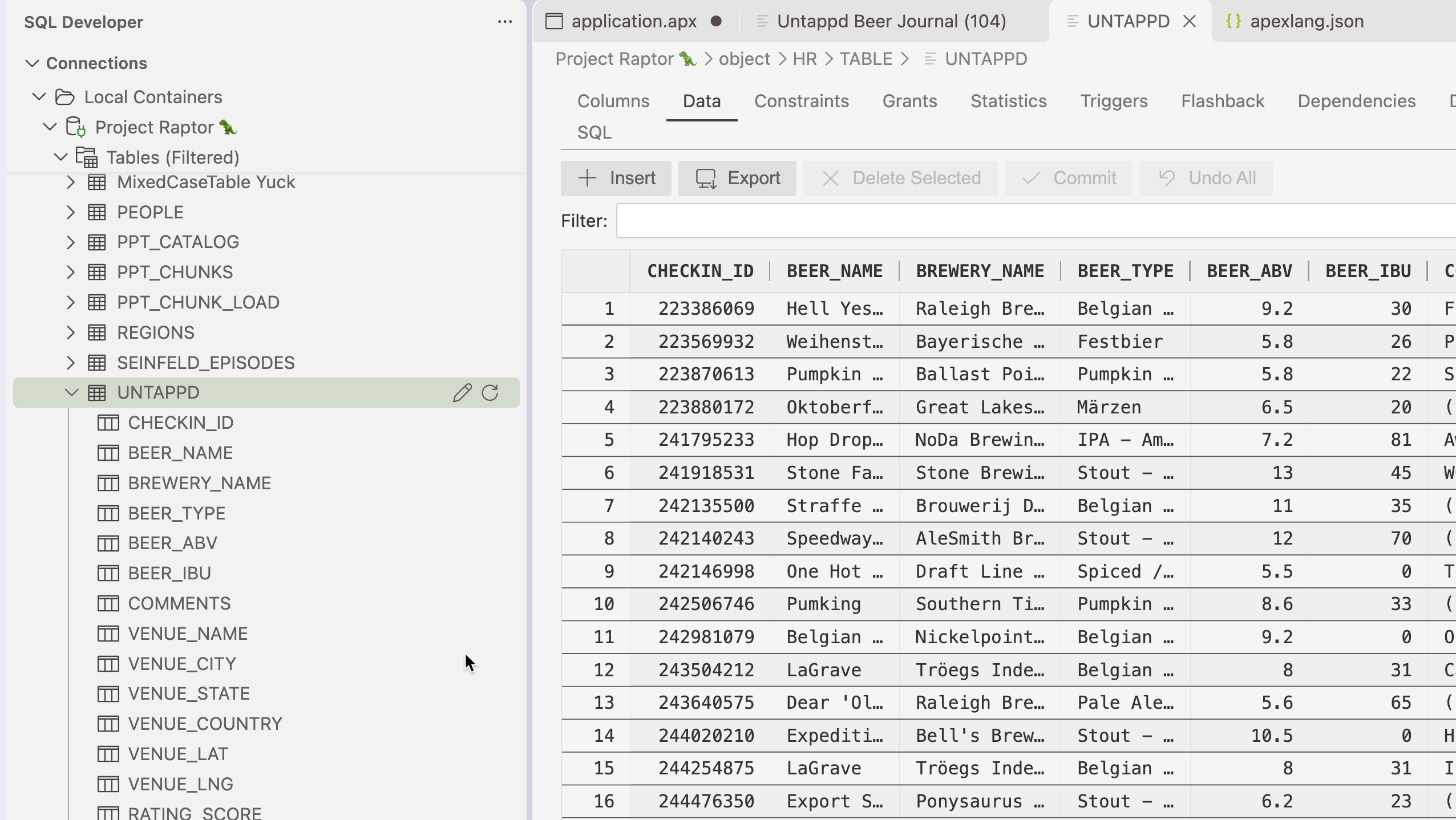
In my database, I already have the table/code/data I’m going to need for my app. It should be somewhat familiar to most of you.
APEX
I’ve installed APEX 26.2 into that database, and I did it with SQLcl version 26.3.1. Again, many tutorials out there, I’m not going to show that.
I also setup that APEX runtime to use the Content Delivery Network (CDN) for static images, vs downloading them separately for ORDS.
ORDS
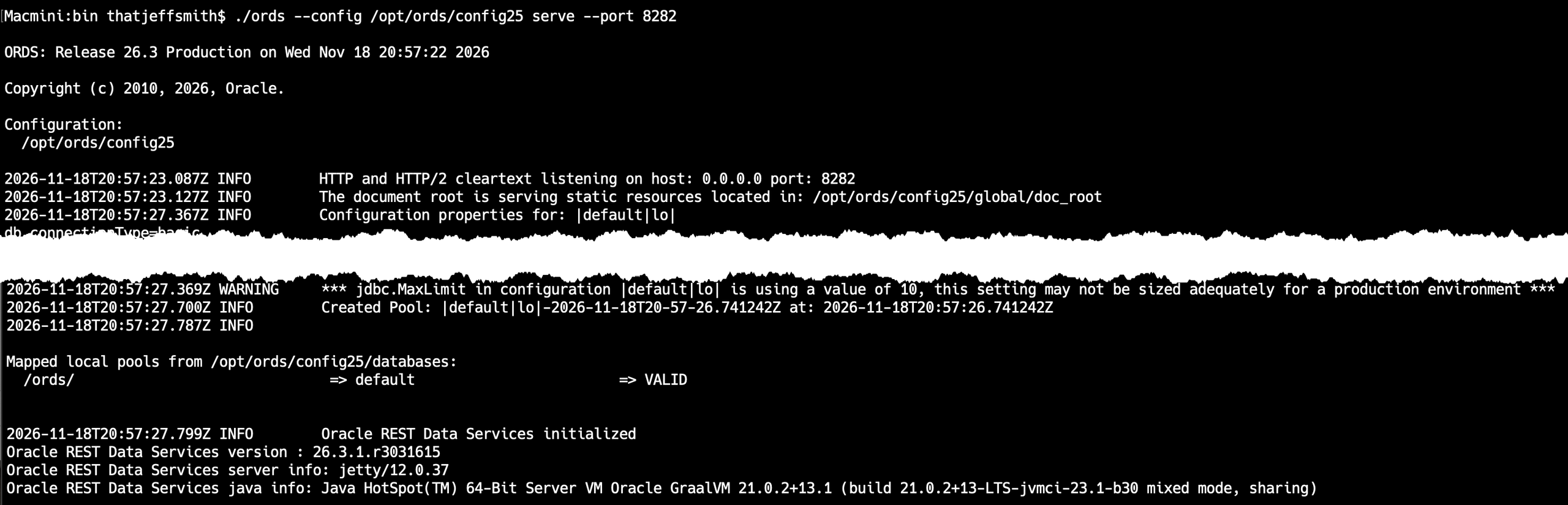
I’ve installed and started ORDS 26.3.1. You kina need ORDS if you’re gonna run APEX apps. See my blog for step-by-step tutorials for installing and configuring ORDS.
SQLcl
I’ve installed SQLcl 26.3.1. I’ve used it to update my AI Skills
Macmini:bin thatjeffsmith$ ./sql /nolog

SQLcl: Release 26.3 Production on Wed Nov 18 16:21:30 2026

Copyright (c) 1982, 2026, Oracle.  All rights reserved.

SQL> skills sync -force
SUCCESS: Synchronized DBTools skills repository to /Users/thatjeffsmith/.dbtools/skills/repositories/oracle-skills version latest (refs/heads/main -> a1b574010841e9141dfeaa210d97c0f2cad5bf8d).
SUCCESS: Installed 45 entries into agent skill locations.
SUCCESS: DBTools skills sync log: /Users/thatjeffsmith/.dbtools/skills/logs/skills-sync-20261118T212153.345Z.log

SQL> SQL Developer for VS Code
This is technically optional, although so is SQLcl, but you need to use at least one of them to compile the app into the database/workspace. If you grab SQL Developer, it comes with SQLcl.
I recommend you also use SQLcl to setup a Project to manage your APEX app – versioning and CI/CD pipelines. But that’s a story for another day.
Once SQL Developer has been installed into VS Code, you need to create a connection. You’re gonna wanna connect as the database user associated with your Workspace.
If you need help getting started with SQL Developer, this is the right place 🙂

Prompt away, get your code, review, and Compile!
I’ve opened the directory with my apx files in it from VS Code. Note this folder will be ‘Untrusted’ by default, and you’ll see the SQL Developer extension deactivated. Simply toggle it to ‘trusted,’ and the app will start right back up.
Open ANY of the files, but I tend to go for the main application.apx file, and then hit the COMPILE button.

What you’ll see next –
- a prompt to select a connection – in case you haven’t already associated your apx file to your workspace database connection
- a prompt if you want to kick folks off the app – maybe you don’t want users around when the app is getting updated – your choice
- a ‘happy’ message when all is aid and done!
Mine looks like this –
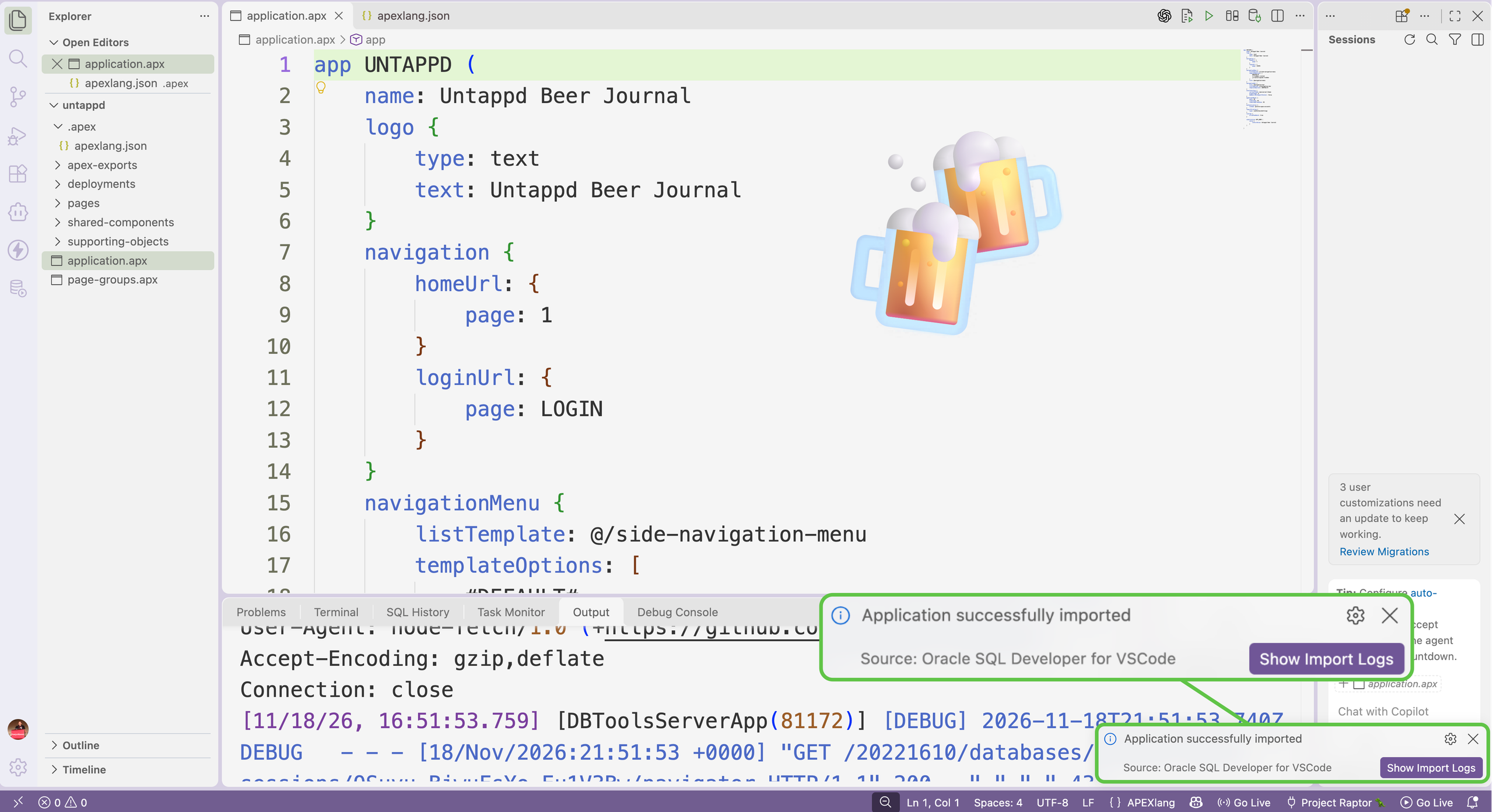
We can go straight to APEX and see if our app is there, but we can also see it in the SQL Developer connection tree.
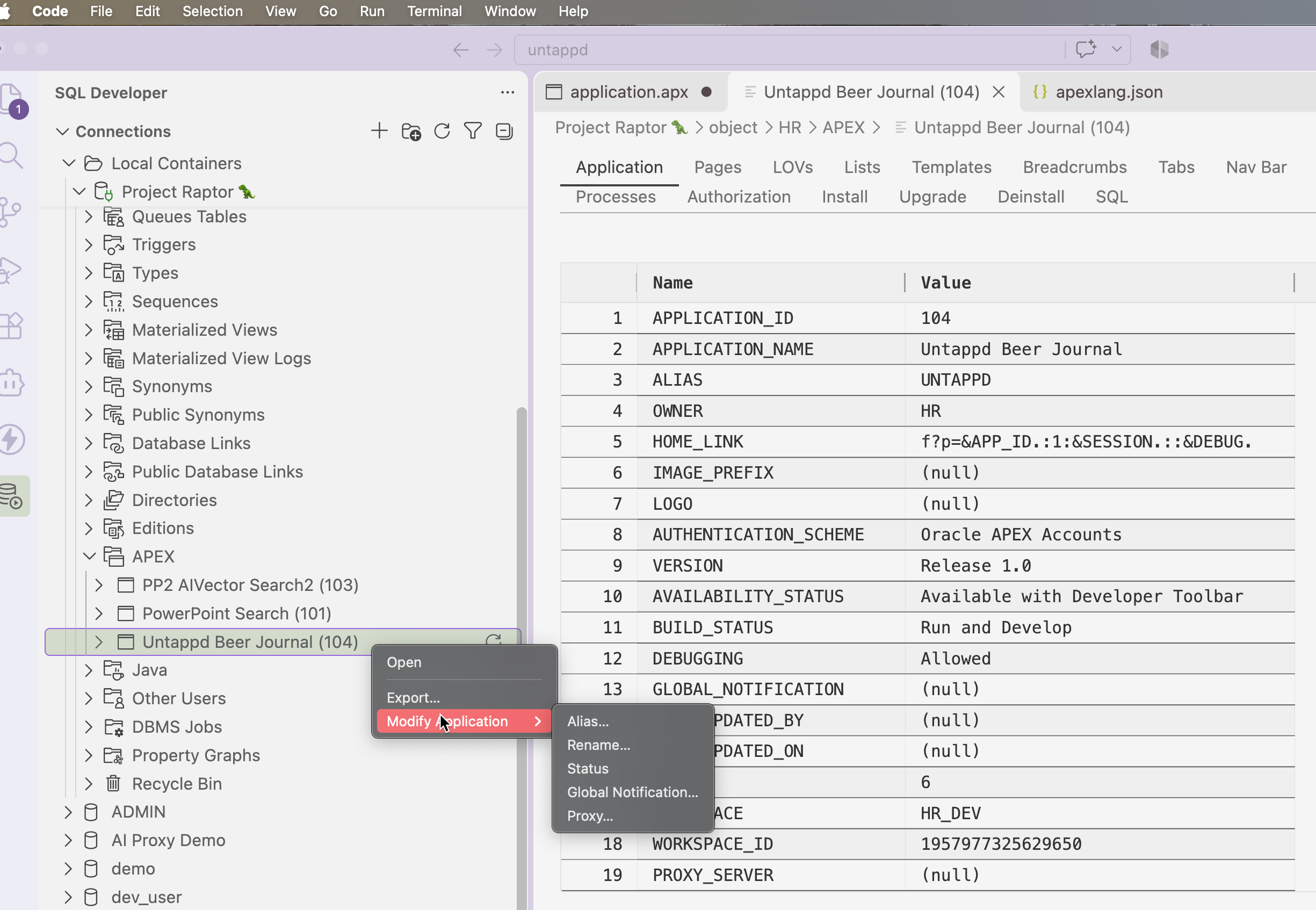
Of note is the Export item. Let’s say you have an existing APEX app and you want to vibe code a new feature. You can use the export feature to build out the APEXLang files for your app and have Codex work against that.
Hop on over to your browser and launch the app
I logged in as my workspace developer, found my app, and hit the Launch button. I already had a runtime user available, so I was ready to start right away.
Let’s try the Faceted Search!
Something strong, something dark, something I really, really liked!
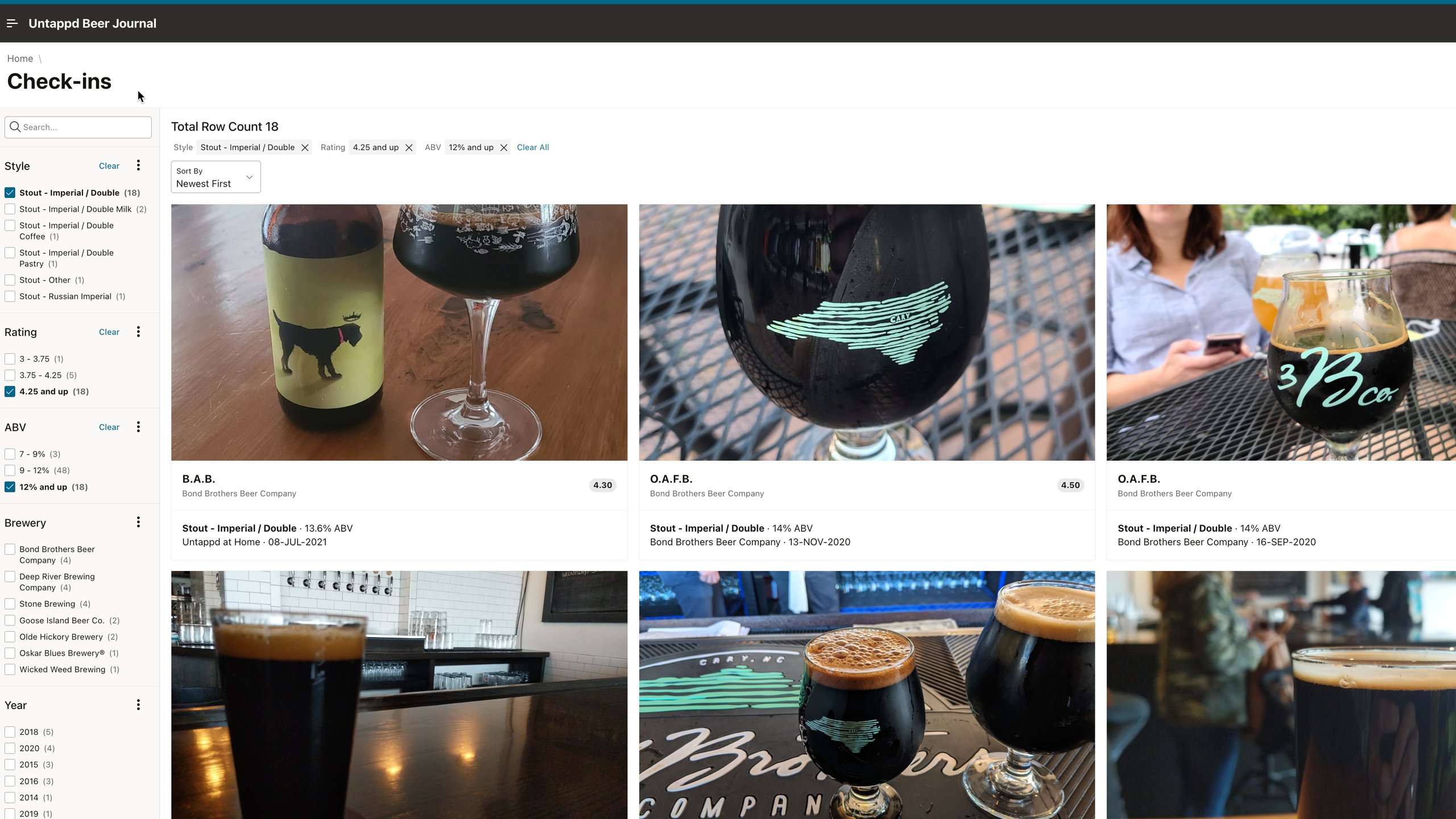
I did absolutely zero tweaking of ‘code’ or in the App Builder – this is how it came, straight out of my Agent. I think it’s quite nice for a Day Zero app!
Problems in paradise!
When I try to view a Check-in, I get an application runtime error.
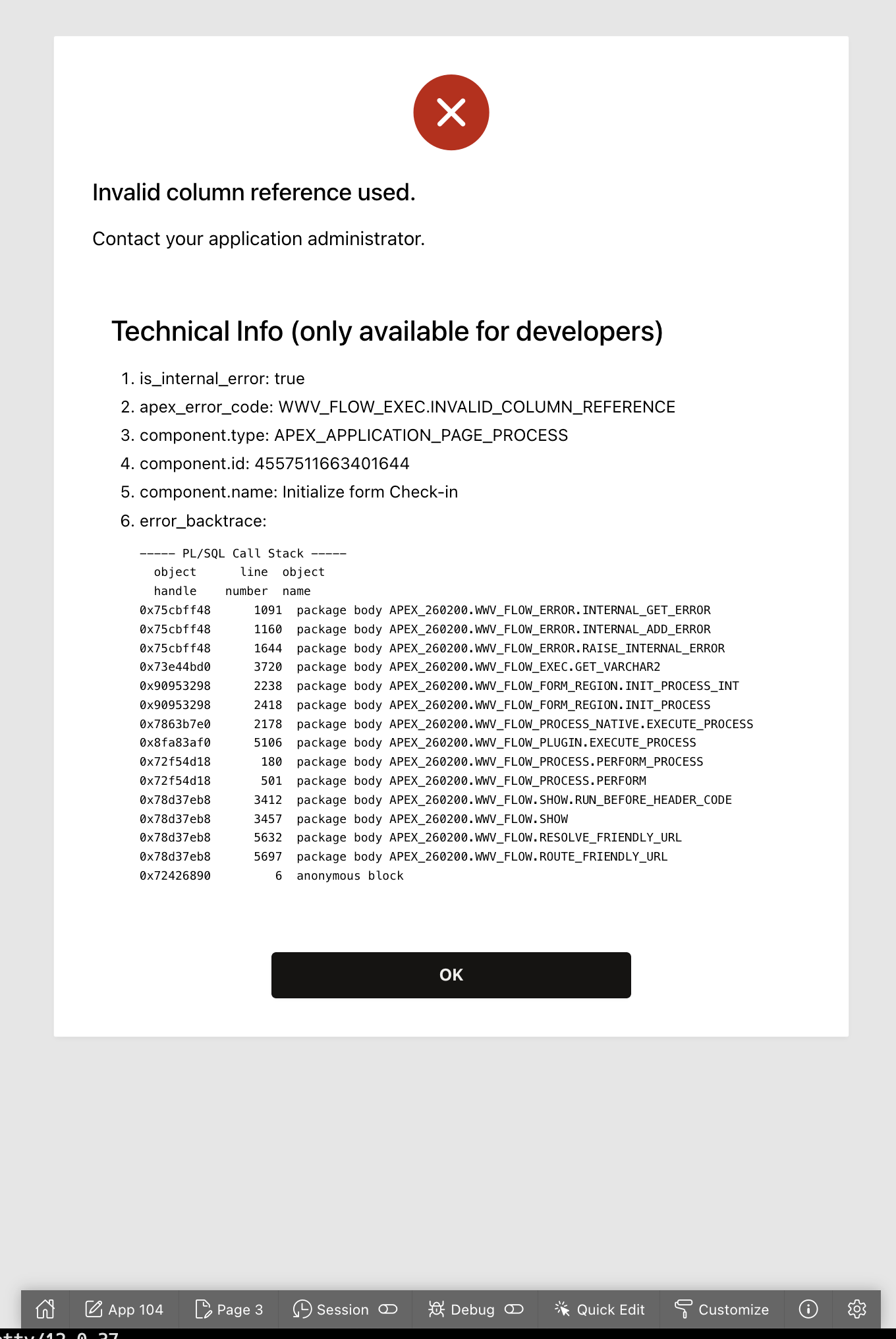
I let my Agent know it ‘screwed up,’ and also that the Check-in page is also busted. It runs some queries, checks its skills, and realizes it needs to fix some stuff, which it does. I ‘compile’ my app again, and we’re golden.
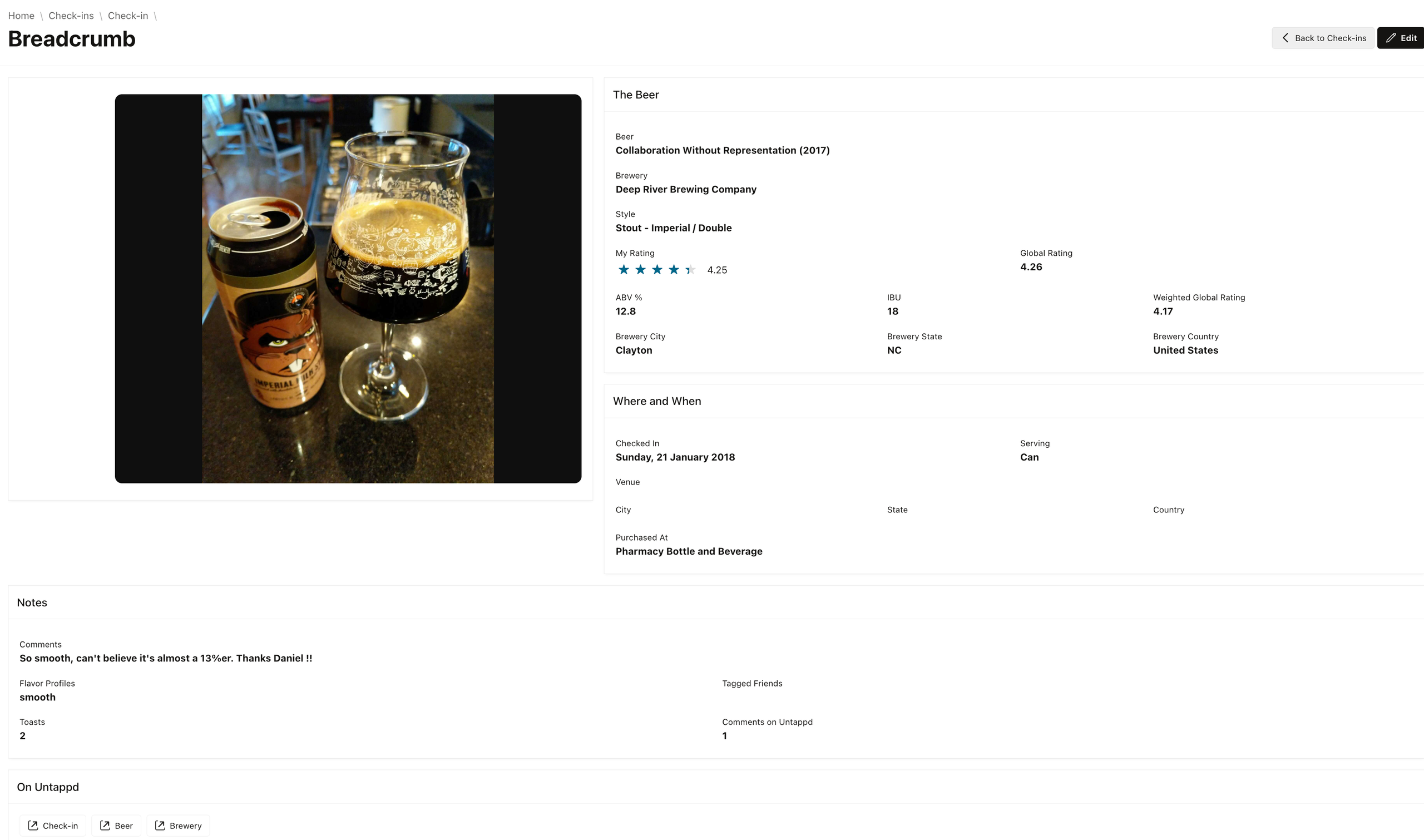
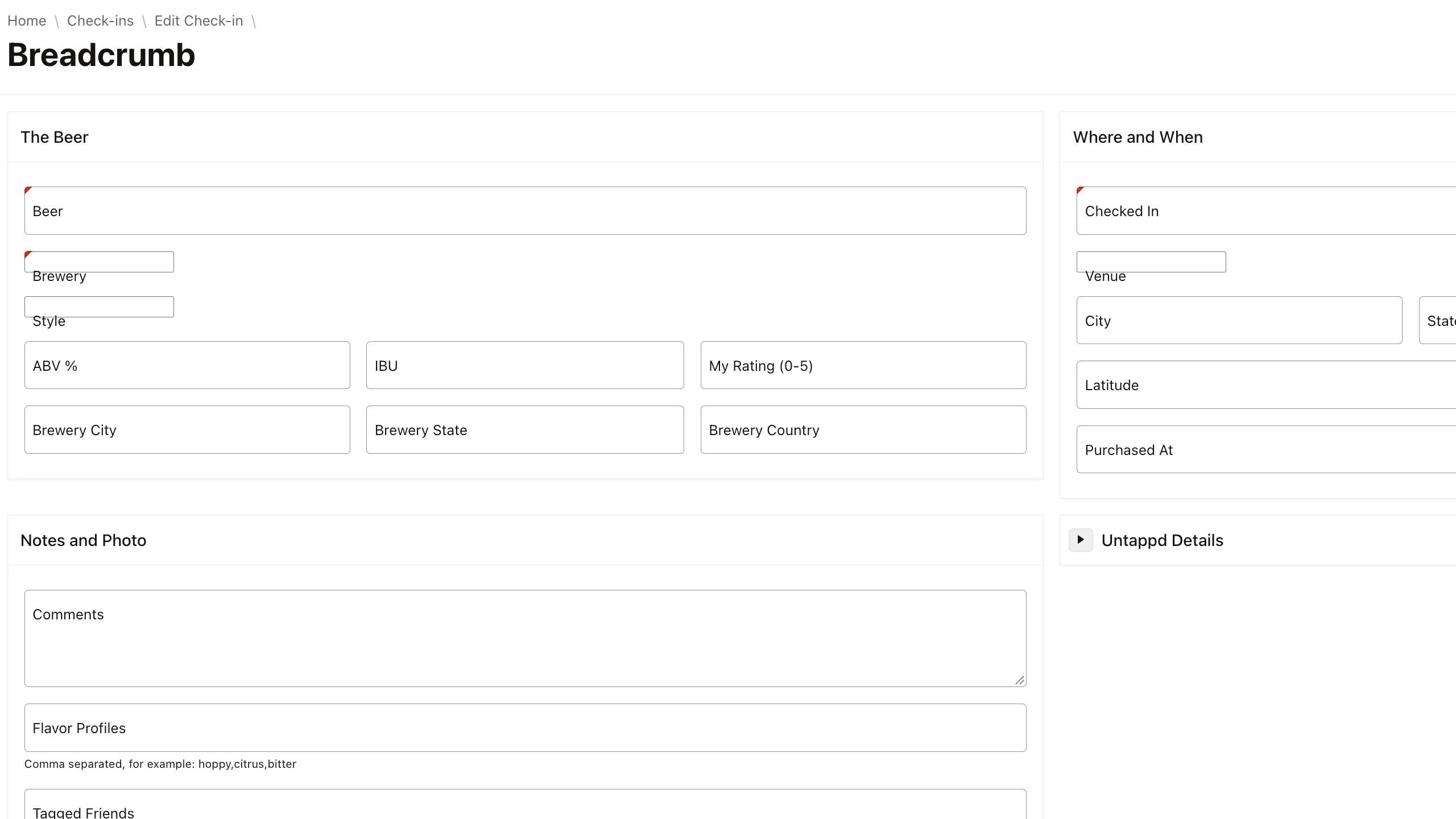
I’m not in love, but it works, and I didn’t spend a bunch of time in the Builder either.
Closing thoughts
This is actually a game-changer. APEX is even lower lowcode than it was before. And the irony in that statement is that it was made possible by inventing the APEXlang language. But that’s not ‘code’ – it’s a language that describes the application, it’s pages, and how they should look, feel, and work.
The app isn’t beautiful. I hear from Scott we have new skills underway to make magic happen with the Universal theme. But I think with a few more minutes of prompting I could get it close to ‘happy.’ And the more I use my agent, the better its ‘memory’ will get, its skills will get fine-tuned, and there will be less back-and-forth.
And regardless of the token count this exercise cost me ($4, maybe?), I had an APEX app up and going in less than 15 minutes, all-in. And Zero frustration from me as a user – and that’s priceless.