

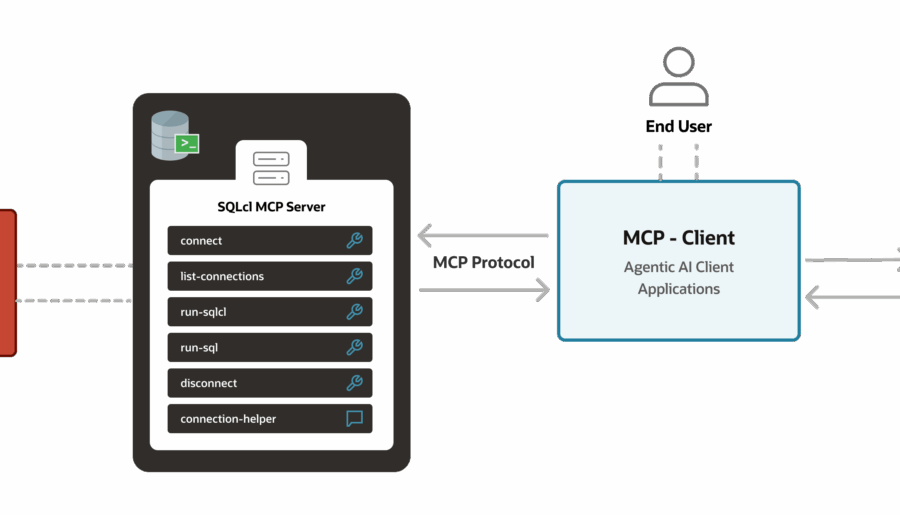
Most folks know they can filter their list of Tables. But did you know you can set a global filter across your entire connection? It’s pretty basic, but also pretty powerful: So how would this be useful? Maybe for your project or program module, you have all of the objects starting with the same prefix. You can now filter your database objects to just that module or application feature. These are database side filters -…
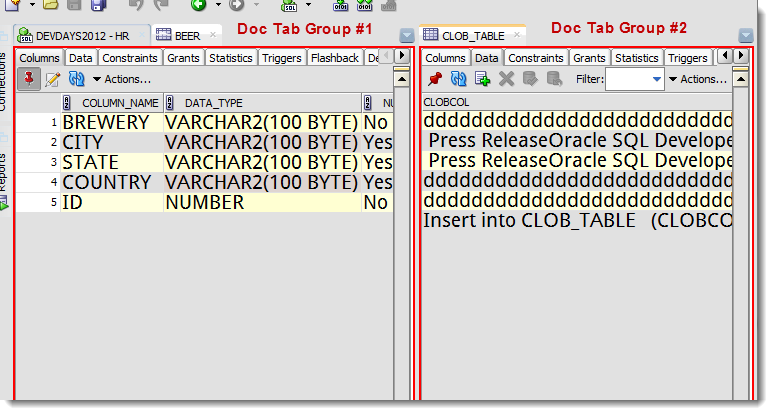
I had a fun conversation with @tmuth today: I attempted to distill my entire tips & tricks ‘sermon’ down to a single suggestion. For productivity, I suggest every user get comfortable with Document Tab Groups. So if you want to work on a stored procedure while you browse a table, right click on your document tab, and add a new document tab group. This allows you to SEE more than one editor at once. You…
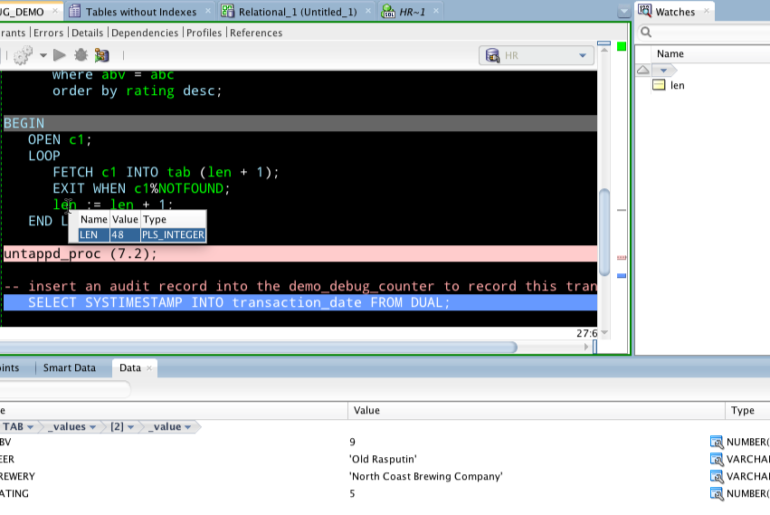
Updated September 2020 This is going to be a FAQ. I get these questions all the time, and I need a place to send people when I don’t have time to live-demo. If your question isn’t below, add yours as a comment. If you want to know what the debugger is or why they might try it over DBMS_OUTPUT, read this. Or skip all this and just go through the slides and YouTube video Debugging…
There’s quite a few things you can accomplish by manipulating and tweaking our data grids in SQL Developer without having to write a single shred of SQL. I’m not going to flood you with 35 blog posts on the subject. But I’ll share a few that will give you an idea, and if you’re interested in the others, use the ‘Search’ mechanism up top of this page to find what you want. A few Data…

I should have known this, but apparently we offer you up a list of your variables when working in the PL/SQL code editor. It even identifies my string and number variables as such. 42 words, so this is definitely a QUICK TIP.
Support for SQL*Plus functionality in SQL Developer has gotten better from release to release. In version 4.1 we took a giant leap forward, adding support for many SQL*Plus commands, and coming much closer to emulating script execution behavior. One example, we added support for BREAK and COMPUTE commands. Another change was adopting several of the SQL*Plus defaults, including pagesize. It’s not just the number of rows on a query, you also count blank lines, the…
You have some data. You want to email it to someone. You don’t want them to have to open an attachment. You want it to be in an HTML-Tabl’ish delivery device. In SQL Developer, write your query. Export to HTML > File. Open Outlook. Start your message. Attach File Point to your HTML File DON’T CLICK ON THE INSERT BUTTON On the INSERT button, there’s a drop-down widget. Click that instead. And then choose, ‘Insert…
We’ve been working on version 4.1 since last Fall, and I’ve been blogging about the new stuff all the while. In case you missed it, we officailly released version 4.1 yesterday 🙂 Here’s a quick index of all of those version 4.1 posts you may have missed: SET SQLFORMAT command and a new formatter, JSON a new Search and Replace interface Code Insight, more tweaks & improvements Easier Excel and CSV Imports Multi-Cursor (text, styping…
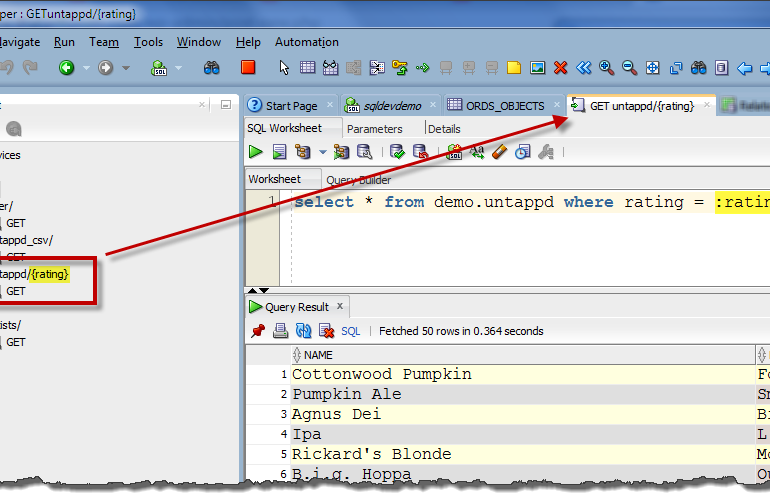
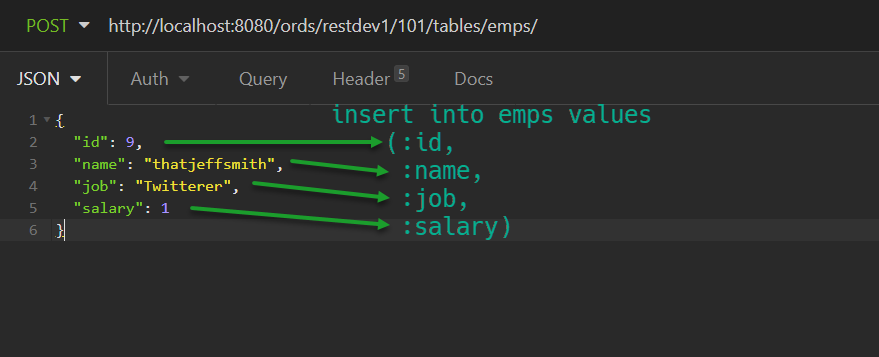
In a previous episode, I showed how quickly you can REST enable your Oracle Database tables and views. And I took a second or 3 to show how to create a module in SQL Developer’s REST Development panel, which allows you to have a RESTful endpoint served by a SQL statement which will bring your data back as JSON. Today I want to take another 30 seconds to show how to add a :BIND to…
We have a script execution directory setting in SQL Developer…but what about our new SQLcl command line utility? That was a question posed to me this morning. My answer was..well, let me show you my answer. 12069160006a8b5cec058c6_000003 Now you can see why: My prompt is what it is My output is formatted nicely My script is able to be found In Case This is All New to You… SQLcl is a new take on SQL*Plus…