

Store your PL/SQL packages in files with .pkg extensions?
We CAN support that, but we don’t out of the box.
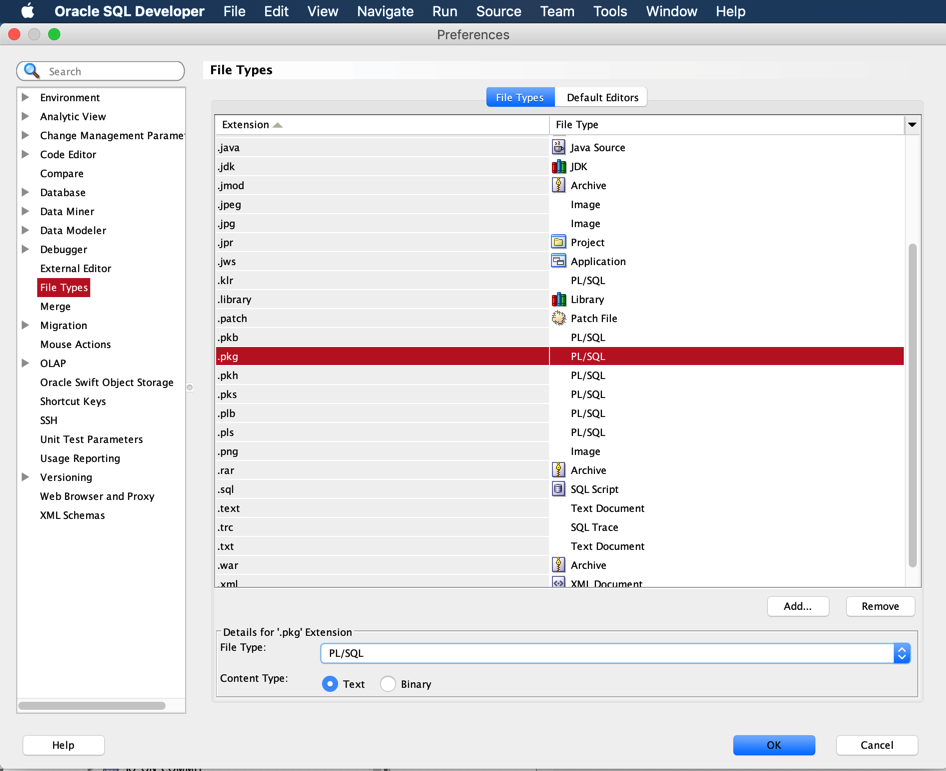
Open your preferences, go to File Extensions, and create a new entry for ‘pkg’ – and set the type of editor to PL/SQL.
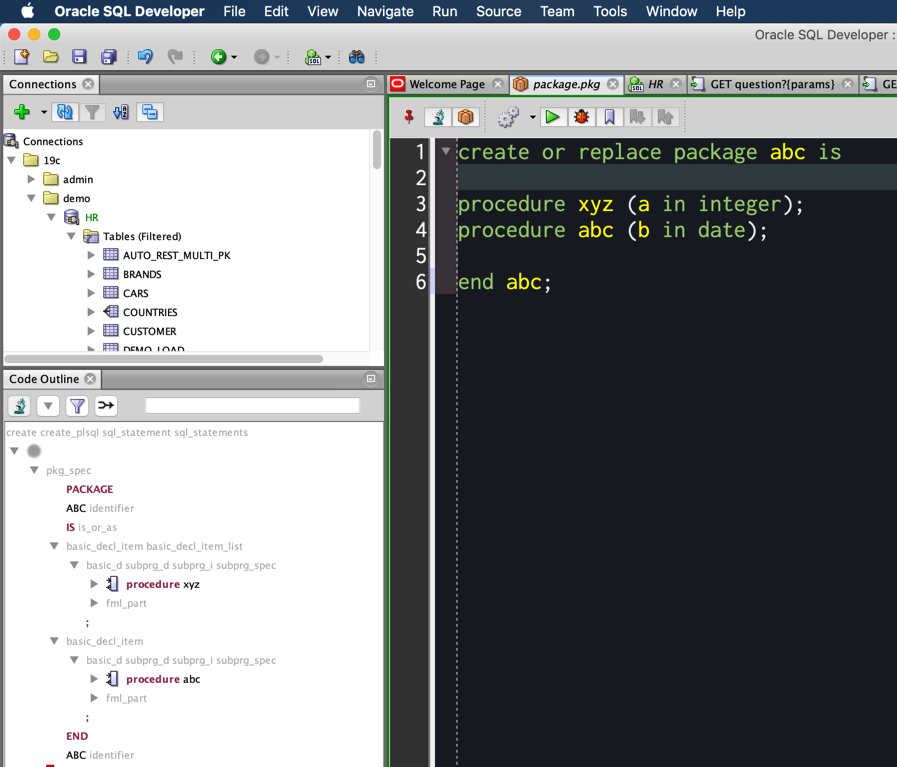
With this going, now when I do File – Open, and point to a file of that type, it’ll open in the PL/SQL Code Editor, and you’ll see all of the PL/SQL IDE features…like the compile/execute buttons and access to the Code Outline panel.




6 Comments
This mean I cannot add additional extensions for PLSQL and have to rename all our package header files to pks? And other files to other extensions? This means a lot off diffs in our source history and especially in our liquibase controller files!
you can keep all of your custom file extensions and associate them to the plsql language which will tie it to the SQLDev extension, but when you open them, it’ll give you the sql worksheet feature
if you have a dev instance, you could do the ide work from the db, and when you’re happy with it, persist it to the local, controlled file with whatever extension you have come up with
we dont have a way to say which extension controlled files will bring up a sql worksheet vs a plsql editor, today
Simple test package header, file extension is pka here.
In the menu are show the buttons run statement, run script, run in sqlcl, explain ans so on are shown.
If I rename the file extension to pks, then run, then the buttons debug, compile and compile for debug on so on are shown instead.
Configuration seem ok, as in status line is shown PL/SQL for pka.
create or replace package pk_test is
procedure pr_test (
i_personal_nummer in number
);
end pk_test;
/
pka? I don’t think that extension is defined for the plsql space
Hi!
If I do the same on VS Code extension 26.1, then the toolbar is shown there for SQL Script instead for PL/SQL?
Best regards
Torsten
I would need to see what’s in your file to know why you’re seeing that.
Make sure your file doesn’t look like a sqlplus script for starters.