

The Worksheet in Oracle SQL Developer is your primary interface for writing and running your SQL and PL/SQL code. As you can imagine, I’ve already written quite a bit about how the worksheet ‘works’.
Today I want to spend just a few moments explaining the two different buttons for launching a new worksheet. With a worksheet open and active, you’ll see the following two buttons on two different toolbars:
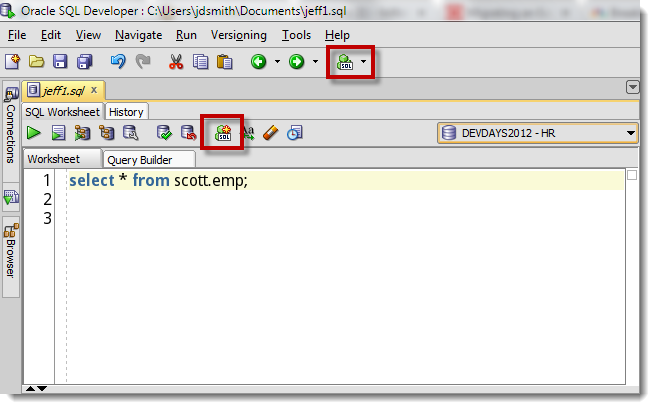
Doing a mouse-over shows me that they indeed have different labels.
Application Toolbar New Worksheet Button
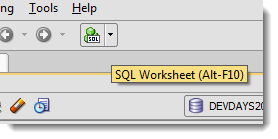
If you just click the button, SQL Developer will prompt you to ‘Select a connection.’ The worksheet will then open with said connection established. The drop-down attached to the button allows you to specify the connection as you click, so it’s one less step.
Worksheet Toolbar New Worksheet Button
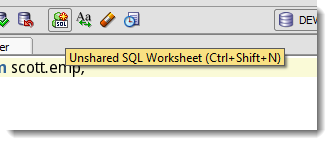
Clicking this button will indeed open a new worksheet connected to the same database the current worksheet is using. So yeah, it’s a ‘faster click’ than the previous method, but the underlying mechanics are much different.
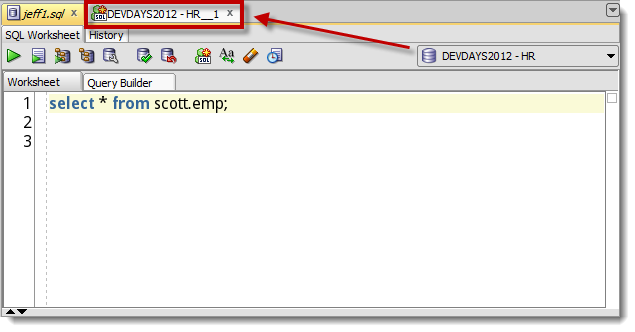
This new worksheet will have a new dedicated connection. As I’ve talked about before, if you have a long running query holding you up, you can always open an unshared worksheet to continue working on that database.
The unshared worksheet creates a new dedicated session which is not ‘shared’ by the rest of SQL Developer. Or in simpler terms, you would have two worksheets open to the database WITH two separate database connections. So if I were to update/insert/delete a row in the unshared worksheet, those changes wouldn’t be observed in the rest of SQL Developer until I issued a COMMIT from the unshared worksheet.
My kids already get this as I’ve been reading them this book for years:


Quick Bonus Tip: Disable New Worksheet On Connect
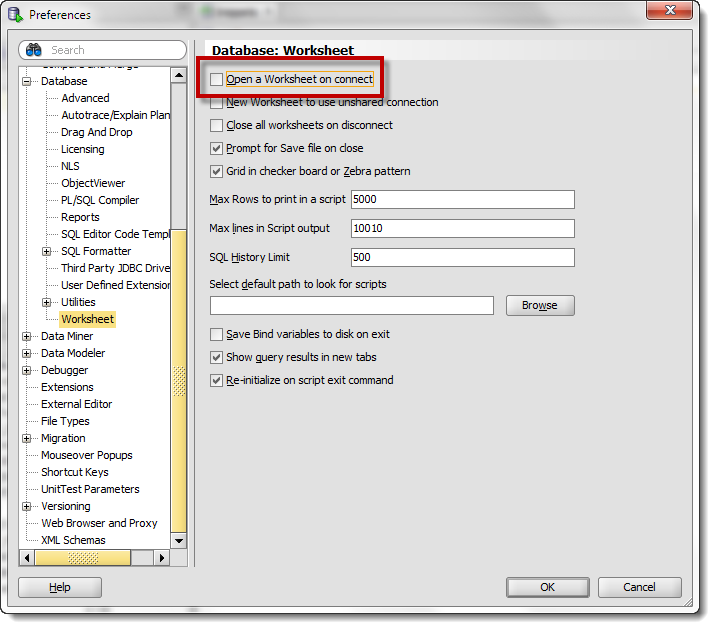
The default behavior in SQL Developer is to automatically open a new worksheet for every database connection you establish. This probably works quite well for most of you, but for those that do not appreciate this behavior, it’s easily disabled.



8 Comments
Hi Jeff,
Thank you for writing useful information. My question :
Is there an option in SQL Developer, such that, whenever I open a new SQL worksheet, the following query automatically comes, without typing it:
set define off;
yes, just add that to your login script
Hi Jeff,
I have a startup script which runs when opening a new worksheet. The dbms_output is generated
into the message-log sheet.
Is it possible to get the dbms_message from the startup script into the script output pane of the new worksheet.
Kind Regards,
Achim.
Is this sharing terminology with service handles? or is it a true dedicated connection?
https://docs.oracle.com/cd/E11882_01/network.112/e41945/concepts.htm#NETAG002
we create an additional connection that is setup such that nothing else in the tool (save that new worksheet) can use it
THX For clear explanation. I wonder why it isn’t possible to open an unshared connection from another unshred connection? What is the thinking behind this decision?
I don’t know. I’m sure there’s thinking behind the decision though 🙂
The developer says the connection credentials remain with the original worksheet, so it’s much less complicated to only support launching an un-shared worksheet from there.
Lazy Devs 🙂