

As you may have heard last week, we have a new version of Oracle SQL Developer Data Modeler now available as an Early Adopter release. Version 3.3 has quite a few new features and I’ll be previewing them here.
Today’s topic is our new Excel integration. It builds off of last week’s lesson: Search, so you may want to go read that first.
They say it takes a village to raise a child. I say it takes a team to build a data model. You have your techie folks, your business folks, your in-betweeners, and your database geeks. Who gets to define how customers are represented and stored in your database? That data lives forever, so you better get it right from the beginning, or you’ll be living in a hacker’s paradise for years to come. Lots of good rantings, ravings, and advice on this topic in general on Karen Lopez’s (@datachick) blog.
But let’s say you are the primary modeler on a project. You dutifully interview the business folks for their requirements. You sit down and start to model and think you’re pretty close. Now you need someone to confirm your assumptions and provide some feedback. Do you send your model over? Take a screenshot and blow it up on a whiteboard? Export to HTML and let them take a magic marker to their monitors? Or maybe you bite the bullet and install your modeling software on their desktops and take the hours or days required to train them up on how to use the the tool.
Wouldn’t it be nice if they could just mark up their corrections in Excel and let you suck the updates back in?
This is what we have started to build in Oracle SQL Developer Data Modeler.
Let’s say you have a new table called ‘UT_STARTUPS.’ It looks a little something like this:
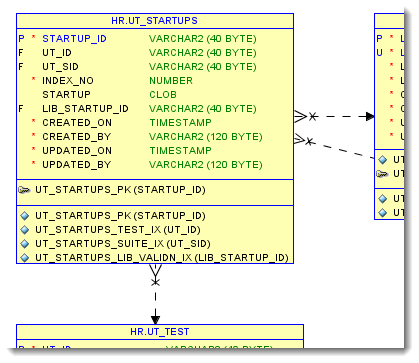
What I would like to do is have my team or co-worker review how I have defined those columns. Perhaps TIMESTAMP is overkill or maybe the column names themselves aren’t up to snuff.
What I am going to do is now search for all the columns in my table, then export that to Excel.
So do a search for UT_STARTUPS.

With the filter set to ‘Columns,’ if I do a report I’ll be only getting the columns that are resolving to my search term. So as long as my table name is unique in the model, I should get what I’m looking for.
Here’s what I see when I click on the Report button:
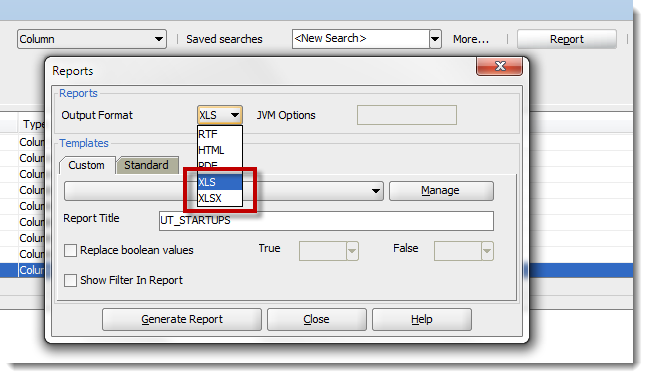
I want to decide how the Column data is exported to Excel though, so I’m going to create a report template that I can use going forward.
So click the ‘Manage’ button and setup a new template. I’m going to call mine ‘CollaborativeDevelopment.’
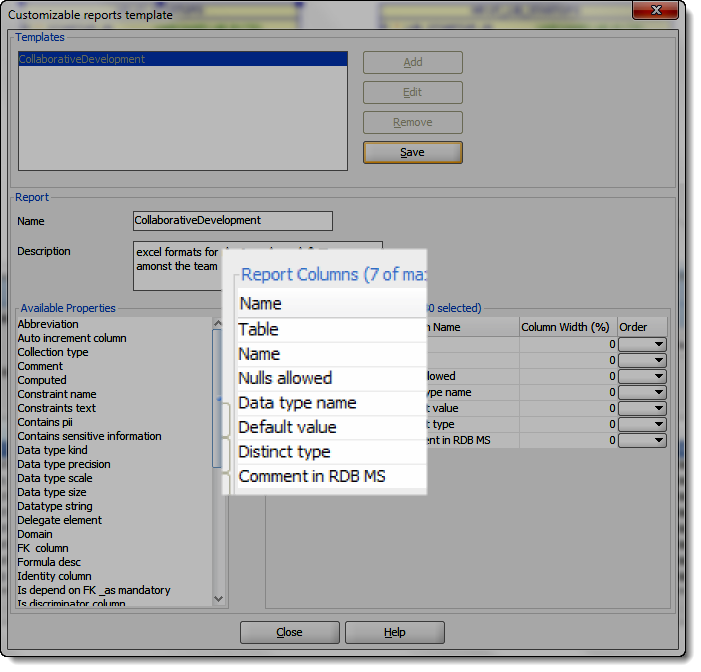
Once this is set, I’ll have the XLS file generated, and get to work 🙂
Now let the Excel junkies do their stuff
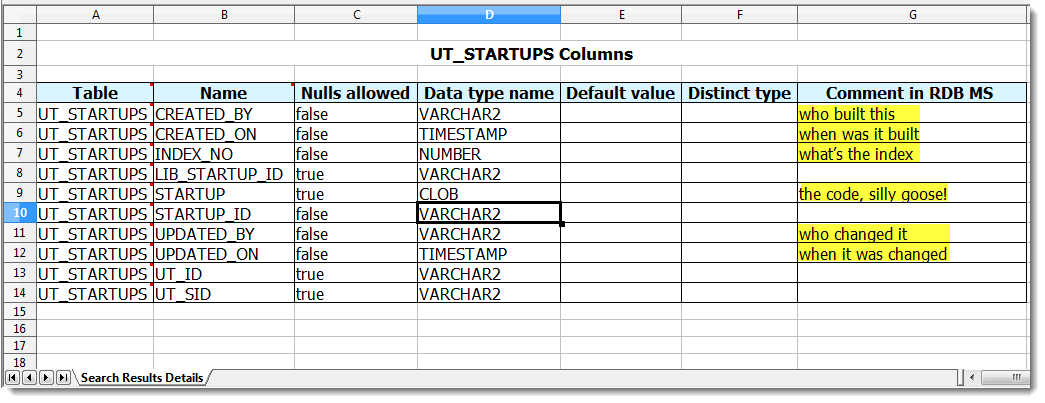
Note that not ALL of the report properties are update-able (yes, I made up a new word there) via Excel. We’ll have the full list of properties documented going forward, but in my Excel sheet, note that I can’t change the table name or the data types for the columns.
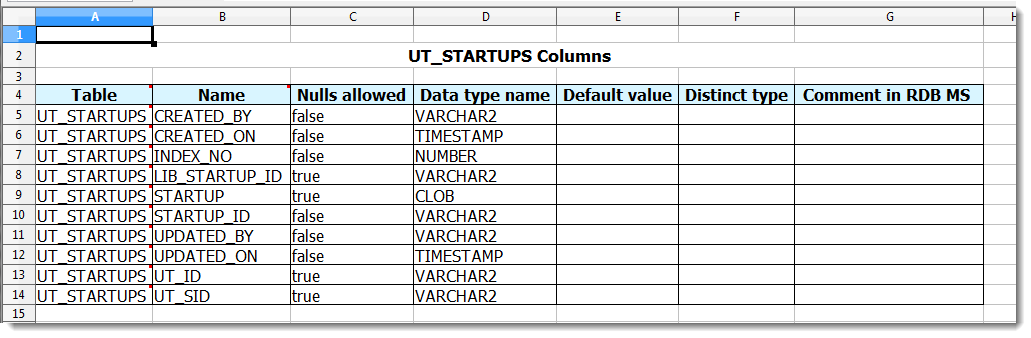
Here’s my input for the designer/architect/database dude:
Save the file, email it back to your modeler.
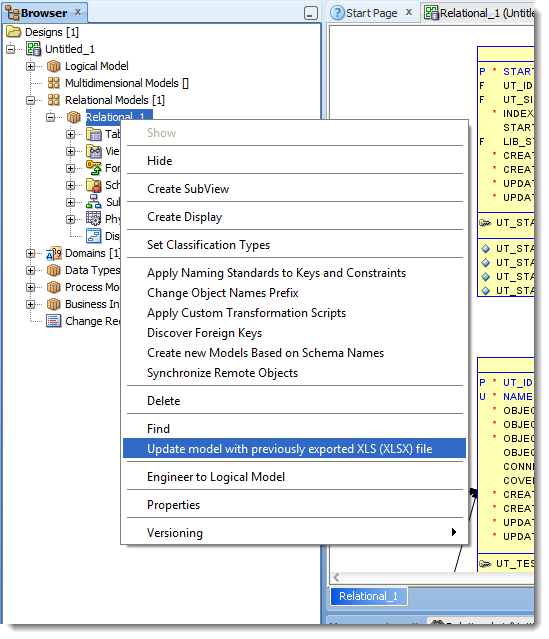
Update the model from Excel
If everything goes right, you’ll see a nice confirmation message:
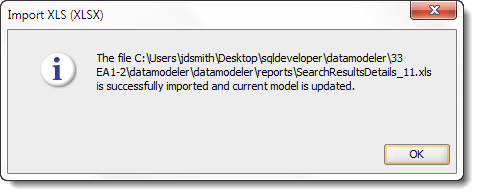
Another to-do item on tap – making this dialog more informative. We’ll be showing exactly what in your model was updated from Excel.
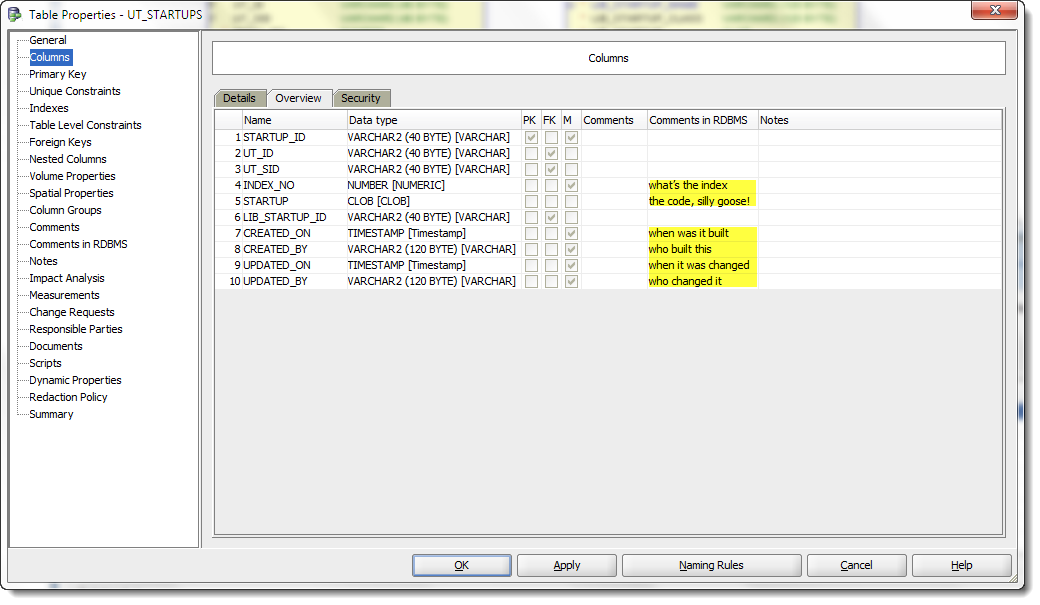
Let’s take another look at the model now
Why are we doing this again?
The goal is to reduce the number of round-trips from the modeler and the business process owner. One is used to working with Excel – why not allow them to mark up their changes in the tool they already know?
This is an early adopter release and I anticipate this feature getting a good bit of tuning up before we release. Why don’t you download 3.3, give it a whirl, and let us know what you think?


16 Comments
Hello
It doesn’t work for change data types or add new columns, or change columns names. Also is not intuitive form to export.
Is it possible to change dataypes in the Relational model using this feature?
No, don’t think so…but they could add a note to the comments saying they think the data type isn’t cool?
Really useful stuff here, thanks.
Maybe you can help me with a problem i have saving data modeler reports custom templates, i.e. i can’t.
I am using a virtualised 4.0.2.15 instance.
I can create a custom template and it is available so long as i have SQL Developer loaded, but if i exit and restart the tool my template is gone.
I assume SDL Developer is saving them to a folder within the virtualised environment which is destroyed when i exit the tool.
Is there anything i can do to have them saved to a local location.
What’s the virtualization tech in place? On Windows if they’re taking advantage of roaming profiles, that should be carried over between instances of the application running.
But, you could try adding this to your datamodeler.conf file
AddVMOption -Duser.home=C:\YourDirectory
All the current and new features of SDM are awesome.
Can you please shed some light on a nagging issue in the modeller that is still present in 3.3 EA?
It is that labels for relationship links do not keep their positioning. If you let the modeller ‘auto-route’ or use ‘straighten lines’ the labels align ok’ish, except that the lines end up behind entities or just becoming too unreadable.
So one adds a few elbows and reposition the lines manually. The labels reposition ok’ish at this event.
…BUT, once the model is saved and closed and later re-opened those labels are not where they were when saved. they now revert back to somewhere along the ‘line’ that the relationship link would have taken if ‘auto-routed/straightened’!
So now I have to go and revisit every manually repositioned link and open its properties window, just to click OK and the labels at least go back along the manual route.
Just wasteful that I have to do this EVERY time I open the model, even if it was just to print or or display it to someone.
This has been raised in the forums, but no reply to original poster or mine, yet.
Any insights from your perspective, please?
Any progress on this since this is indeed an annoying “feature” of a nice tool?
In version 4.0 you can’t move the labels – hey self position according to points on the line. It uses the middle pair of points on the line to ‘center’ the label.
We hope to get a better visual component for a future release which will allow for more flexibility in this space.
If I re-size the label space, I can in effect, force the label to appear in a different space. If I save the design, close it, and re-open it, this is preserved. Give it a try…
I am using version 4.0.2.840 but the resizing of the labels is not preserved after saving and re-opening the model. They always reappear in their “original” place. Or is there any preference I can set?
I just tried it in 4.0.3 with a single label. I resized it larger, and it moved the label up and over to the left of the relationship line. I closed the design. I re-opened the design. It was where I left it…
It is in the Logical Model that the saved position of the relation is repositioned. When re-opening the file I actually see it respositioning the label. In the Relational Model, the respositoning of the KFK name is pertained. I then installed the 4.0.3 version but the same behavior is repeated. Strange indeed. So it must be a preference somewhere but I cannot see which one.
Well that was it then, I was doing this in the Relational Model diagram.
2 questions:
1) Do new version supports work with Java7 ?
2) Can i do same tricks on new SQL Developer with LibreOffice Calc like with Excel ?
1 – Yes. I’m currently running 1.7.0_05 – note we officially don’t support Java7 yet, but you should be OK.
2 – I don’t know. It doesn’t require Excel, just a program that supports the XLS and XLSX formats. For this example I used Oracle Open Office Calc, and it worked just fine.
Thanks. I use Java 1.7 too with SQL Developer 3.2, but I have a little problem: I can fetch only 50 rows in grid for any query. I guess, it is jdk 1.7 crap… But may be not…
I thought we were talking SQL Developer Data Modeler! My answer is the same for SQL Developer, but you’ll want to be running version 3.2.20 as we fixed this bug in our patch release.