

Parent – Child reports are pretty straightforward in Oracle SQL Developer. You have a ‘parent’ report, and then one or more ‘child’ reports which are based off of a value in a selected row or value from the parent. If you need a quick tutorial to get up to speed on the subject, go ahead and take 5 minutes 🙂 Shortly before I left for vacation 2 weeks agao, I got an interesting question from…
Quickly copying objects to a new environment is easy in SQL Developer. You simply go to the object in the tree and access the SQL page. However a few of our users were complaining that we weren’t including the object privileges that had been GRANTed in the SQL script. So after re-creating the object in another system, they would have to look at the Grants page and manually recreate those scripts. So in version 3.2,…
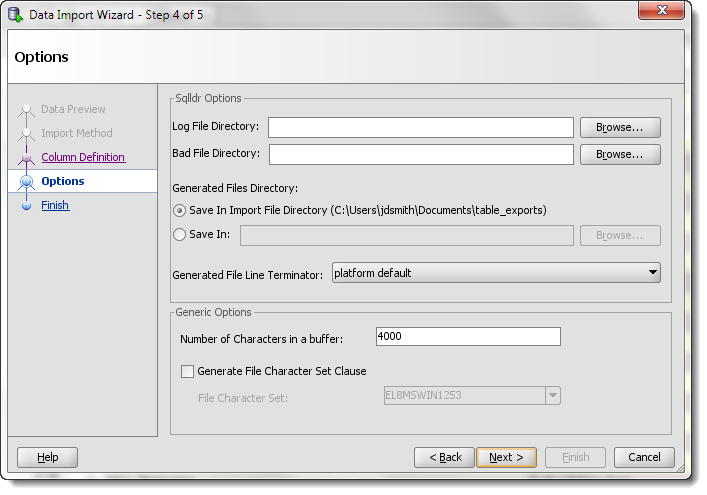
I’ve done a couple of posts on how to use SQL Developer to load your Excel files to an Oracle table. However, I always wonder how many folks realize there may be a ‘better way.’ If you are loading data to Oracle on a regular basis, there’s a few things I want you to know about: SQL*Loader Data Pump External Tables SQL*Loader is a client tool. It runs on your desktop and connects to the…
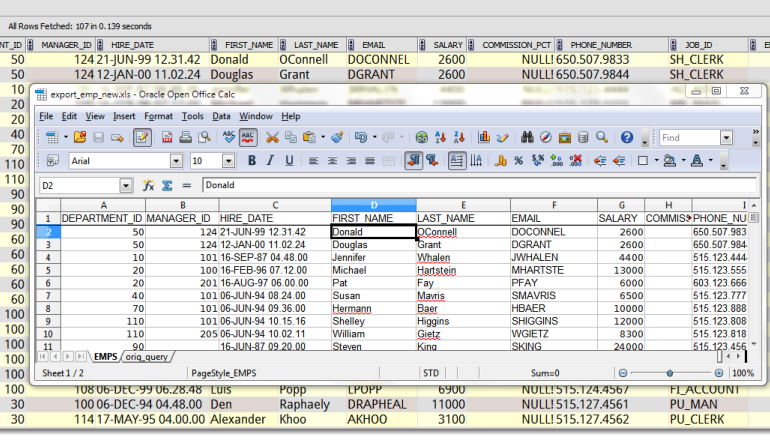
How to import data from Excel or CSV to a NEW table in your Oracle database using Oracle SQL Developer.
Create AND load the table with one wizard.
After a VNC session with the always brilliant @bamcgill, I now know how to rename a worksheet. So when you open a worksheet, it’s attached to a database connection. The worksheet name is a property, and it defaults to the connection name. So you DO you have a lot of control over the worksheet name. This is the primary reason I advocate using well thought out names for your connections. But maybe you want to…
Our stored procedures often capture information and store that data as a string or number. But sometimes we need to process more than just a single value. PL/SQL allows you to do this via collections. Now, if you’re looking for help getting started with collections, I would start with Using PL/SQL Collections and Records Oracle Docs The PL/SQL Guru, Steven Feuerstein Once you have a program working, and you want to know what your data…
The quick answer: ‘Mostly.’ Simple question of the day – how do I get SQL Developer to word wrap like Notepad does? If you don’t know what I’m talking about, then here’s a screenshot of some text before and after word wrap is applied in Notepad: No Word Wrap Word Wrap A SQL Developer Example Here’s some text to play with: 17380070546ae30bda388a1_000010 That’s more than 80 characters and it’s broken up over multiple ‘words.’ With…
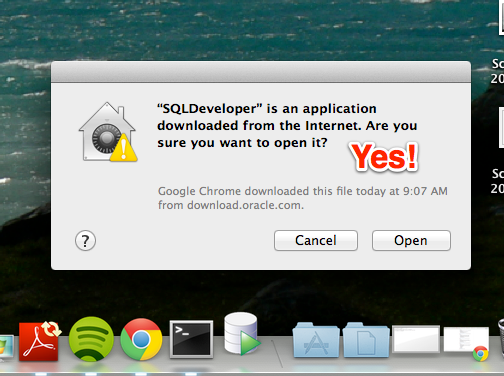
One of the great benefits to having an application developed on the Java platform is the ability to run it on many different operating systems. While Windows may still be the corporate standard in more shops than not, geeks worldwide know that Apple’s hardware and OS (OS X) are ‘superior.’ With yesterday’s release of Mountain Lion (10.8) I figured this was a good time to do a quick write-up on how to get started with…
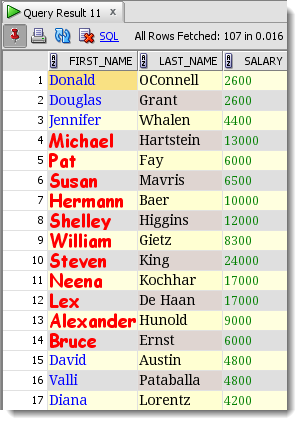
This feature is sure to define your placement into one of the following camps: I love it when my IDE helps me with my code I hate it when my IDE inserts code I didn’t explicitly type STOP! If you’re using version 4 or higher of SQL Developer, Click Here. And the feature is – Autogenerate Group By clause The help defines this preference/feature as: Automatically generates a GROUP BY clause if you manually enter…
This drove me nuts for a few minutes, so I figure you might need help too. That probably explains why you had to Google ‘Block Select’ and wound up here. Here is what you want: There’s No Trick, But You Do Have to Enable It The default behavior is to do a normal ‘wrapping’ selection of text. You can disable this under the Edit menu. Selecting Text In Action On a newer version of SQL…