

What is Oracle SQL Developer? If you’re brand new to Oracle or are just now discovering the joys of using a GUI over the command-line interface, this video will show you a high level overview of SQL Developer’s main feature areas. Those include: an IDE for querying, scripting, debugging, and executing statements and programs a database navigation tree and object editors for pointing and clicking your way through database an extensible framework where users can…
It’s easy to forget that many people still have not discovered SQL Developer, or are just getting started. Many of my recent posts have been on advanced topics, hidden tricks, and productivity tips. I want to spend some time in the next few weeks helping the beginners out there. I can’t think of a better place to start than with how to ‘install’ SQL Developer. I’ve been telling anyone who will listen than you can…
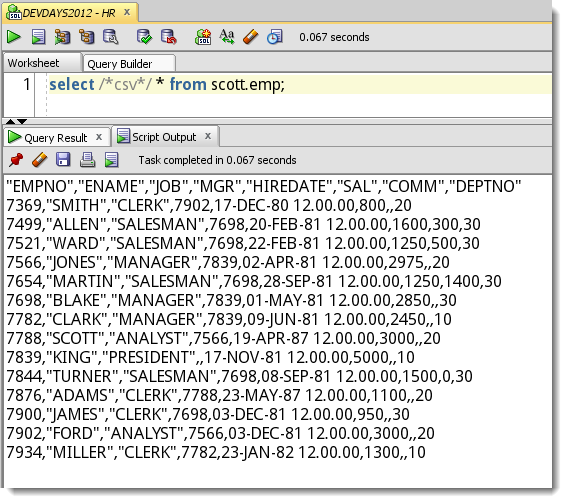
If you have problems in your PL/SQL program that prevent compilation and execution of said program, then that is reported back as an ‘error.’ It could be as simple as missing a semicolon – 4092812856aa59fe44d09d_000003 When you run this through SQL Developer, an error message is returned a la Well that’s an easy fix. We’re all done! Or are we? Enter the world of PL/SQL compile-time warnings: To make your programs more robust and avoid…
Martin asks – I am searching for any method to pass any table name to a sql statement in a self-written report. My initial response was to quote Lewis’ article in Oracle Magazine where he discusses bind variables, Making the Most of Oracle Developer Reports. So binds work, but what about SQL*Plus Substitution Variables? You’ve seen these before: & – Input value and use once&& – Input value and use for entire session. The answer…
Updated: May 11, 2015 I’ve been giving this presentation for about 4 years now. It’s morphed, mutated, and improved incrementally for that entire time. I say I have a ‘top 10’ but it’s closer to 15 or so. It’s a VERY interactive session, with live demo. And there’s always lots of questions as we go. But, if you’re not able to see this in person, I do have a slidedeck on slideshare – you can…
SQL Developer is a pretty mouse-heavy tool. By that I mean that many of the functions are accessed via mouse-clicks. When browsing tables in the tree you may have noticed that you can expand a table node to display the table columns. There are some pretty cool features available under the context menu when clicking on a table column: Some of these actions are available under the table right-clicks, but a couple are not, ‘Encrypt’…
Oracle SQL Developer allows a user to save their passwords for their Oracle database connections. I don’t want to continue the ‘is it bad to save passwords’ debate, but I will share a ‘trick’ for making some of you a bit happier. Just add the following line to your ‘sqldeveloper.conf’ file, which lies in the SQLDEVELOPERBIN folder: AddVMOption -Dsqldev.savepasswd=false On application start-up, SQL Developer will see this flag and hide the option to save your…
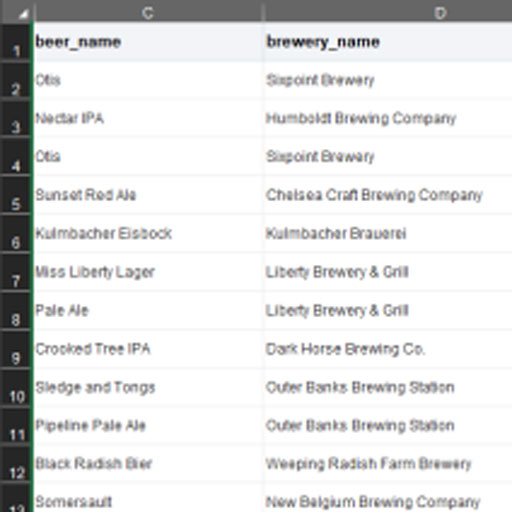
Our most popular post – how to get data from your Excel spreadsheet into your Oracle table. All of the clicks, plenty of pictures – and even a video if that’s not enough to get you going.
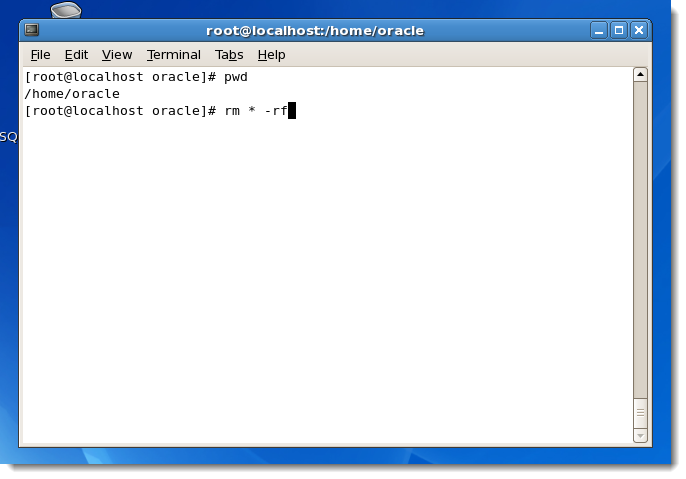
My data hero, Karen Lopez aka @datachick, is hosting a blog meme for this friday called “#FailFriday: I was young and didn’t know any better.” I have made lots of mistakes, but this one still gets to me more than 10 years later. In 2000 I was working for a small ISV in the library management systems space. We had customers all over the world, including Kuwait. Now most of our customers were librarians, not…
Source control systems are a vital component to any serious software development environment. Tracking and merging changes, branching new versions, or reverting back to a previous incarnation of the code is so much easier when you have your source code versioned in a system like Subversion or CVS. Of course source control isn’t the answer to every question. Sometimes you just want to crack open your editor, splat some code out, and run it. Adding…