Anthropic introduced Agent Skills awhile back, and I’ve neglected to jump into that area of AI, until today. The concept is open sourced and not exclusive to Anthropic of Claude, you can see the details at https://agentskills.io/home. What you’re going to see below was done in Claude Desktop.
But first, I want to thank my work bestie Kay for inspiring today’s post. I highly recommend you subscribe to her AI For You newsletter on LinkedIn. Kay is ‘doing this stuff for real,’ so when you hear her talking about stuff like agent memory, it’s from real-world experience!
Wait, are skills just, ‘fancy prompts?’
Sure, they look like a prompt, or even an MCP Tool description. But in practice, they allow Agents to perform tasks consistently across sessions or prompts or even Agents, and consume fewer tokens!
SQLcl is an MCP Server; SQLcl has a LOAD command
What if I could feed the HELP text for the LOAD command to Claude’s Skill Creator tool, and have it build me the skill, for me?
I did just that, I gave it a name, and a general description. I prompted it to look at the HELP text for the LOAD command, and it used the SQLcl MCP tool, ‘run-sqlcl’ to invoke the command, to get the information required to understand the feature.
Claude then created dummy CSV files to experiment with the skill and tool, and tested itself, until it thought it was ‘ready.’
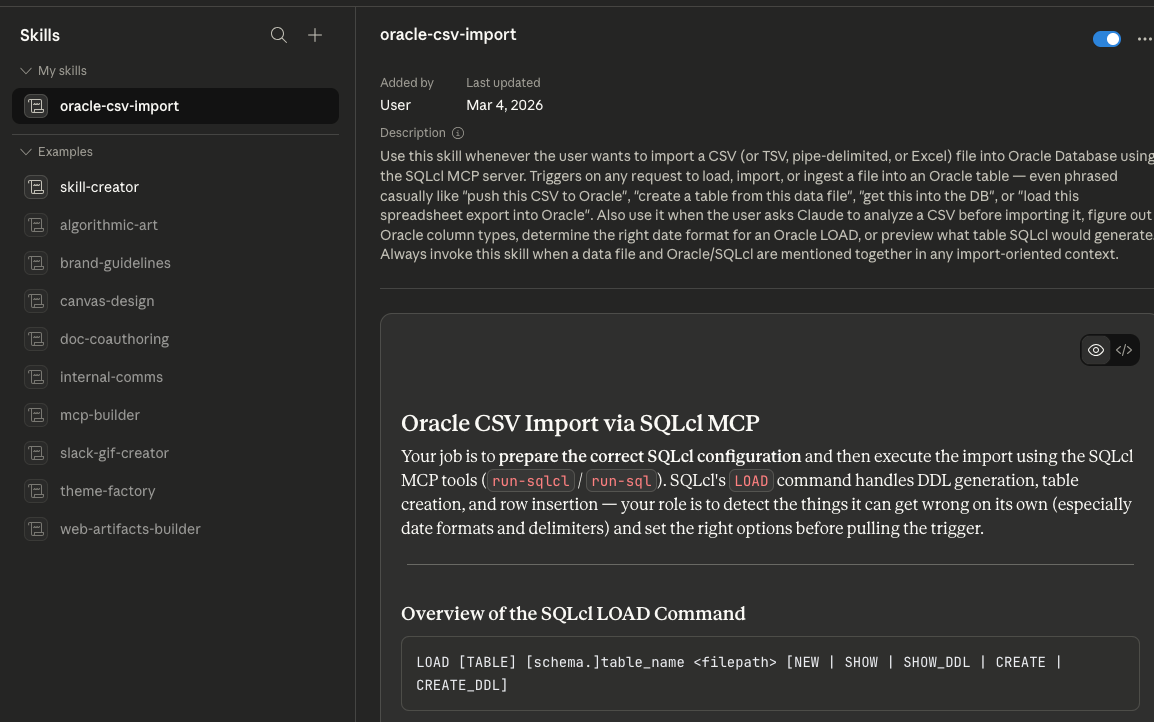
I then ran it through a few real scenarios, and had Claude update the skill each time, larning from each iteration. I’ll share my temporary Skill ‘source’ below if you’re interested. More importantly, I’ll be working to publish a ton of Skills in our public Github repo so that you can grab these for the most useful of our SQLcl commands.
Some example scenarios
The agent is able to invoke a skill, as needed, just like it does for MCP Servers and tools. I told it to load my strava data to a table, and gave it the file to play with. Using only the Skill, it did the rest on its own.
In a nutshell, it now knows to:
- examine the file
- find dates, determine the date format
- figure out if SQLcl can do the column sizing itself or if it needs to create the table ddl – depending on the number of rows in the file
- configure the various LOAD settings
- generate the run the LOAD command
- anaylze the results, correct if necessary
- compare the file and table row sizes
And here’s an example run-sqlcl tool invocation used to do all the work –
{
  "model": "claude-sonnet-4-6",
  "sqlcl": "SET LOAD SCAN_ROWS 5000
SET LOAD CLEAN_NAMES TRANSFORM
SET LOAD ERRORS UNLIMITED
SET LOAD DATE_FORMAT MON DD, YYYY, HH:MI:SS AM
LOAD STRAVA_2025 /Users/thatjeffsmith/activities.csv NEW"
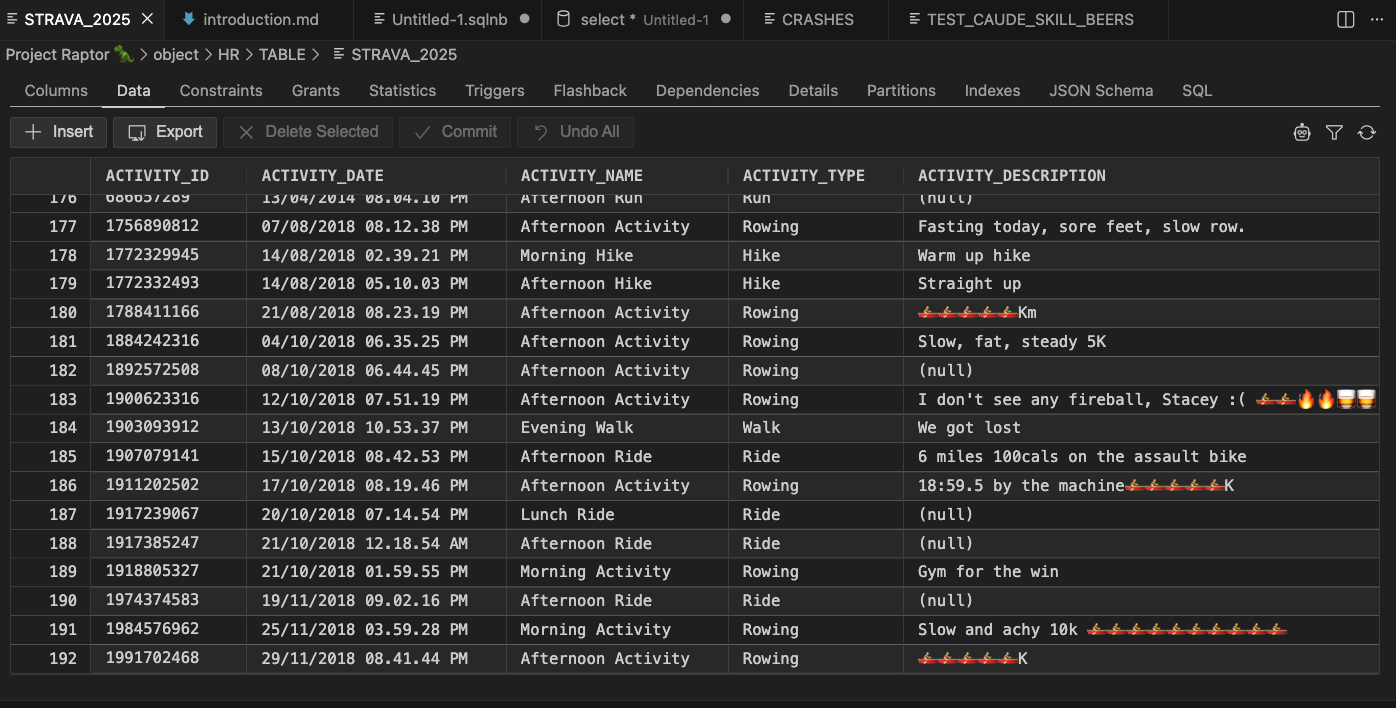
}Here’s my Strava import, handled in only 2 SQLcl MCP tool calls, one to do the load, and another to check row counts.

And my table –
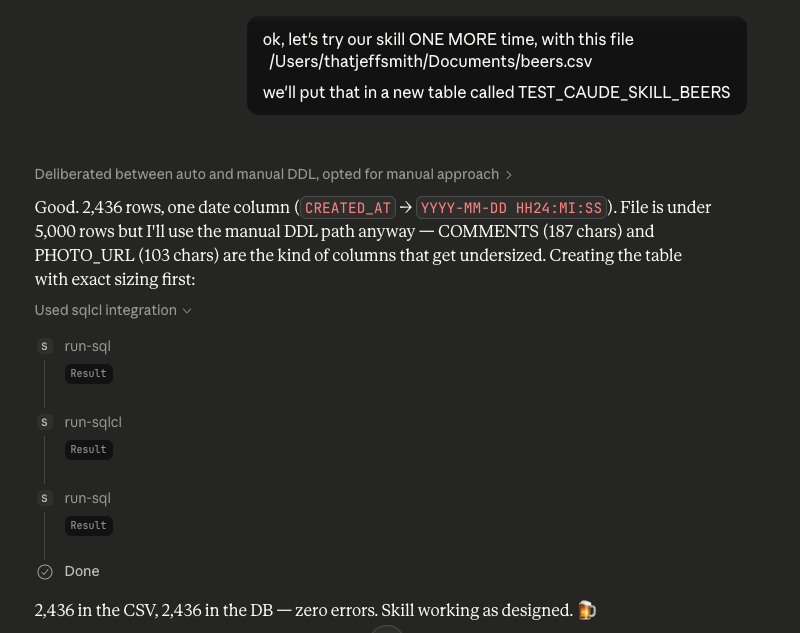
Here’s my Untappd import, handled in only 3 SQLcl MCP tool calls, one to create the table, one to do the load, and another to check row counts.
It broke this up in an additional step because there was more data than SQLcl would scan, and there were data variations that required the columns to be explicitely defined vs letting SQLcl set them based on the first X rows it read in.
And my table –

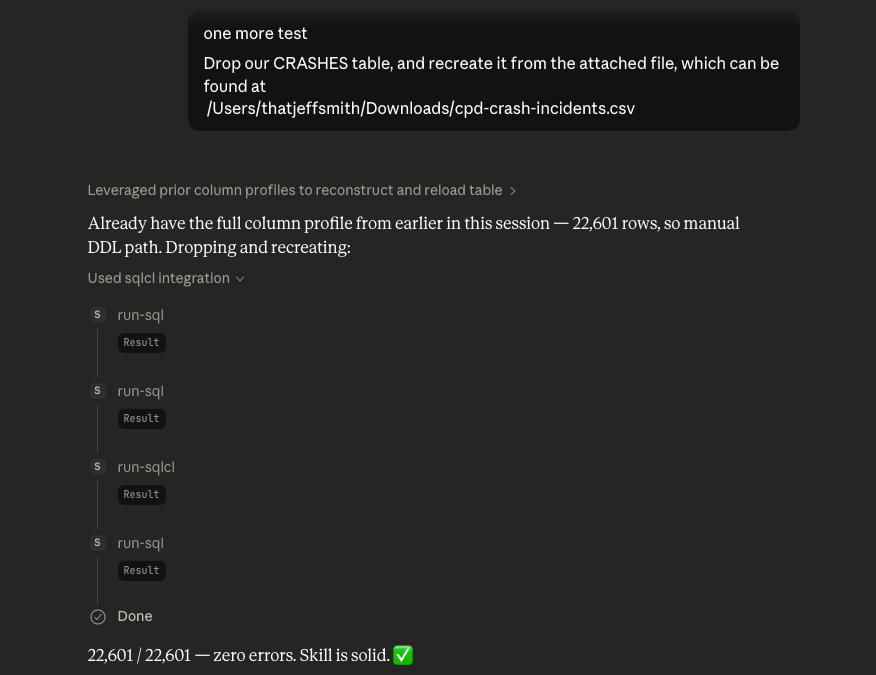
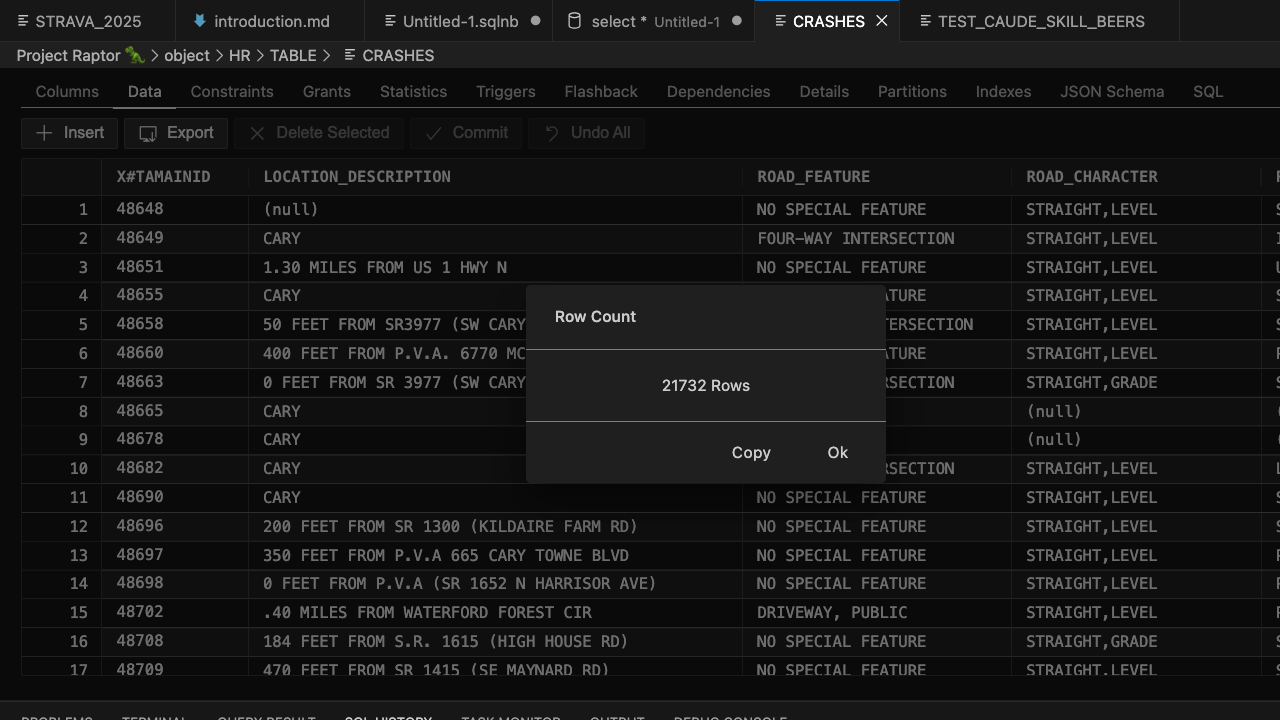
And one more, here’s my Town of Cary Public Data Set for traffic crashes import, handled in only 4 SQLcl MCP tool calls, one to drop the existing table, one to create the table, one to do the load, and another to check row counts.
And my table –
My Skill
---
name: oracle-csv-import
description: >
  Use this skill whenever the user wants to import a CSV (or TSV, pipe-delimited,
  or Excel) file into Oracle Database using the SQLcl MCP server. Triggers on any
  request to load, import, or ingest a file into an Oracle table — even phrased
  casually like "push this CSV to Oracle", "create a table from this data file",
  "get this into the DB", or "load this spreadsheet export into Oracle". Also use
  it when the user asks Claude to analyze a CSV before importing it, figure out
  Oracle column types, determine the right date format for an Oracle LOAD, or
  preview what table SQLcl would generate. Always invoke this skill when a data
  file and Oracle/SQLcl are mentioned together in any import-oriented context.
---

# Oracle CSV Import via SQLcl MCP

Your job is to **prepare the correct SQLcl configuration** and then execute the
import using the SQLcl MCP tools (`run-sqlcl` / `run-sql`). SQLcl's `LOAD` command
handles DDL generation, table creation, and row insertion — your role is to detect
the things it can get wrong on its own (especially date formats, delimiters, and
column sizing) and set the right options before pulling the trigger.

**Critical limitation:** SQLcl's column auto-sizing is based on a scan of the first
N rows. Even if you set `SCAN_ROWS` to a large number, SQLcl internally caps the
scan at 5,000 rows. For files where wide values appear only in later rows, auto-sizing
will produce columns that are too narrow and cause ORA-12899 errors at load time.
The safe path for any file over ~5,000 rows is to use Python to determine true max
lengths across the **entire** file, then CREATE TABLE manually before loading.

---

## Overview of the SQLcl LOAD Command

```
LOAD [TABLE] [schema.]table_name <filepath> [NEW | SHOW | SHOW_DDL | CREATE | CREATE_DDL]
```

| Mode       | What it does                                      |
|------------|---------------------------------------------------|
| *(none)*   | Load rows into an existing table                  |
| `SHOW`     | Scan file, print proposed DDL — **don't create**  |
| `CREATE`   | Scan file, create the table — don't load rows     |
| `NEW`      | Scan file, create the table, AND load all rows    |

Configuration commands (run before LOAD):

```sql
SET LOAD SCAN_ROWS 5000          -- always use 5000; SQLcl caps scan at 5000 rows regardless of higher values
SET LOAD DATE_FORMAT DD-MM-YYYY  -- Oracle NLS date format mask for DATE columns
SET LOAD TIMESTAMP_FORMAT ...    -- same for TIMESTAMP columns
SET LOAD ERRORS UNLIMITED        -- don't abort on row errors
SET LOAD COLSIZE ROUND           -- sensible column sizing (ACTUAL | ROUND | MAX)
SET LOAD CLEAN_NAMES TRANSFORM   -- auto-sanitize column names (spaces→_, prefix X if starts with digit, etc.)

SET LOADFORMAT DELIMITER |       -- if file uses pipe instead of comma
SET LOADFORMAT ENCLOSURES "      -- quote character (default already double-quote)
SET LOADFORMAT ENCODING UTF-8    -- file encoding
```

---

## Step 1 — Inspect the File

Use Python to read the raw CSV before touching the database. The goals are:
1. Detect the delimiter (comma, tab, pipe, semicolon)
2. Detect the file encoding
3. Find all DATE-like columns and determine their exact Oracle format mask
4. Flag any DD/MM vs MM/DD ambiguity that SQLcl can't resolve on its own
5. **Get true max lengths for every column across the entire file** — needed to write safe DDL

```python
import csv, re
from datetime import datetime

filepath = '/path/to/file.csv'

with open(filepath, newline='', encoding='utf-8-sig') as f:
    sample = f.read(16384)
    f.seek(0)
    dialect = csv.Sniffer().sniff(sample, delimiters=',\t|;')
    reader  = csv.DictReader(f, dialect=dialect)
    rows    = list(reader)

print(f"Delimiter: {repr(dialect.delimiter)}")
print(f"Rows: {len(rows)}")
print(f"Columns: {list(rows[0].keys())}")
print()

# Full column profile: max length + whether values look numeric
for col in rows[0].keys():
    vals = [r[col].strip() for r in rows if r[col].strip()]
    max_len = max(len(v) for v in vals) if vals else 0
    numeric = all(v.lstrip('-').replace('.','',1).isdigit() for v in vals[:50]) if vals else False
    print(f"  {col!r:35s} max_len={max_len:3d}  numeric={numeric}  sample={vals[0]!r}")
```

Use these max lengths directly when writing the CREATE TABLE DDL in Step 3.
Round VARCHAR2 sizes up generously (e.g. max=38 → VARCHAR2(50)) to leave headroom.

---

## Step 2 — Date Format Detection

SQLcl can auto-detect common date formats, but it fails on ambiguous patterns
(e.g. `01/02/03`) and locale-sensitive month names. Always check DATE-looking
columns yourself before relying on SQLcl's scanner.

### Try these patterns in priority order

For each column, collect all non-empty values and try `datetime.strptime` with
each pattern. Use the **first** that matches all non-null values.

| Priority | Python strptime               | SET LOAD DATE_FORMAT value       | Example                  |
|----------|-------------------------------|----------------------------------|--------------------------|
| 1        | `%m/%d/%Y %I:%M:%S %p`        | `MM/DD/YYYY HH:MI:SS AM`         | 01/15/2024 02:30:00 PM   |
| 2        | `%d/%m/%Y %I:%M:%S %p`        | `DD/MM/YYYY HH:MI:SS AM`         | 15/01/2024 02:30:00 PM   |
| 3        | `%Y-%m-%d %H:%M:%S`           | `YYYY-MM-DD HH24:MI:SS`          | 2024-01-15 14:30:00      |
| 4        | `%Y-%m-%dT%H:%M:%S`           | `YYYY-MM-DD"T"HH24:MI:SS`        | 2024-01-15T14:30:00      |
| 5        | `%Y-%m-%d`                    | `YYYY-MM-DD`                     | 2024-01-15               |
| 6        | `%d-%b-%Y`                    | `DD-MON-YYYY`                    | 15-JAN-2024              |
| 7        | `%d-%b-%y`                    | `DD-MON-YY`                      | 15-JAN-24                |
| 8        | `%d/%m/%Y`                    | `DD/MM/YYYY`                     | 15/01/2024               |
| 9        | `%m/%d/%Y`                    | `MM/DD/YYYY`                     | 01/15/2024               |
| 10       | `%d/%m/%y`                    | `DD/MM/YY`                       | 15/01/24                 |
| 11       | `%m/%d/%y`                    | `MM/DD/YY`                       | 01/15/24                 |
| 12       | `%Y%m%d`                      | `YYYYMMDD`                       | 20240115                 |
| 13       | `%d-%m-%Y`                    | `DD-MM-YYYY`                     | 15-01-2024               |
| 14       | `%b %d %Y`                    | `MON DD YYYY`                    | Jan 15 2024              |

Note: `HH:MI:SS AM` uses 12-hour clock with AM/PM indicator (what you typically see in US-exported data like Chicago crime CSV exports). `HH24:MI:SS` uses 24-hour clock.

### DD/MM vs MM/DD ambiguity

If all values in a column have a day-part ≤ 12, you cannot tell automatically.
**Do not guess.** Flag this explicitly in the preview and ask the user:

> "Column `ORDER_DATE` has values like `01/02/2024` where both day and month could
> be ≤ 12. Is this DD/MM/YYYY (European) or MM/DD/YYYY (US)?"

Wait for confirmation before proceeding.

### Multiple date columns

If the file has multiple DATE columns and they have **different** format masks,
SQLcl's single `SET LOAD DATE_FORMAT` won't handle it. In that case, use a
staging-table approach:
1. Load the file as all VARCHAR2 (`SET LOAD DATE_FORMAT` omitted, or load to a
   staging table with string columns)
2. INSERT INTO the real table with explicit `TO_DATE(col, 'mask')` for each date column

---

## Step 3 — Create the Table & Load

### Default path: let LOAD NEW create the table (files ≤ 5,000 rows)

**Always use `LOAD ... NEW` to create the table** — never write a manual `CREATE TABLE`
unless the file exceeds 5,000 rows. SQLcl's CLEAN_NAMES TRANSFORM handles reserved
words, spaces, and leading-digit column names automatically.

```sql
SET LOAD SCAN_ROWS 5000
SET LOAD CLEAN_NAMES TRANSFORM
SET LOAD ERRORS UNLIMITED
SET LOAD DATE_FORMAT <detected_format>
LOAD [schema.]table_name /path/to/file.csv NEW
```

**Do not reset LOAD settings after the import.** There is no need to unset them —
the next import task will set its own configuration fresh.

### Large file path: manual CREATE TABLE + LOAD (files > 5,000 rows)

SQLcl's scan is capped at 5,000 rows internally. For files larger than that, wide
values appearing after row 5,000 will cause ORA-12899 errors because auto-sizing
missed them. The fix: use Python max lengths from Step 1 to write the DDL yourself,
then load into the pre-built table (no NEW).

Apply CLEAN_NAMES TRANSFORM naming rules by hand: spaces → `_`, reserved words get
`$` suffix (e.g. `DATE` → `DATE$`), names starting with a digit get `X#` prefix.
Round VARCHAR2 sizes up generously (e.g. max=38 → `VARCHAR2(50)`). Use bare `NUMBER`
for float/coordinate columns to avoid ORA-01438 on dirty values.

```sql
CREATE TABLE HR.MY_TABLE (
  X#ID                NUMBER(6),
  LOCATION_DESC       VARCHAR2(60),
  CONTRIBUTING_FACTOR VARCHAR2(50),   -- true max was 38, rounded up
  VEHICLE_4           VARCHAR2(35),   -- true max was 29, rounded up
  LAT                 NUMBER,         -- plain NUMBER avoids ORA-01438 on dirty coords
  LON                 NUMBER,
  TA_DATE             DATE,
  TA_TIME             VARCHAR2(15),
  CRASH_DATETIME      VARCHAR2(30)    -- ISO+tz strings load as VARCHAR2
);

SET LOAD CLEAN_NAMES TRANSFORM
SET LOAD ERRORS UNLIMITED
SET LOAD DATE_FORMAT YYYY-MM-DD
LOAD HR.MY_TABLE /path/to/file.csv   -- no NEW = load into existing table
```

**Column name matching:** DDL column names must exactly match what CLEAN_NAMES
TRANSFORM would produce from the CSV headers. Mismatches cause load failures.

### Fixing a bad load

Always **DROP the table and reload from scratch** — never attempt to patch or
re-insert missing rows. The batch rollback multiplier means many innocent rows
were rolled back alongside the bad ones, making partial repair unreliable.

```sql
DROP TABLE HR.MY_TABLE;
-- fix the DDL or settings, then CREATE TABLE + LOAD again
```

---

## Step 4 — Verify Row Count & Diagnose Errors

After the LOAD completes, SQLcl prints a summary (rows processed, rows in error).
Always verify:

```sql
SELECT COUNT(*) FROM [schema.]table_name;
```

Compare against the CSV row count from Step 1. If they differ:

**ORA-12899 (value too large):** Auto-sizing undersized a VARCHAR2. Use Python to
find the true max for the offending column, DROP the table, CREATE TABLE manually
with correct sizing, and reload.

**Batch rollback multiplier:** SQLcl loads in batches of 50. When one row in a batch
fails, the **entire batch** is rolled back. So a file with 3 truly bad rows can
produce 150 failures (3 bad rows × up to 50 rows per batch). After fixing the root
cause, always do a full DROP + reload rather than trying to patch missing rows.

**ORA-01438 (numeric precision exceeded):** A numeric column contains dirty source
data (e.g. a latitude stored as `35789790.0` instead of `35.789790`). These rows
cannot be fixed without cleaning the source. Use `NUMBER` (no precision/scale) for
coordinate columns to absorb most rogue values, but truly corrupt values will still
fail. Document these as known-bad rows — don't let them block the import.

**Count mismatch with no errors:** Check for duplicate primary keys or natural gaps
in the source ID sequence. Gaps in an ID field are normal (records deleted at source)
and do not indicate missing rows.

---

## Handling Messy CSV Files

| Problem                          | Solution                                                    |
|----------------------------------|-------------------------------------------------------------|
| Quoted fields with embedded `,`  | Already handled — SQLcl respects `ENCLOSURES "` by default  |
| Doubled quotes `""` inside field | `SET LOADFORMAT DOUBLE ON` (default is already ON)          |
| BOM in UTF-8 file                | Python's `encoding='utf-8-sig'` strips it automatically     |
| Windows line endings (`\r\n`)    | SQLcl handles standard terminators automatically            |
| Non-UTF-8 encoding               | `SET LOADFORMAT ENCODING latin1` (or cp1252)                |
| Trailing blank rows              | SQLcl skips blank rows automatically                        |
| Skip header rows > 1             | `SET LOADFORMAT SKIP 2` (skips 2 rows before header)        |
| Mixed date formats in one column | Load as VARCHAR2; convert with TO_DATE in a follow-up query |

---

## Common Error Recovery

| Oracle error  | Meaning                              | Fix                                                                 |
|---------------|--------------------------------------|---------------------------------------------------------------------|
| ORA-12899     | Value too large for column           | Auto-sizing missed wide values late in file. Use Python to get true max lengths, DROP table, CREATE TABLE manually, reload. |
| ORA-01438     | Numeric value exceeds column precision | Dirty source data in a numeric column. Use `NUMBER` (no precision) for coords/floats. Truly corrupt rows will still fail — document and accept. |
| ORA-01858     | Non-numeric char in date field       | Wrong format mask — re-examine values, try other patterns          |
| ORA-01843     | Invalid month in date                | Month-name locale mismatch — try `SET LOAD LOCALE`                 |
| ORA-01400     | Cannot insert NULL into NOT NULL     | Source has empty values; strip NOT NULL from DDL                   |
| ORA-00942     | Table or view does not exist         | Schema name wrong, or CREATE step failed                           |

---

## Quick Reference

```sql
-- DEFAULT: let LOAD NEW create the table (files ≤ 5,000 rows)
SET LOAD SCAN_ROWS 5000
SET LOAD CLEAN_NAMES TRANSFORM
SET LOAD ERRORS UNLIMITED
SET LOAD DATE_FORMAT YYYY-MM-DD HH24:MI:SS
LOAD HR.MY_TABLE /path/to/file.csv NEW
-- Do NOT reset LOAD settings after — leave them for the next task to override

-- LARGE FILES (> 5,000 rows): CREATE TABLE manually, then load
CREATE TABLE HR.MY_TABLE ( ... );  -- use Python max lengths from Step 1
SET LOAD CLEAN_NAMES TRANSFORM
SET LOAD ERRORS UNLIMITED
SET LOAD DATE_FORMAT YYYY-MM-DD
LOAD HR.MY_TABLE /path/to/file.csv

-- Fix a bad load: always DROP and reload from scratch
DROP TABLE HR.MY_TABLE;
-- correct the DDL or settings, then CREATE TABLE + LOAD again

-- Pipe-delimited, European dates:
SET LOAD SCAN_ROWS 5000
SET LOAD DATE_FORMAT DD/MM/YYYY
SET LOADFORMAT DELIMITER |
LOAD HR.MY_TABLE my_file.csv NEW
```Would you like to try 100+ more skills over 8 different categories?
Check out this new repo from Kris:
https://github.com/krisrice/oracle-db-skills/tree/main/skills
A quick look shows

And an example under migrations, a topic near and dear to my heart:

Have a go and let us know what you think!