

Quickly copying objects to a new environment is easy in SQL Developer. You simply go to the object in the tree and access the SQL page.
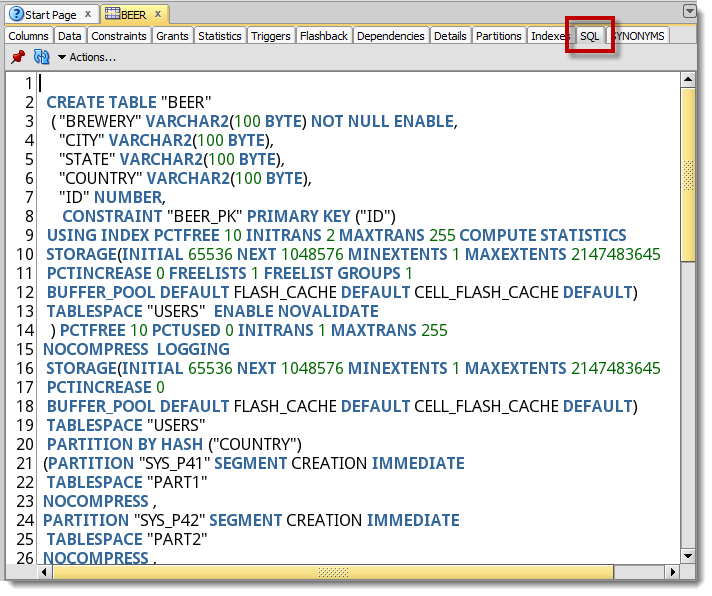
However a few of our users were complaining that we weren’t including the object privileges that had been GRANTed in the SQL script. So after re-creating the object in another system, they would have to look at the Grants page and manually recreate those scripts.
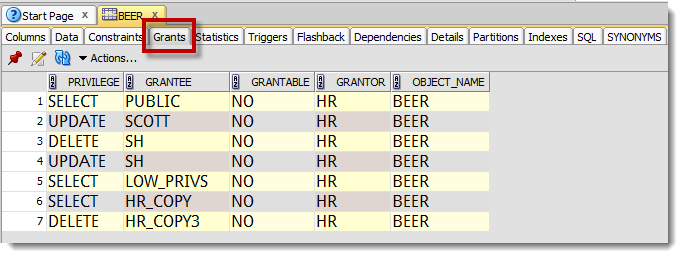
So in version 3.2, you can now include the GRANT statements in your object scripts.
Voila!
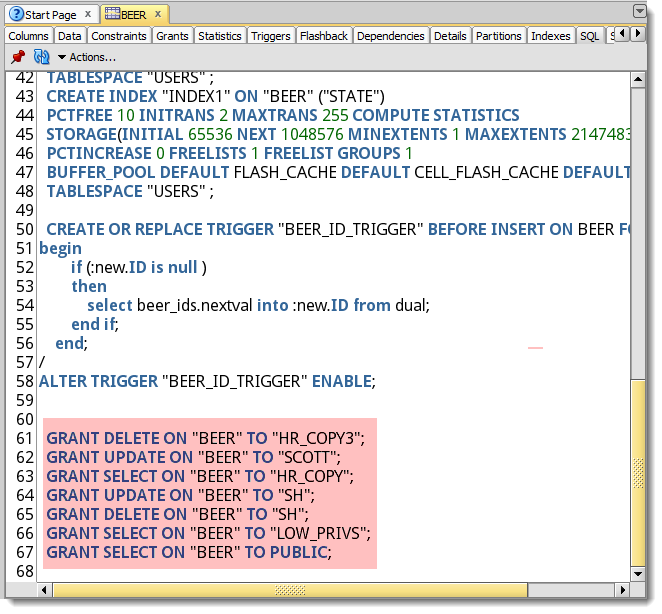
But Wait, I Still Don’t See My Grants!
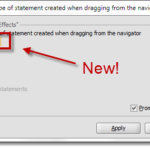
There’s no trick here. But, you must first tell SQL Developer what you want included in your scripts. Whenever SQL Developer generates a script for an object, it consults the preferences.
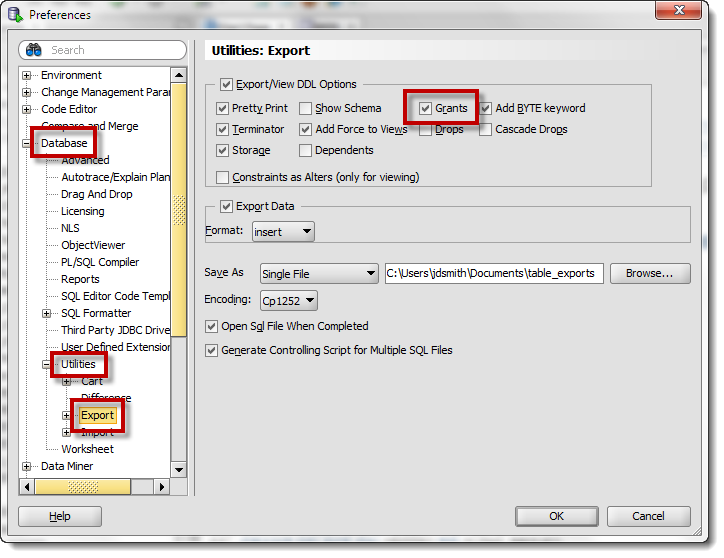
Another very small change that I believe will vastly improve the end user’s experience – and save you a lot of time!


12 Comments
Is it possible to generate this grants(GRANT SELECT, INSERT, DELETE, UPDATE ON tableA TO roleA;) in data modeler?
My tableA in the database has the grants and I tried to read this by sync the model with data dictorinary but it dont generate me this in the ddl.
Yes, just make sure your physical model is OPEN, and that you have those grants defined in the PERMISSIONS dialog for your tables, views, etc.
Thank you for the answer. It works but I recognized that the rights to sequnce are not generated.
If I click an table in my model and click on DDL preview. I get this cool code :).
CREATE SEQUENCE schemaA.seq_A START WITH 1 NOCACHE ORDER;
CREATE TABLE schemaA.tableA (
column_id NUMBER(22) DEFAULT schemaA.seq_A.nextval NOT NULL,
columnA NUMBER(22) NOT NULL
)
NO INMEMORY;
GRANT INSERT, SELECT, UPDATE, DELETE ON schemaA.tableA TO roleA;
GRANT SELECT ON schemaA.tableA TO roleB;
But how I can generate SELECT grant to the sequence schemaA.seq_A. Is this possible
Stop using sequences, start using identity columns – that’s my initial thought.
Hello Jeff, thanks for the trick, it’s very helpful.
I’m looking the way to obtain the grant of privileges but separated by commas.
Actually i get this:
GRANT UPDATE ON “BDI_GIS_OWNER”.”TABLE1″ TO “BDI_GIS_APLICACION”;
GRANT SELECT ON “BDI_GIS_OWNER”.”TABLE1″ TO “BDI_GIS_APLICACION”;
GRANT INSERT ON “BDI_GIS_OWNER”.”TABLE1″ TO “BDI_GIS_APLICACION”;
GRANT DELETE ON “BDI_GIS_OWNER”.”TABLE1″ TO “BDI_GIS_APLICACION”;
and I want get this:
GRANT UPDATE,SELECT,INSERT,DELETE ON “BDI_GIS_OWNER”.”TABLE1″ TO “BDI_GIS_APLICACION”;
It’s posible?
Thanks
Sure, but you’ll have to write the code to do it.
Thanks for your quick response.
If you don’t mind, could you guide me to start writing the code?
I’m a little lost.
Is there a way to show synonyms in the SQL tab as well?
Sorry Krysta, that’s not currently supported.
Hi Jeff,
Thanks for these updates. It is very helpful.
However with Grants , there seems to be an issue where in if I do not login as the owner of the table, the Grant scripts are not generated. Usually one would expect some one like a DBA user to generate the SQL DDL for any Schemas
Cheers
This is a known bug and it’s already been fixed for our next release. You’re absolutely right in your expectation and we’ll get this taken care for you ASAP.
Thank you for the update. looking forward to the next release.
Cheers