

This drove me nuts for a few minutes, so I figure you might need help too. That probably explains why you had to Google ‘Block Select’ and wound up here.
Here is what you want:
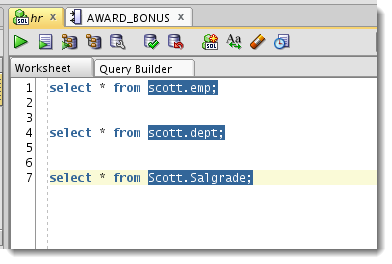
There’s No Trick, But You Do Have to Enable It
The default behavior is to do a normal ‘wrapping’ selection of text. You can disable this under the Edit menu.
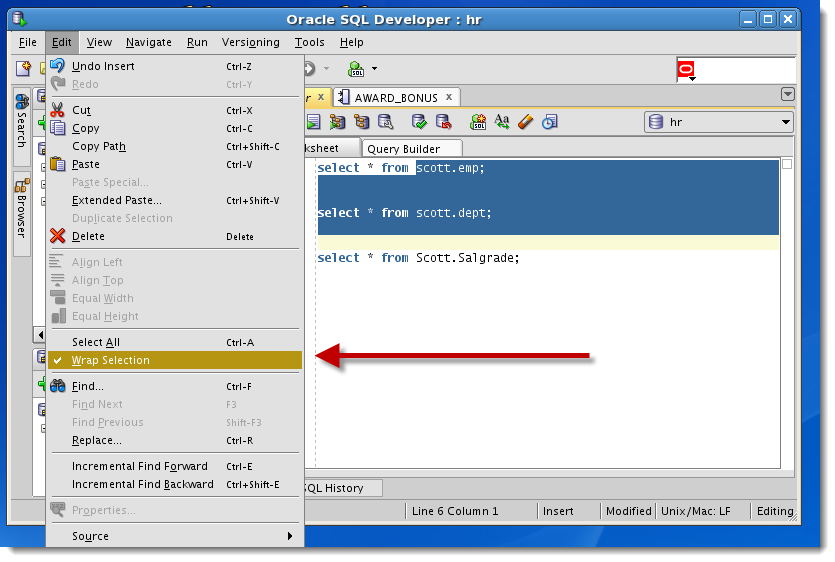
Selecting Text In Action
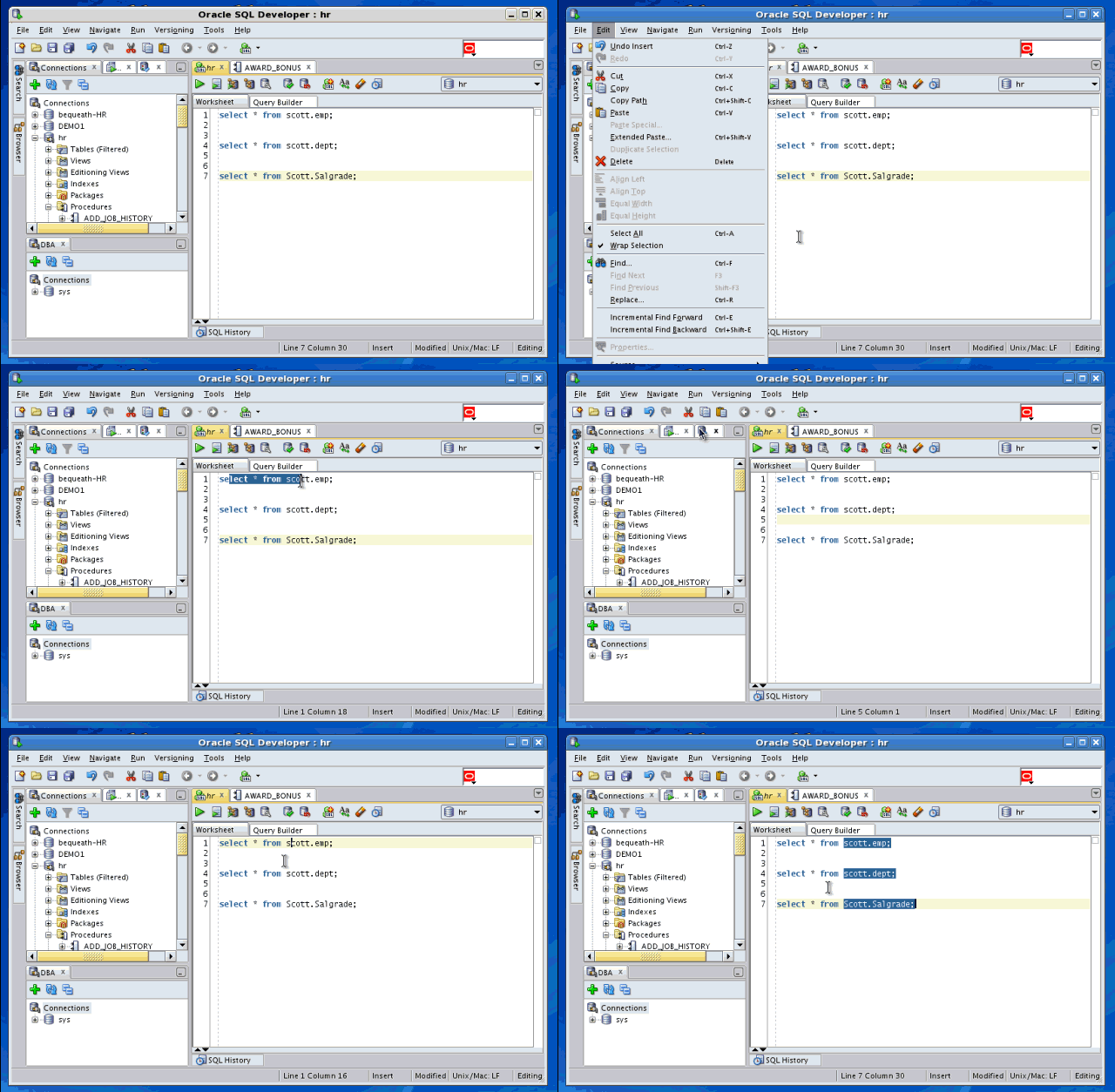
On a newer version of SQL Developer?
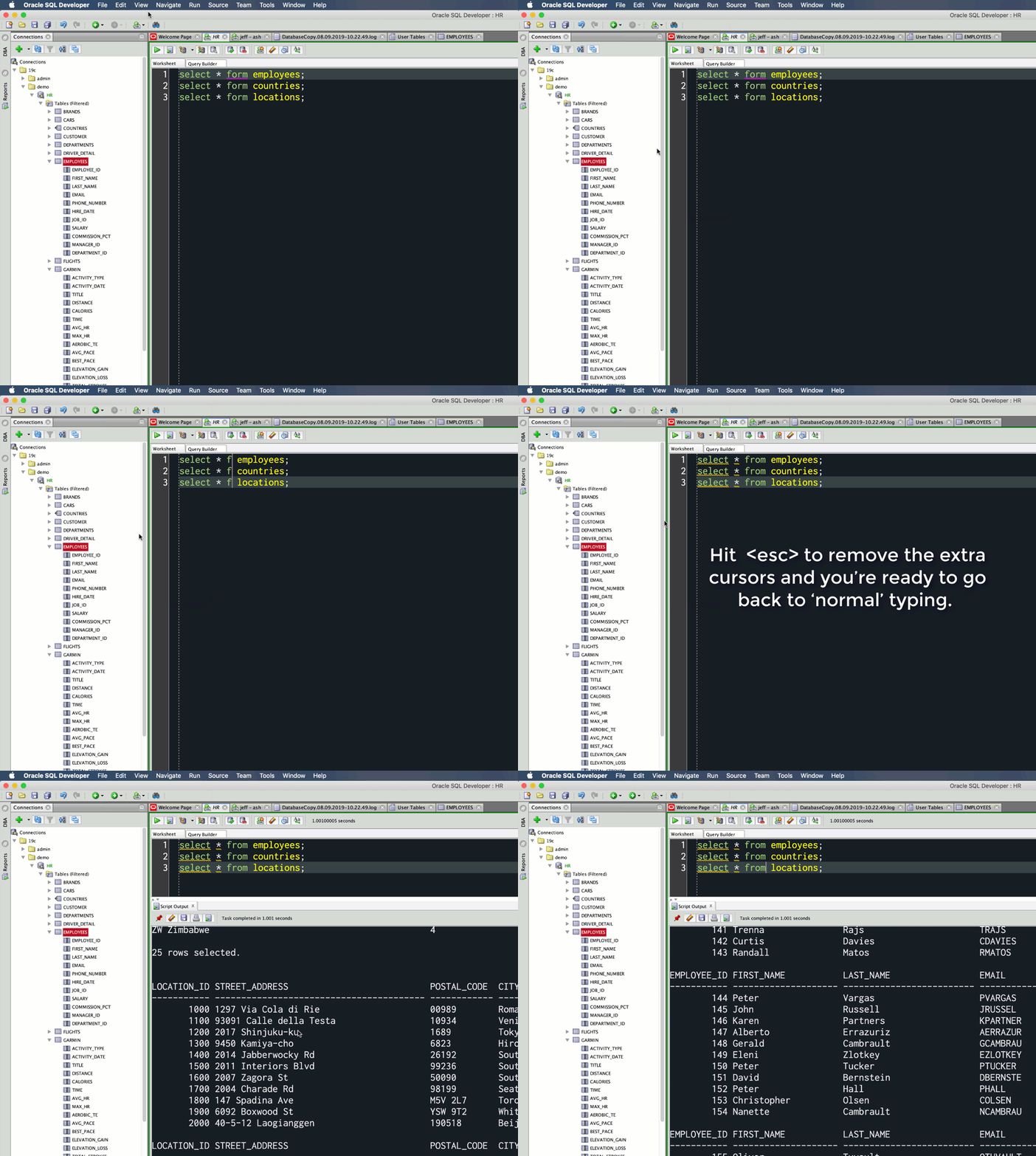
A lot has changed since I first wrote this in 2012. Here’s what it looks like today, and probably since about version 4.1/4.2 time frame.



20 Comments
Thanks
I can block select to copy/cut. I’d like to take it further and block insert like one can in SSMS.
Will there ever be an option to do this pure by keyboard? Like in Notepad++ or even SQL Server Management Studio (lot’s “wrong” there, but they got this covered really well). Why is the implementation so difficult in SQL developer?
Simply press ALT-SHIFT to do a block selection (and return to normal selection when you release)
In SQL developer this tedious,
1) you first need to enable block selection by mouse
2) After your done and want normal selection behavior again, you need to disabled it again
I’ve been working with SQL developer since 2.x and keeping notepad++ as its companion for block editing
You could use the keyboard to access the menu…
The underlying editor and ide are coming from JDeveloper.
Our next sql developer web will have the monaco editor, so you’ll like that I think.
Thanks again Jeff!
Anyway, it’s not quite user friendly. Should be done easily by ALT+selecting text as in other editors.
Right you can already, as you’ve seen. You just need to type to your connection once you’re in the connection drop-down control.
If you want to get to connection A, and it’s not listed at the top, bc you have 4 other connections already open, just type ‘A’ and the focus will take you to the first connection name with first letter A.
THX
Thanks!!
Hi Jeff,
Going a bit further in this topic, is there a way to do “block edition” like in this .gif below?
http://notepad-plus-plus.org/assets/images/tips/columnMode.gif
Block selection is useful to clean stuff, but I do miss block edition.
Not yet. Have you seen my post on how to setup external editors? You could setup a button to auto-suck your editor text to something like Notepad++, and then when you’re done, update the text back to the SQL Developer worksheet.
>Have you seen my post on how to setup external editors?
Yes 🙂 I’m using Geany as external tool to do block edition, based on those configs described at
http://www.thatjeffsmith.com/archive/2013/02/how-to-plug-vi-into-oracle-sql-developer/
But I still hope to see block edition natively on SqlDeveloper 🙂
Hi Jeff,
I came to your site after searching for ‘line wrap in sql developer’ on google but appraently the article is on the ‘wrap selection’ which atleast help me to figure that ‘wrap selection’ is not what I am looking for. 🙂
Basically what I want is fairly simple but somehow I am not able to turn it on.
What I am trying to do is that when the query in the sql developer goes beyond the visual area then instead of generating a horizontal scrollbar, it should simply wrap the line to next line.
Now I thought that this should be possible through some option in “tool->prefrences->code editor” but apparently it is not there. I did a little bit of googling but couldn’t find anything. Any thoughts?
I will answer your question in today’s blog post 🙂
Short answer: ‘Mostly’
On a related note, if I have three SQL’s in a window (like as per your example), do you know if there is any way of running just one of them … without … having to highlight it ?
Its fine when the SQL’s are 1 line long, but when they get very long … its a pain.
Cheers
Connor
Place your cursor in the statement and hit ctrl enter, making sure to use delimiters like a semicolon.
Jeff, I’ve never been able to get that functionality to work properly.
I place the cursor inside the statement i want to run. I don’t select the statement. The statement can be either SQL or PL/SQL. The statement ends with a semi-colon. I hit control-enter. Rather than executing that statement, it tries to run the whole worksheet, and then errors out.
Am I missing something here?
try this
[sql]
select * from user_tables;
select * from all_tables;
select * from dba_tables;
[/sql]
Place your cursor on the 2nd statement, and hit ctrl+enter. What happens?
Hi Jeff,
I’ve looked a bit deeper, and the issue i’m describing only happens if there’s more than one anonymous pl/sql block.
So, for example :
begin
dbms_output.put_line(‘test1’);
end;
begin
dbms_output.put_line(‘test2’);
end;
If I place the cursor in either block and hit control-enter,
then i get the following error.
Error report –
ORA-06550: line 7, column 1:
PLS-00103: Encountered the symbol “BEGIN”
06550. 00000 – “line %s, column %s:\n%s”
Which is basically because it’s attempted to run the whole worksheet, and errored because it’s found more than one begin.
Would you consider that a bug or expected behaviour?
Because, yes, the following code does work :
begin
dbms_output.put_line(‘test1’);
end;
/
begin
dbms_output.put_line(‘test2’);
end;
/
The additional slash at the end of each block apparently delineates them so that sql developer recognises them as a separate block. I’d rather do without the slashes – so sqlplus!
What are your thoughts?
Paul Stuart
From the Docs
Nice! Did you know you could do this in PuTTY too? Just hold the ALT key before clicking 🙂